AI agent examples for marketing: 24 jobs from brief to review
Concrete marketing jobs you can hand to an AI agent, with the brief to give, the deliverable to expect, and the check a person makes before the work is used.
29 min readWritten by Ampere
Short answer
What are examples of AI agents used in marketing?
Examples of AI agents in marketing include scanning a new market segment, tearing down a competitor, turning a release note into LinkedIn posts, producing ad variations in several sizes, and building a monthly report from exported data. In each case the agent plans and carries out the steps from a brief, then returns finished work that a person checks before it is used.
Summary
A marketing job is a good AI agent example when the agent can take a goal, choose its own steps and tools, and return a finished deliverable. Each example has four parts: the brief you give, the work the agent does, what comes back, and the checkpoint where a person decides whether the work can be used. The brief and the checkpoint are the parts you control.
The guide gives 24 illustrative examples across research, competitive intelligence, content, creative, reporting, and recurring work. Each family has a typical check: open the sources behind research findings, date prices and doubt absence claims in competitor work, fact-check claims and metadata in content, view creative at the size it will run, and recompute headline numbers in reports.
A recurring agent job runs from a saved brief on a schedule or after a monitored change, so its brief needs more than a one-off brief does: a time window, a comparison with the previous run, a rule for quiet periods, and a named reviewer. A job should run well on demand two or three times before it is put on a schedule.
Some marketing jobs are poor fits for an AI agent: decisions someone must own, work that depends on facts the agent cannot see, actions that are hard to undo, proof such as reviews or testimonials that only real customers can supply, relationship work, and content produced in volume for its own sake. Most of them contain a smaller preparation job an agent can do.
To pick a first use case, the guide's FIRST test asks whether a job is frequent, has its inputs on hand, is reviewable faster than it can be done, has a clear standard of done, and would be tolerable if wrong. To compare agents, run the same brief through each and judge access to inputs, reviewable context, usable formats, visible sources, and approval before external actions.
Contents
- What counts as an AI agent example in marketing
- Market and customer research examples
- Competitive intelligence examples
- Content marketing examples
- Ad and creative examples
- Reporting and planning examples
- One-off and recurring AI agent jobs
- Marketing jobs that are poor fits for an AI agent
- How these examples work in Ampere
- How to choose your first AI agent use case
- What to look for when choosing an AI agent for marketing
- Sources and further reading
- Frequently Asked Questions
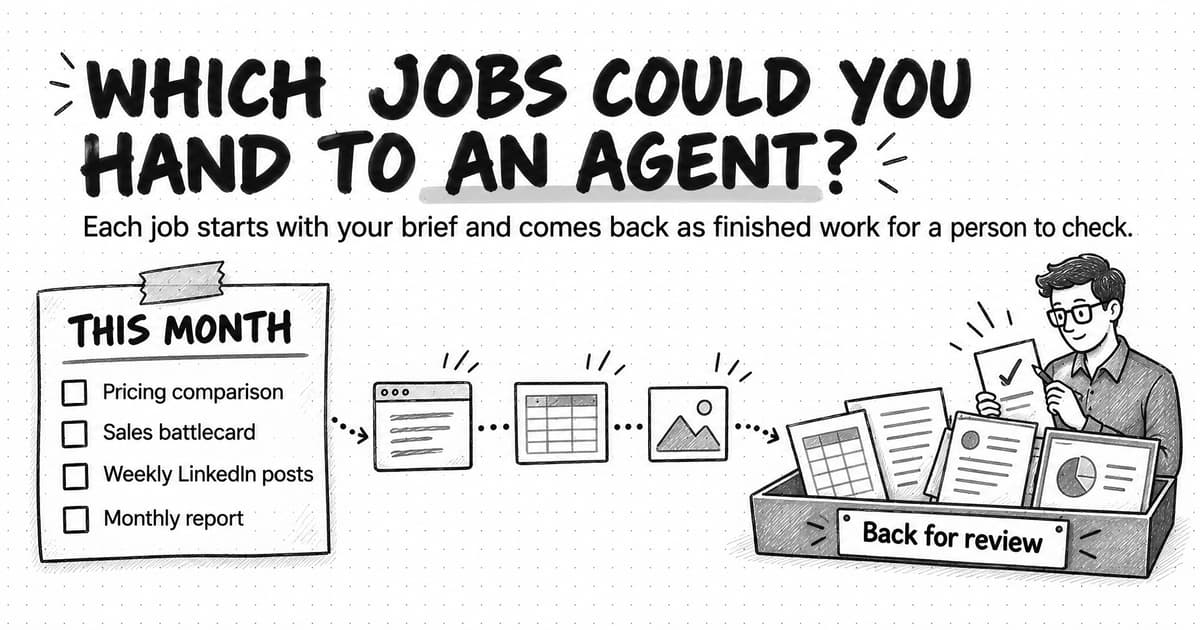
Suppose your next month includes a competitor's new pricing tier, a sales team asking for a battlecard, a founder who wants to post on LinkedIn every week, and a marketing report due on the first Friday. Which of these jobs could you hand to an AI agent, what would you give it, and what would you check when the work comes back?
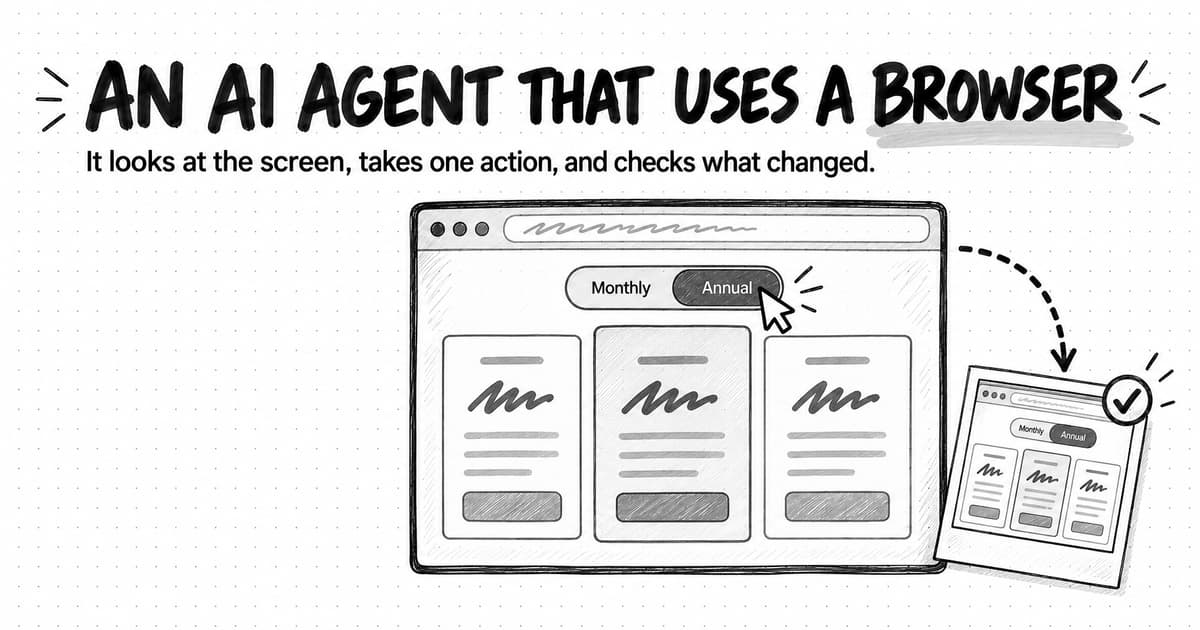
AI agents in marketing take on jobs with several steps between a goal and a finished deliverable, such as researching a market, tearing down a competitor, turning a release note into posts, producing ad variations, or building a monthly report, and return the work for a person to review. The difference from asking a chat assistant for a paragraph is who does the steps in between. Asked to compare the new tier with the market, an agent decides which pricing pages to open, notices when a price hides behind a "contact sales" button, and hands back a spreadsheet with a source and a date for every figure.
A label like "competitor research" doesn't tell you what to brief or how to recognize a trustworthy result, so each example below spells out the brief, the agent's work, the deliverable, and the checkpoint where a person decides whether the work can be used.
What counts as an AI agent example in marketing
A marketing task counts as an AI agent example when you hand over a goal and the software works out the steps: it chooses sources, uses tools such as a web browser, a spreadsheet, or an image generator, and returns a finished deliverable rather than a single reply. Anthropic's guide to building effective agents (December 2024) draws the same line between workflows, which follow predefined steps, and agents, which decide their own process and tool use.
Every example in this guide has four parts. In the pricing comparison, the brief names three competitors and asks for a spreadsheet with a source and a date for every price; the work is reading each pricing page and its plan tables; the deliverable is the spreadsheet with a short note on what stands out; and the checkpoint is a person confirming a few prices on the live pages and deciding what should change.
The brief and the checkpoint are the parts you control. A vague brief invites guessing, and a review that checks polish but not facts lets errors through. How to brief an AI marketing agent covers the brief in depth.
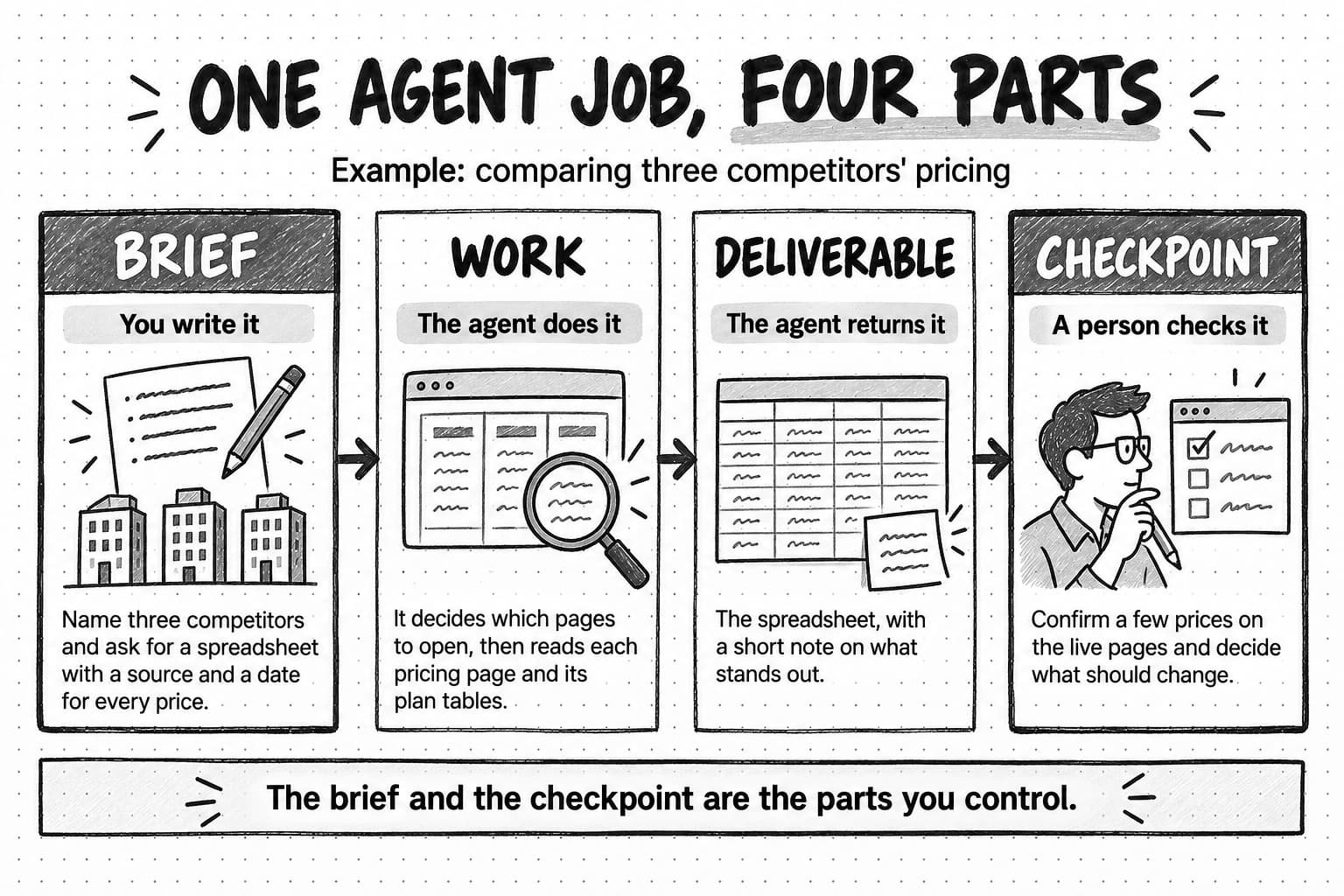
View the four parts of an agent job at full size (opens in a new tab).
Not all AI in marketing software works as an agent. What separates the kinds is who decides the next step and what you get back:
| Kind of AI help | Who decides the next step | Marketing example | What you get back |
|---|---|---|---|
| Built-in AI feature | The product, inside one fixed task | Suggested subject lines or a predicted send time in an email platform | A suggestion inside that tool |
| AI chat or writing assistant | You, one prompt at a time | Rewriting a paragraph or drafting a post from notes you paste in | A reply you copy somewhere else |
| Marketing automation workflow | The rules someone set up in advance | Sending a welcome email when a form is submitted | The same action every time the rule fires |
| AI agent | The agent, within your brief and permissions | Researching three competitors' pricing pages and building a sourced comparison | A finished deliverable with its sources, ready for review |
When you're unsure what a product is doing, ask who chooses the steps and whether the result arrives as a deliverable you can review; How do AI agents work? explains the mechanics.
Market and customer research examples
AI agents can scan a new market segment, mine reviews for customer language, synthesize interview transcripts, and map where an audience gathers online. Research suits an agent when the question is specific and the sources are public or supplied; deciding which findings matter is still your job.
| Example and brief | What the agent does | What comes back | What a person checks |
|---|---|---|---|
| Segment scan. “We're considering mid-size logistics companies as a new segment. Using public sources from the past two years, describe who buys tools like ours, what they use now, and what they complain about. Cite every claim.” | Searches publications, review sites, forums, and job listings, groups the findings, and notes where sources disagree | A report on buyer roles, current alternatives, and recurring problems, with linked quotes and open questions | Open the sources behind the findings you'd act on, confirm the segment matches your definition, and treat single-source claims as leads |
| Customer language from reviews. “Collect public reviews of us and two competitors from the past 12 months. Group praise and complaints by theme, count them, and quote customers' exact words.” | Pulls reviews from review sites and app stores, tags and counts themes, and extracts verbatim quotes | A theme table with counts, quotes linked to each review, and five phrases worth testing in messaging | Spot-check quotes, read counts as a sample of reviewers rather than all customers, and drop anything you can't trace |
| Interview synthesis. “Here are eight customer call transcripts. Summarize why customers chose us, the objections they raised, and the words they used, with a transcript reference for every quote.” | Codes themes, counts the calls raising each one, and pulls supporting quotes | A memo with themes ranked by number of calls, referenced quotes, and points where customers disagree | Confirm quotes are verbatim, check that one vocal customer isn't driving a theme, and remove personal details before sharing |
| Audience channel map. “Find where operations leaders at 50- to 500-person companies discuss buying software: communities, newsletters, podcasts, and creators. Show recent activity for each.” | Searches communities, social platforms, and publications, and checks each one's recent activity | A spreadsheet of channels with links, last-active dates, and each community's rules on promotion | Visit the top five, confirm the dates, and read the rules before planning anything promotional |
Open the sources yourself, because a link proves that a page exists, not that it supports the sentence next to it. In a March 2025 study, the Tow Center for Digital Journalism asked eight AI search tools to identify the original articles behind news excerpts; across 1,600 queries, they answered more than 60 percent incorrectly, usually without signaling any doubt. What is market research? and Voice-of-customer research cover the methods behind these jobs.
Competitive intelligence examples
In competitive intelligence, an agent can tear down a competitor, review their recent ads, build a sales battlecard, or map the companies selling to your buyers. Gathering the scattered, mostly public evidence suits an agent; your part is to separate a competitor's claims from what you've verified.
| Example and brief | What the agent does | What comes back | What a person checks |
|---|---|---|---|
| Competitor teardown. “Tear down Competitor A before our pricing review: positioning, plans and prices, main claims, the proof they use, and where reviewers say they fall short. Date every source.” | Reads their website, pricing page, documentation, reviews, and recent posts, and compares them with your positioning | A teardown with a dated source for each section and a summary of where you win and lose | Recheck prices on the live page, question every “they can't do X” claim, and mark which claims are the competitor's own words |
| Competitor ad review. “Show what Competitors A and B have run in public ad libraries over the last 30 days: hooks, offers, formats, and landing pages.” | Pulls ads from public ad libraries, groups them by message and format, and follows them to their landing pages | An ad report with a gallery, message groups, offers, landing-page notes, and three ideas to test | Confirm the date window and the libraries covered, and treat what “works” as a hypothesis, since an ad that ran may not have performed |
| Sales battlecard. “Build a one-page battlecard against Competitor C using our positioning document, their website and reviews, and the notes from our last ten lost deals.” | Pulls out differences, objections, and proof points, and drafts a response to each objection | A battlecard with quick facts, likely objections, suggested responses, and sourced proof points | A sales lead tests the responses against real calls, and every comparative claim is checked before it reaches a buyer |
| Category map. “List the companies selling to our buyers in this category, with who they serve, their headline claim, and their pricing model, plus sources.” | Searches review sites, directories, and company websites, and profiles each company consistently | A vendor spreadsheet plus a one-page map grouping companies by audience and approach | Look for players you know are missing, and check that “who they serve” rests on evidence beyond the vendor's own claims |
Date everything, since prices, plans, and ads change, and be most skeptical of absence claims: “Competitor A doesn't offer single sign-on” may only mean the agent didn't find it. The competitor analysis guide walks through a full worked example.
Content marketing examples
For content, an agent can turn a release note into LinkedIn posts, draft a search article from your own sources, repurpose a webinar, or write an onboarding email sequence, provided you supply the substance. Your review is an editor's: accuracy, voice, and whether to publish at all.
| Example and brief | What the agent does | What comes back | What a person checks |
|---|---|---|---|
| LinkedIn post from a release note. “Turn this release note into three LinkedIn post options for our founder. Audience: operations leads. 120 to 200 words each. Mention a customer result only if it's in the note.” | Reads the note and your voice guidance, drafts three angles, and suggests a visual | Three drafts, each claim matched to its line in the note, and an image or carousel idea | The founder edits for voice, someone checks the claims against the note, and you decide whether and when to post |
| Search article package. “Draft a 1,500-word guide to onboarding checklists for operations teams, using our webinar transcript and two customer interviews as sources. Include title options and a meta description.” | Reviews current search results, outlines, drafts from your sources, and flags gaps they don't cover | A draft with an outline, title and description options, a source list, and suggested internal links | A subject expert checks accuracy, each statistic is opened at its source, and the title and description get the same check |
| Webinar repurposing. “Turn this 45-minute webinar recording into five LinkedIn posts, one newsletter section, and three short-video scripts. Tie every quote to its timestamp.” | Transcribes the recording, finds the strongest segments, and drafts a version for each channel | A content pack with drafts, a timestamp for every quote, and suggested clip points | Check quotes against the recording, confirm speakers are comfortable being quoted, and cut anything that changes a speaker's point |
| Onboarding email sequence. “Draft four emails for trial users who haven't connected a data source, using our help articles and voice guidance. One call to action per email.” | Reads the help articles, maps the setup steps users skip, and drafts the sequence with timing suggestions | Subject lines, preview text, and body copy for each email, linked to the help articles used | A product owner confirms each step is current, the links work, and your team loads the approved emails into your email platform |
Google's guidance on generative AI content, updated in October 2026, tells site owners to fact-check AI-generated content before publishing, including titles, meta descriptions, structured data, and image alt text, which can appear in search results. Without voice guidance and a few approved examples, drafts also drift toward generic phrasing, a problem our Blog explores in why AI-generated marketing often feels off-brand. How to write a content brief and How to repurpose content across channels cover the jobs themselves.
Ad and creative examples
For creative work, an agent can produce static ads, design a LinkedIn carousel, place your product in new scenes, or write video ad scripts. It works best when the brief fixes the message, offer, and brand rules and leaves the variations and sizes to the agent.
| Example and brief | What the agent does | What comes back | What a person checks |
|---|---|---|---|
| Static ad set. “Create ads for our webinar on LinkedIn and Meta: two message angles and three visual directions, in square and 4:5. Use our logo, colors, and the approved headline.” | Drafts copy variations, generates visuals, composes each ad, and exports the sizes | Image files in each size, copy options, and a rationale for each angle | Brand fit, legibility on a phone, correct offer terms, and each platform's ad policies |
| Carousel from a guide. “Turn this guide into an eight-slide LinkedIn carousel, one idea per slide, ending with an invitation to read the full guide.” | Picks the guide's key steps, writes the copy, and designs the slides in your visual style | A designed PDF carousel and a caption | Each slide is accurate and readable at feed size, and the carousel still makes the guide's point |
| Product images. “Create five lifestyle images of our device, from the attached photo, in a home office. Keep its shape, ports, and logo exactly as photographed.” | Places the product into generated scenes from the reference photo, varying setting and light | Five images in the sizes you need, with the prompts used | Product details match the real product at full size, nothing is warped, and no image implies a feature the product lacks |
| Video ad scripts. “Write three 30-second creator-style video scripts for our app, aimed at freelance designers. Hook in the first three seconds, with a shot list.” | Draws hooks from reviews and your positioning, writes scripts and shot lists, and can produce a draft presenter video | Scripts with hooks, shot lists, and on-screen text, plus an optional draft video | Claims are accurate, an AI-generated presenter is never passed off as a real customer, and brand or legal sign-off comes before any spend |
Judge every asset at the size it will run, since a headline that reads well on a laptop can be unreadable in a phone feed. How to write a creative brief covers the brief that comes first.
Reporting and planning examples
An agent can build the monthly marketing report from exported data, turn research into a leadership deck, write a campaign recap, or lay out a content calendar. These jobs suit an agent when the inputs already exist and the work is to clean, calculate, explain, and package them.
| Example and brief | What the agent does | What comes back | What a person checks |
|---|---|---|---|
| Monthly marketing report. “Here are September's exports from our ad accounts, web analytics, and CRM. Build a one-page summary and a six-slide deck: what changed from August, possible reasons, and what to test next.” | Cleans and joins the exports, calculates the changes, charts them, and drafts the commentary | A deck, a one-page summary, and the spreadsheet holding every calculation | Recompute two or three headline numbers from the raw exports and check that date ranges and definitions match last month |
| Leadership deck from research. “Turn our market research brief and competitor teardown into a ten-slide deck for Thursday's leadership meeting, with one recommendation and the evidence behind it.” | Selects the strongest evidence, structures the argument, and designs slides with speaker notes | A presentation with a source note on each slide | Trace each claim back to the brief, decide whether you endorse the recommendation, and remove anything not meant for this audience |
| Campaign recap. “Summarize the spring launch from the brief, the asset list, the results export, and the team's notes: what shipped, results against goals, and what we'd change.” | Builds a timeline, lists the assets, compares results with the goals, and drafts lessons | A recap document with a results table and lessons | The campaign owner adds context the files don't show, such as budget changes or sales feedback |
| Content calendar. “Build a first-quarter content calendar from our three editorial themes and launch dates: channel, format, owner, draft date, publish date, and status.” | Maps themes to weeks, balances channels, and lines pieces up with launches | A calendar spreadsheet with one row per piece | Owners confirm their dates are realistic, launch dates are current, and the plan fits the team's capacity |
Treat explanations of why a number moved as hypotheses. If demo requests fell 18 percent in September, an agent can see the drop in the export but usually not that a sales event moved to October or that the pricing page broke for two days, so add the context only your team has.
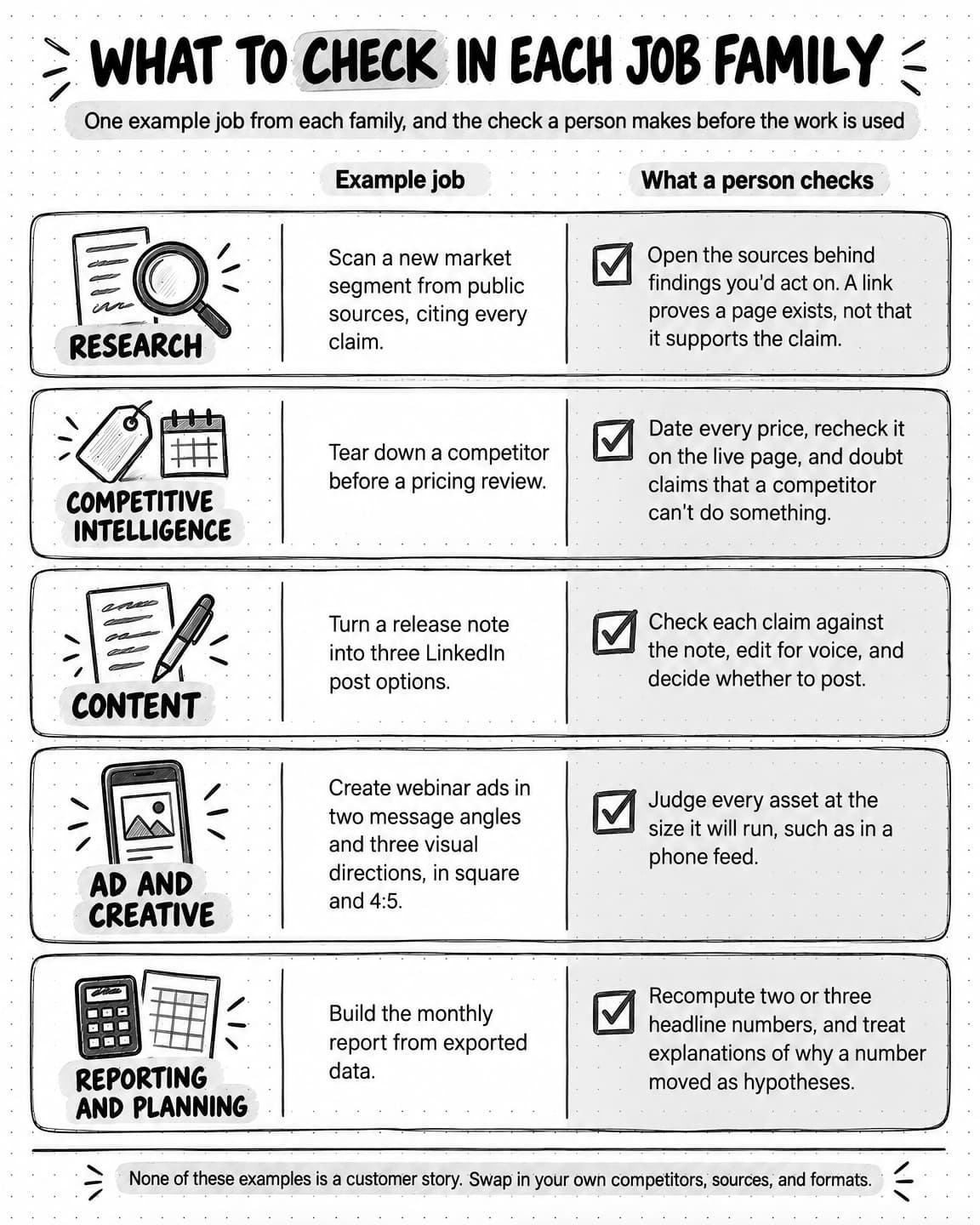
View the checks for each job family at full size (opens in a new tab).
One-off and recurring AI agent jobs
A one-off agent job ends when its result is reviewed; a recurring job runs from a saved brief on a schedule or after a change.
Some examples above are worth repeating, such as the battlecard that goes stale every quarter or your founder's weekly posts, and then the brief has to run without you. A recurring brief needs four things a one-off brief can leave out: a window, such as "since the last run," so each run covers new ground; a baseline, so the run reports what changed instead of restating everything; a rule for quiet periods, such as "if nothing changed, say so in one line"; and a named reviewer, so results don't pile up unread while the runs keep costing money.
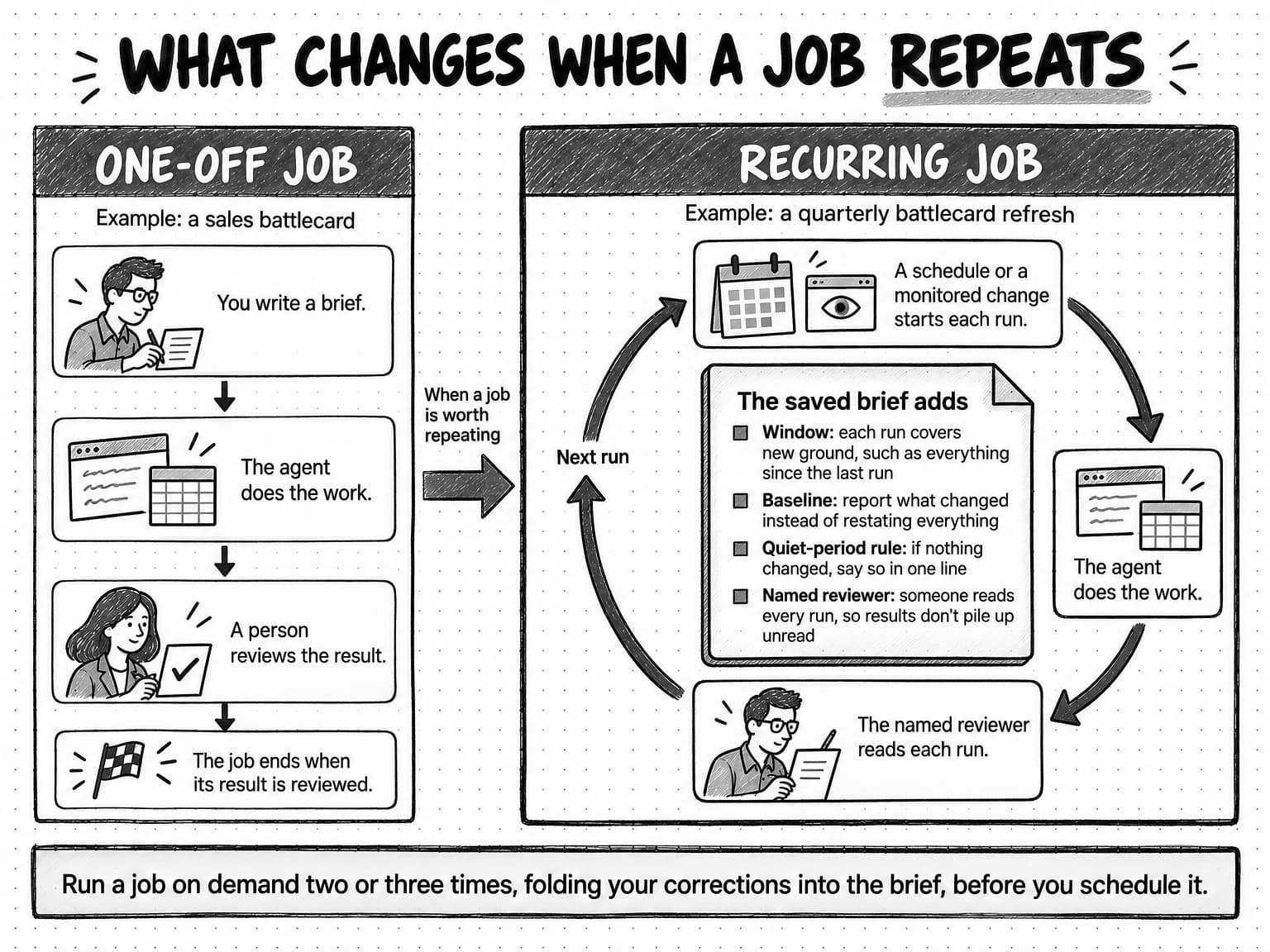
View the one-off and recurring job comparison at full size (opens in a new tab).
| Recurring job | What starts it | What the saved brief adds | Who reviews each run |
|---|---|---|---|
| Quarterly battlecard refresh, grown from the sales battlecard | A schedule, once a quarter | Compare with last quarter's battlecard and list only what changed, with sources | Product marketing, then the sales lead |
| Weekly LinkedIn batch, grown from the release-note post | A schedule, every Monday | Use only this week's release and call notes, and if nothing new shipped, say so instead of padding | The person whose name is on the posts |
| Monthly competitor ad digest, grown from the ad review | A schedule, on the first of each month | Show ads that started or stopped since the last digest, grouped by message | The campaign owner |
| Homepage messaging watch, grown from the teardown | A monitor that detects a change to a competitor's homepage | Alert only when the headline or main claims change, with the before-and-after text | Whoever owns positioning |
Run a job on demand two or three times, folding your corrections into the brief, before you schedule it. How to automate marketing with AI agents covers triggers and failure handling, with ten scheduled and ten change-triggered examples.
Marketing jobs that are poor fits for an AI agent
An AI agent is a poor fit for marketing jobs that depend on facts it can't reach, where a mistake would become public or irreversible before anyone could check it, or whose value comes from a person's judgment, relationships, or accountability. Most of them still contain a smaller preparation job an agent can do well.
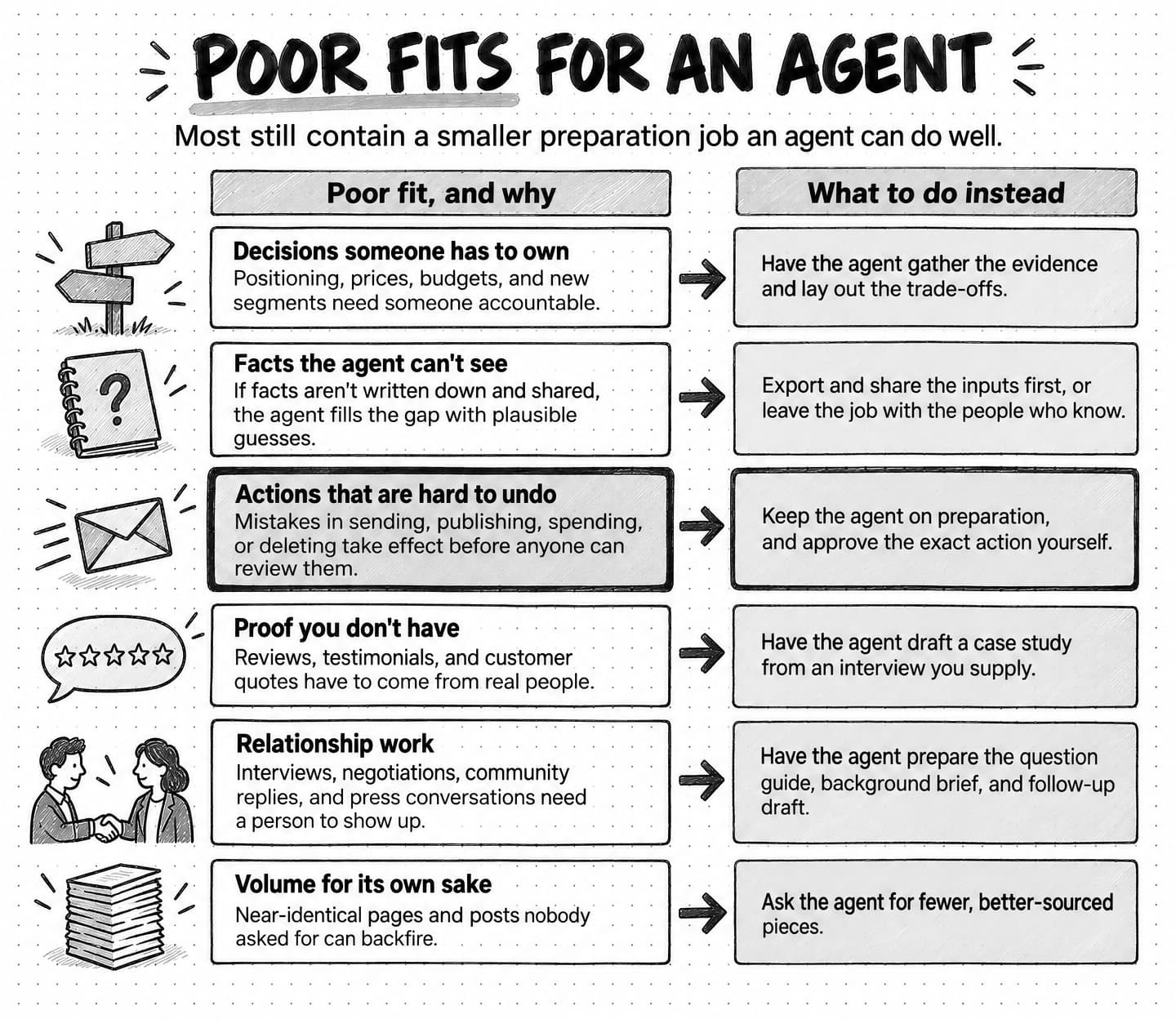
View the poor fits and what to do instead at full size (opens in a new tab).
Decisions someone has to own
Choosing your positioning, changing prices, splitting the budget, and entering a new segment need someone accountable. An agent can gather the evidence and lay out the trade-offs; asked to decide, it produces a confident recommendation nobody owns.
Work that depends on facts the agent can't see
Why deals stalled, what a partner was promised, or what customers said on calls nobody recorded: if those facts aren't written down and shared, the agent fills the gap with plausible guesses. Export the inputs first, or leave the job with the people who know.
Actions that are hard to undo
Sending a campaign, publishing a post, changing an ad budget, and deleting old assets are actions whose mistakes take effect before anyone can review them. Keep the agent on the preparation side and approve the exact action yourself before it happens, as the OWASP Top 10 for LLM applications recommends for high-impact actions.
Proof you don't have
Reviews, testimonials, customer quotes, and case-study results have to come from real people. An agent can draft a B2B case study from an interview you supply but can't supply the customer. In the US, the Federal Trade Commission's final rule on fake reviews and testimonials (August 2024) covers those attributed to people who don't exist, including AI-generated ones.
Relationship work
Customer interviews, partner negotiations, community replies, and press conversations depend on a person showing up. An agent can prepare the question guide, background brief, and follow-up draft.
Volume for its own sake
Dozens of near-identical pages built for search traffic, or posts nobody asked for, can backfire. Google's guidance on generative AI content warns that generating many pages without adding value for users may violate its spam policy on scaled content abuse. Ask the agent for fewer, better-sourced pieces.
How these examples work in Ampere
In Ampere, you can brief any of the 24 jobs above in plain English, and Ampere plans the steps, carries them out in its session workspace, and returns the finished files for your review. The session workspace shows the files, browser pages, and previews behind the work, so you can open what Ampere worked from when you reach the checkpoint. Ampere asks for clarification, approval, or a style choice when the answer would materially change the outcome, and otherwise carries on.
Ampere can research your brand through 22 Brand memory skills, covering areas such as positioning, audience, voice, voice of customer, pricing, and competitors, and save each result as an editable report with its sources visible. Once you've reviewed and corrected those reports, later work starts from the approved version, so a battlecard, a LinkedIn post, and an ad set can describe your product the same way without your restating it in every brief.
For the research and competitive examples, Ampere can pull public ads, reviews, and social and creator data into sourced competitor reports, battlecards, and comparisons, including ads from the Meta and LinkedIn ad libraries and Google's Ads Transparency Center. For the content, creative, and reporting examples, it drafts channel packages such as LinkedIn text posts, image posts, and carousels, blog articles, and email sequences; produces images, video, avatar, and voice assets; and creates documents, spreadsheets, presentations, PDFs, and HTML reports, drawing on 200+ AI tools & skills.
The recurring examples map to Scheduled Tasks and Monitoring. A scheduled task runs a saved brief on a cadence, such as weekly or monthly, and each result lands back in your Project for review. A monitor checks a supported public source, such as a competitor's homepage, hourly, daily, or weekly, files an alert with the evidence of what changed, and can prepare follow-up work for review when you set one up. Checks run on that cadence rather than in real time and can miss changes.
You decide what ships. Ampere doesn't publish posts, send email campaigns, or launch ads on its own, and it isn't a social scheduler or an email-sending platform. Like any AI output, its work can contain mistakes, which is why every example in this guide ends with a person's check. Ampere does not directly use private customer prompts, files, chat history, project context, agent memory, integration data, or outputs to train Ampere models by default.
How to choose your first AI agent use case
Choose a first AI agent use case that you do often, that runs on inputs you already have, that takes less time to check than to do, that has a clear standard of done, and where a mistake would be caught or cheap. We call this the FIRST test.
| Frequent | Does the job come up every week or month? A brief you reuse repays the effort of writing it. |
|---|---|
| Inputs on hand | Can you give the agent everything the job depends on? Missing inputs turn into plausible guesses. |
| Reviewable | Can a person check the result faster than they could produce it, and do they know what to check? |
| Standard of done | Could you describe a good result before the first run, including its format, sections, and sources? |
| Tolerable if wrong | Would a mistake be caught before it reached a customer, or be cheap and reversible if it slipped through? |
The first two questions decide whether a job is worth setting up, the middle two whether you can tell good work from bad, and the last how closely to supervise the first runs. Anthropic's guide to building agents makes a similar point, listing clear success criteria, feedback loops, and meaningful human oversight among the conditions where agents add the most value, and noting that their autonomy brings higher costs and the potential for compounding errors.
If you can't describe a good result before the first run, the job isn't ready for an agent.
Here is how four candidate jobs might score for a small software company. The answers are illustrations.
| Candidate job | Frequent | Inputs | Reviewable | Standard | Tolerable | Verdict |
|---|---|---|---|---|---|---|
| Monthly report from exported data | Yes | Yes | Yes | Yes | Yes | Strong first job |
| LinkedIn posts from release notes | Yes | Yes | Yes | Partly | Yes | Strong once voice examples are agreed |
| Competitor teardown before a pricing review | Partly | Yes | Partly | Yes | Partly | Good second job |
| Rewriting the company's positioning | No | Partly | No | No | No | Keep with people, and brief the research instead |
The monthly report passes all five: it repeats, the exports exist, a few numbers can be recomputed in minutes, the sections stay the same, and the audience is internal. The LinkedIn posts pass once the team agrees on voice guidance and a handful of approved posts. The teardown takes longer to check and feeds a pricing decision, so it makes a better second job. The positioning rewrite fails almost every question, but the research it needs, such as competitor messaging and customer language, is a good agent job.
What to look for when choosing an AI agent for marketing
The best AI agent for your marketing is the one that does your first chosen job well under your review. Run the same brief and sources through each product, and ask:
- Can it reach the inputs? It should get to the websites, files, and accounts the job needs, and say when it can't.
- Does it keep context you can review? Saved knowledge about your brand helps only if you can see and correct it.
- Does the deliverable arrive in a usable format? Editable documents, spreadsheets, decks, and image sets beat text you have to rebuild.
- Does it show its work? Look for sources on claims, files you can open, and a note on what it couldn't reach.
- Does it ask before acting outside the session? Publishing, sending, spending, and changing records should need your approval of the exact action.
- Do its scheduling, costs, and data handling suit you? Check whether it can repeat the job on a schedule, what each run costs, and whether your data is used to train models.
Count the time spent reviewing and fixing each result, because a fast draft that needs an hour of repair hasn't saved an hour. How to evaluate an AI marketing agent gives a rubric for the test.
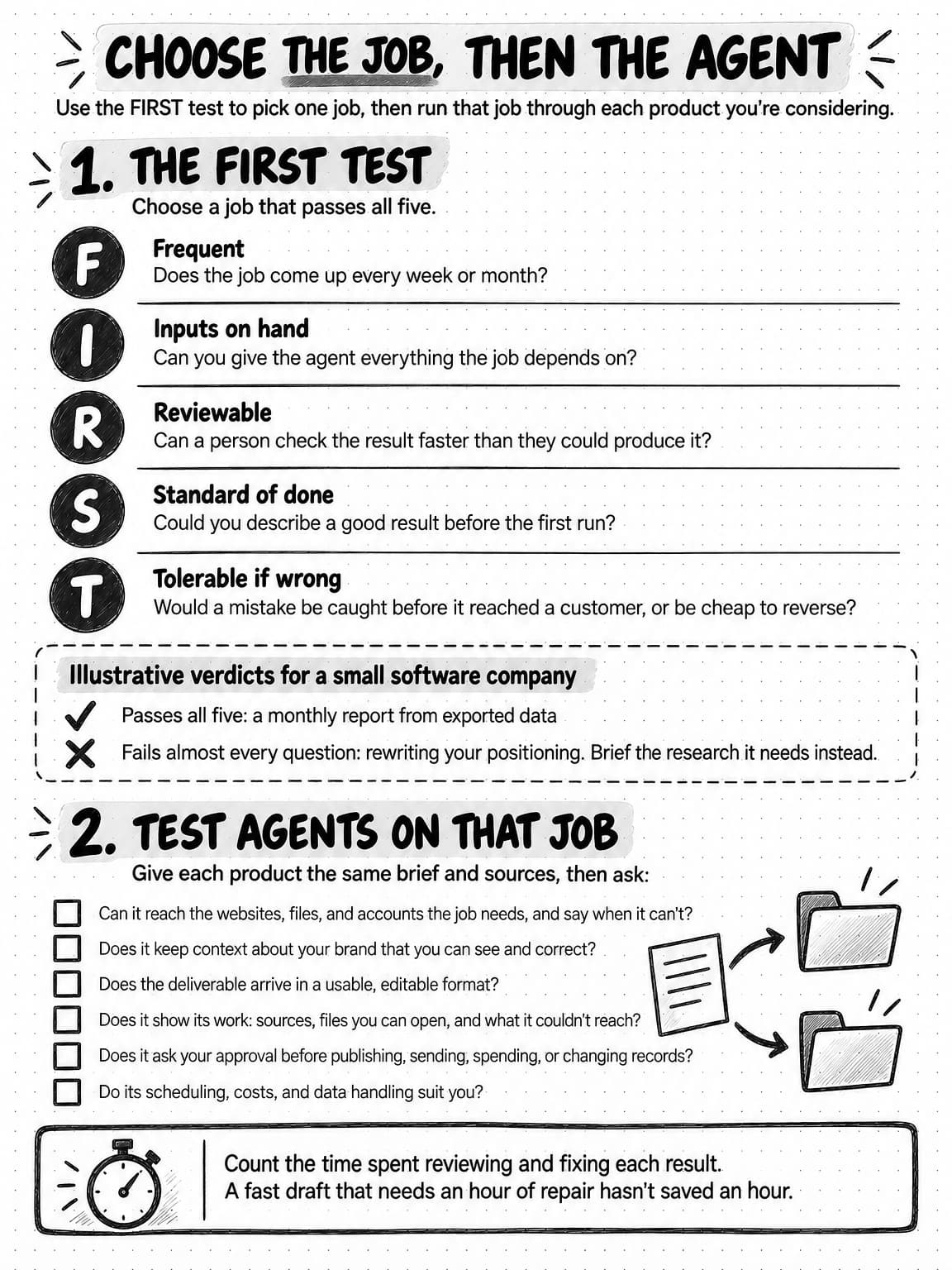
View the checklist for choosing your first job and agent at full size (opens in a new tab).
Sources and further reading
- Anthropic, Building effective agents, December 19, 2024.
- Klaudia Jaźwińska and Aisvarya Chandrasekar, Tow Center for Digital Journalism, AI search has a citation problem, Columbia Journalism Review, March 6, 2025.
- Google Search Central, Google Search's guidance on using generative AI content on your website, last updated October 1, 2026.
- OWASP GenAI Security Project, LLM06:2025 Excessive Agency. The 2026 edition renumbers it LLM03:2026 and keeps the recommendation that a person approve high-impact actions.
- US Federal Trade Commission, Federal Trade Commission announces final rule banning fake reviews and testimonials, August 14, 2024.
Frequently Asked Questions
How are AI agents used in marketing?
AI agents are used in marketing by taking a brief, planning the steps, using tools such as a web browser, spreadsheets, and image generators, and returning a deliverable for a person to review. Typical jobs include market research, competitor analysis, content drafts, ad variations, and reports built from exported data. The work can start on request, on a schedule, or when a monitored page changes, and anything that would be published, sent, or paid for waits for a person's approval.
Which AI agent is best for marketing?
The best AI agent for marketing is the one that does your first chosen job well under your review. Compare products on that job: whether the agent can reach the inputs it needs, keeps context about your brand that you can review, returns editable files, shows its sources, asks before publishing or sending anything, supports recurring runs if you need them, and handles your data in a way you accept. Give each product the same brief and sources.
What are some examples of AI in marketing?
Examples of AI in marketing include built-in features, such as suggested subject lines or predicted send times in an email platform; chat assistants that draft copy from a prompt; automation workflows that follow fixed rules; and AI agents that take a goal and return finished work. An AI agent might research three competitors' pricing pages and return a sourced comparison spreadsheet, while a built-in feature only makes suggestions inside one tool.
What are the risks of using AI agents in marketing?
The main risks of using AI agents in marketing are confident errors, unsupported claims, and actions taken without review. Research can cite sources that don't say what the summary claims, drafts can drift off-brand, and an agent allowed to publish, send, or spend can make a mistake public before anyone checks it. Open the sources behind important claims, keep agents on drafts and proposals, and approve every external action yourself.
Can AI agents do market research and competitor analysis?
Yes, AI agents can do much of the work in market research and competitor analysis, because most of the evidence is public: websites, pricing pages, reviews, ad libraries, and social posts. An agent can gather that evidence, group it, and return a sourced brief, battlecard, or comparison spreadsheet. A person still needs to open the sources behind the findings they will act on, doubt claims that a competitor lacks something, and decide what the evidence means.
Can AI agents create ads and other marketing creative?
Yes, AI agents can create ads and other marketing creative when the brief fixes the message, the offer, and the brand rules: static ads in several sizes, carousels, product images, video scripts, and draft videos. Check the work at the size people will see it, compare product details with the real product, verify claims and offer terms, and never present an AI-generated presenter as a real customer.
Can AI agents automate recurring marketing tasks?
Yes, AI agents can automate recurring marketing tasks by running a saved brief on a schedule, such as a weekly content batch, or after a monitored change, such as an update to a competitor's homepage. Automate the preparation and end each run in drafts or a report for review. A recurring brief needs a time window, a comparison with the previous run, a rule for quiet periods, and a named reviewer.
How can a small business use AI agents for marketing?
A small business can use AI agents for marketing by handing over frequent, time-consuming jobs such as turning release notes into weekly posts, checking competitors' pricing and ads, and building the monthly report from exported data. Start with one job that comes up often, runs on inputs you already have, is quick to check, has a clear standard of done, and would be cheap to get wrong. Keep decisions and final approval with people.
How can a company implement AI agents in its marketing workflow?
A company can implement AI agents in its marketing workflow by starting with a single job. Write a brief that names the sources, the format, and what a finished result looks like, then run it two or three times while a named reviewer checks the output closely. Fold the corrections into the brief, schedule the job only if it repeats, and add the next job once the first is reliably useful.