How to repurpose content across channels without losing the point
Learn how to choose useful source material and adapt it for different readers, with finished examples of an article, LinkedIn post, carousel, and video script.
28 min readWritten by Ampere
Short answer
How do you repurpose content across channels without losing the point?
Repurpose content by choosing a useful finding or explanation from a source you have permission to reuse, then adapting it to a new reader's question and channel. Give each asset its own opening and enough context to stand alone. Preserve the original evidence, qualifications, and attribution, and review the derivatives together before publishing.
Summary
Repurposing adapts existing material, such as a webinar or report, for a reader with a different question or a different way of understanding the answer. Shortening the original does not necessarily help that reader, while cross-posting suits audiences who need the same message in the same form. Check reuse rights first, since attribution does not replace permission.
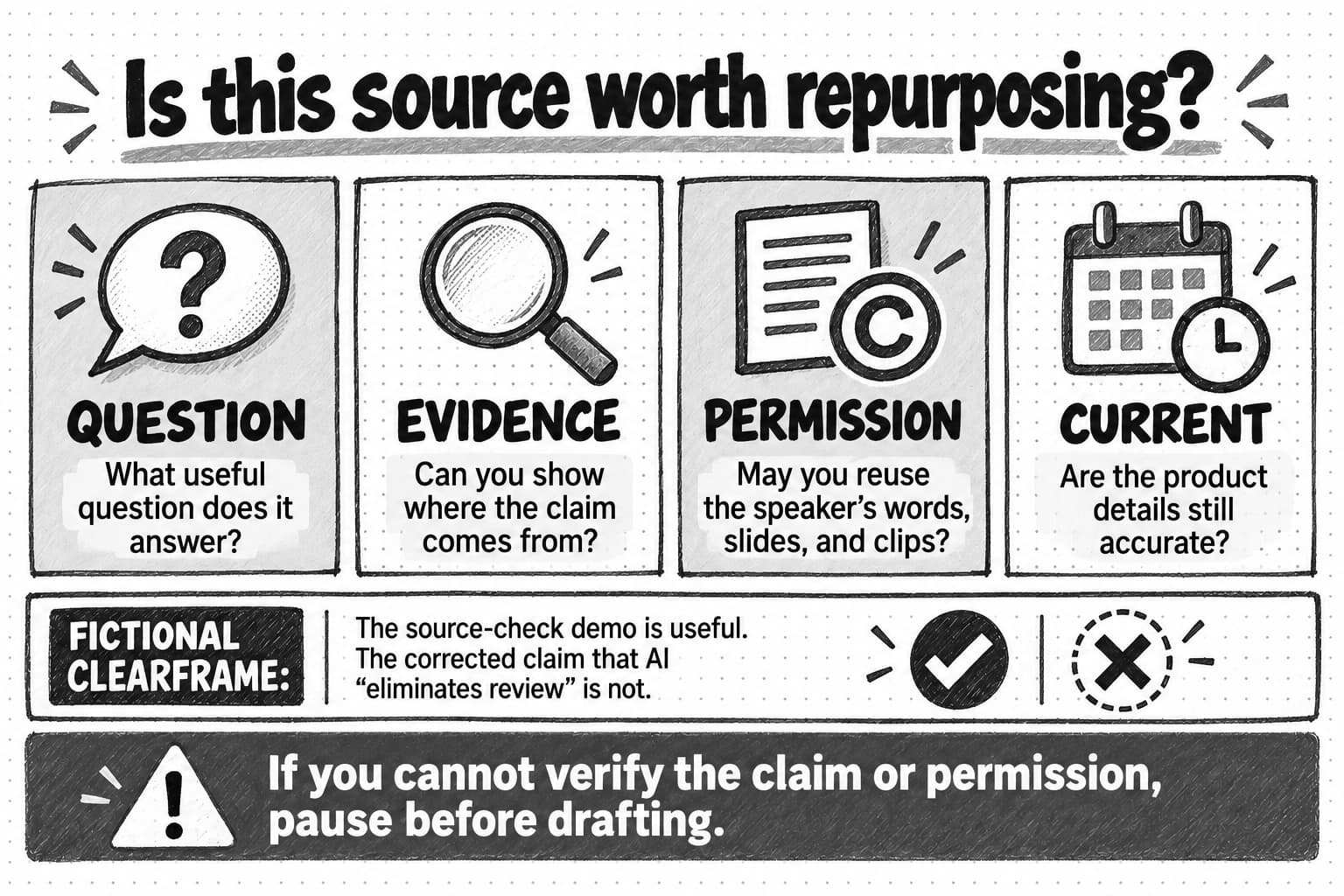
Choose material for the answer it contains and the evidence behind it, after reviewing the whole source. A decisive-sounding line may depend on an earlier slide or be qualified later, and a transcript can drop a word that reverses the meaning. A source audit records the durable idea, reusable evidence, context that must stay with it, and what to omit or verify.
Pick each channel by the reader's task and whether the format has room for the proof that keeps a claim honest. The opening and depth can change between channels, but the finding must keep its meaning, since a compressed verdict can overstate what was checked. When a sample, method, or limitation will not fit, choose a narrower idea or another format.
The worked example takes a fictional company's webinar on testing AI-drafted support answers through a source audit to four finished assets: an article, a LinkedIn post, a carousel, and a short video. The audit keeps the review's limits and drops the presenter's withdrawn remark, even though it was the most quotable line.
Review each asset on its own, then as a set, where conflicting figures and duplicated openings show up. A record tying each asset to its source version shows which ones to correct when a policy changes. AI can help find candidate moments in a recording, but an editor decides what the speaker meant. The guide ends with a copyable worksheet.
Contents
- What changes when you repurpose content
- Choose source material with evidence and reuse rights
- Choose a channel for the reader's task
- What stays the same when the format changes
- The webinar as an article, post, carousel, and video
- Check the drafts together and keep them current
- Copyable repurposing worksheet
- Frequently Asked Questions
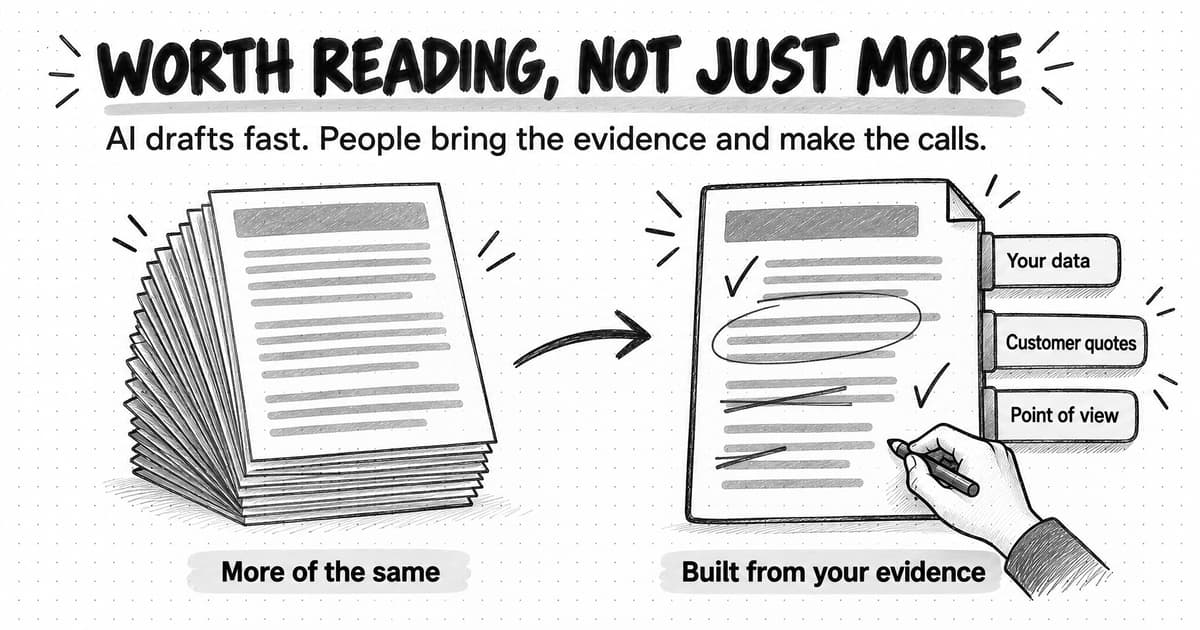
A webinar, interview, or research report can contain useful material for people who will never watch or read the whole thing. A speaker might explain how to solve a problem your customers keep asking about. A report might offer evidence that helps a buyer make a decision. Once you have that material, you still have to decide which parts are worth sharing elsewhere and how to make them useful to someone encountering them for the first time.
Content repurposing means adapting existing material for a different audience, channel, or purpose. For example, you could develop an explanation from a webinar into an article that walks readers through a process. One step in that process might also make a useful short video, especially if it is easier to show than describe. Both pieces draw on the same source, but each needs its own starting point and enough context to make sense without the webinar.
This is where much of the writing work happens. Someone reading a detailed guide has chosen to spend time learning about the subject. Someone coming across a LinkedIn post may need an explanation of the problem before they have a reason to care about your advice. Shortening the original does not necessarily meet either need. You have to decide what to explain, what to leave out, and which evidence or qualifications must stay so the meaning remains accurate.
This guide takes you through those decisions, from choosing a source to reviewing the finished pieces. A worked example later in the article uses a clearly labeled fictional webinar to show how the material becomes an article passage, a LinkedIn post, a carousel, and a short video script. You can use the same process with your own interviews, reports, presentations, and demonstrations, then record your choices in the worksheet at the end.
What changes when you repurpose content
“Reuse the webinar” could mean several things. Sharing its recording again, quoting one answer, and writing a new guide from the material are different assignments. Naming the assignment helps you decide how much new writing, fact-checking, permission review, and design it needs.
| Operation | What changes | Appropriate use |
|---|---|---|
| Repurposing | Angle, structure, explanation, and format for a specific audience | Turn a webinar finding into a decision guide |
| Cross-posting | Usually little beyond platform formatting | Share the same announcement with audiences who need the same message |
| Syndication | The whole or substantially similar work appears elsewhere | Reach another publication's readers with the same article, with permission and a clear source relationship |
| Excerpting | A selected passage is quoted or clipped | Point readers to one useful part while retaining attribution and context |
| Refreshing | Facts, examples, and advice are updated in the existing asset | Keep a guide accurate after product or market changes |
| Translating | Language and often cultural context change | Serve another language community with checked terminology and rights |
| Resizing | Dimensions or crop change | Fit an approved creative to another placement without claiming a new argument |
The boundaries are not rigid. A translation may also need a new example for its audience, while a resized carousel may say exactly what the original said. Cross-posting can be enough for a time-sensitive announcement that both audiences need in the same form. Repurposing earns the extra work when the new reader has a different question or needs another way to understand the answer.
Before adapting material you do not own, check the license, speaker and customer permissions, and terms for quotations, clips, slides, and images. A source being public does not settle those questions, and attribution does not replace permission. The U.S. Copyright Office explains that adaptation is among the copyright owner's rights, subject to applicable exceptions and limitations.
Choose source material with evidence and reuse rights
A long source is useful when it contains an answer you can identify and support. In a webinar, that may be an expert explaining why a demonstration succeeded or failed. An interview can reveal how someone makes a difficult choice. A report may contain a finding with a documented sample and method. An article might have one section that deserves a fuller treatment for another audience. A presentation or product demonstration can show a comparison that is hard to convey in speech alone. Start with the answer and its support, not with the length or apparent popularity of the original.
Read or watch the whole source before pulling out highlights. A sentence that sounds decisive in isolation may depend on a slide shown two minutes earlier. A report chart may need the sample definition from another page. An interviewee may qualify an answer after the memorable quote. Look for the main argument, the evidence behind it, the example that makes it understandable, and any condition that changes how far the claim reaches.
Then check whether that material can still be used. A feature tour may show an old interface. A customer story may have limited reuse rights. A demonstration may only make sense if you can show the full sequence. A transcript can introduce errors into a technical term or lose a speaker's correction. When evidence is missing, a claim is stale, or permissions are unclear, resolve the gap first. Sometimes that means refreshing the original, asking a follow-up question, or keeping the useful summary internal.
Open the source-selection guide at full size (opens in a new tab).
Fictional source: the Clearframe webinar
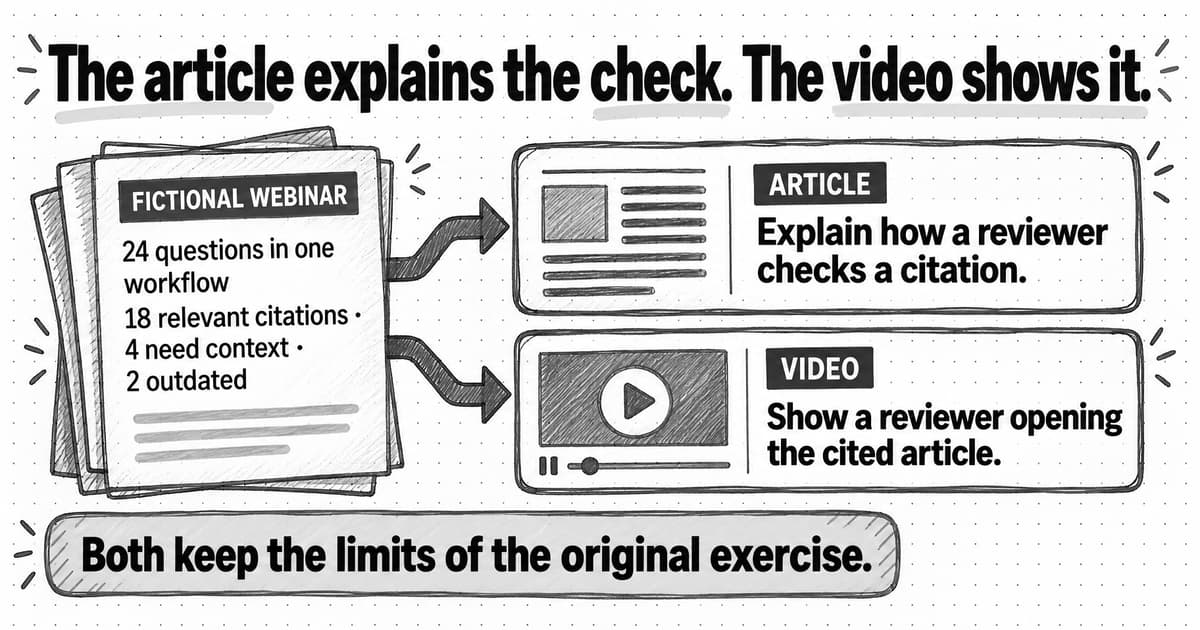
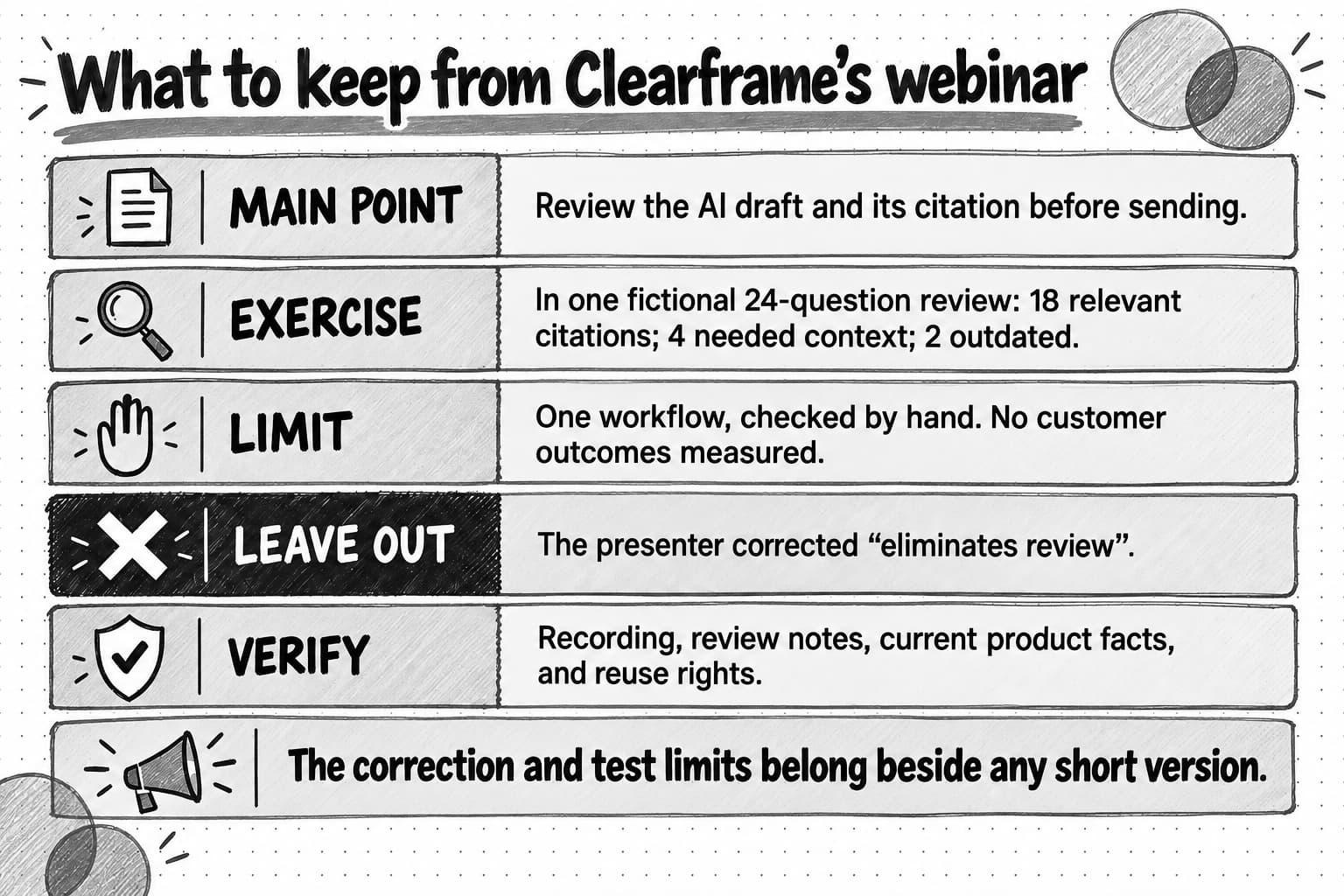
Clearframe is a fictional B2B AI company that helps support teams draft answers from an approved knowledge base. Its invented 28-minute webinar, “Testing an AI draft before rollout,” includes a five-minute demonstration and a presenter's review of 24 support questions. Eighteen drafts cited the relevant approved article, four needed an agent to add policy context, and two cited an outdated article. The counts belong only to this fictional exercise; they are not a product claim, benchmark, or study.
Here is an invented transcript excerpt, including a spoken overstatement that an editor must check:
Host, 12:08: “So the AI gets the right answer every time?”
Presenter, 12:12: “No. In our 24-question internal review, 18 drafts cited the relevant approved article. Four needed policy context from an agent, and two pointed to an outdated article. The point is to inspect the draft and its source before it reaches a customer. I said earlier that it ‘eliminates review,’ but that was sloppy: this test does not establish that.”
Presenter, 12:39: “We used questions from one support workflow and checked citations by hand. We did not measure resolution time or customer outcomes.”
This is the point where an editor has to go back to the recording. If automatic transcription drops the word “not” from “does not establish,” the transcript reverses the speaker's meaning. If a summary keeps the opening question but loses the correction, it makes the test sound conclusive. Compare the audio with the transcript, then check the slides and the review notes before quoting or building a claim from either one.
An editor has to separate four things in that answer. The speaker advises checking a draft and its source before sending it. The 24-question review shows why that check was needed in one workflow. The demonstration shows how to do it. And the correction tells you which claim to leave out. Once those pieces are clear, you can choose what a new reader needs without quietly changing what the speaker proved.
Open the fictional source audit at full size (opens in a new tab).
Audit the source before writing
| Audit field | Clearframe decision |
|---|---|
| Durable idea | Review an AI draft and its cited source before a customer sees it. |
| Reusable evidence | The fictional 24-question internal review: 18 relevant citations, four missing policy context, two outdated citations. Keep the denominator and categories together. |
| Useful explanation | A citation can be present and still be wrong or incomplete; the reviewer opens it and checks the policy date. |
| Context that must remain | One workflow, manual review, no measurement of resolution time or customer outcomes. |
| Omit | The host's “every time” premise and the presenter's corrected “eliminates review” line as standalone promotional copy. |
| Verify before real publication | Audio against transcript; review notes and category definitions; whether the knowledge base and product behavior are current; rights for any speaker, customer, slide, or clip. |
Notice that the audit does not treat the most quotable line as the main point. “Eliminates review” would make a punchy social hook, but the speaker withdrew it. The counts tell an editor what kinds of review the drafts needed; they do not establish an error rate for the product or an improvement in customer outcomes. A reader learning the workflow may get more from watching the citation check than from seeing the figures again. Both are available in the source, but they do different jobs.
Choose a channel for the reader's task
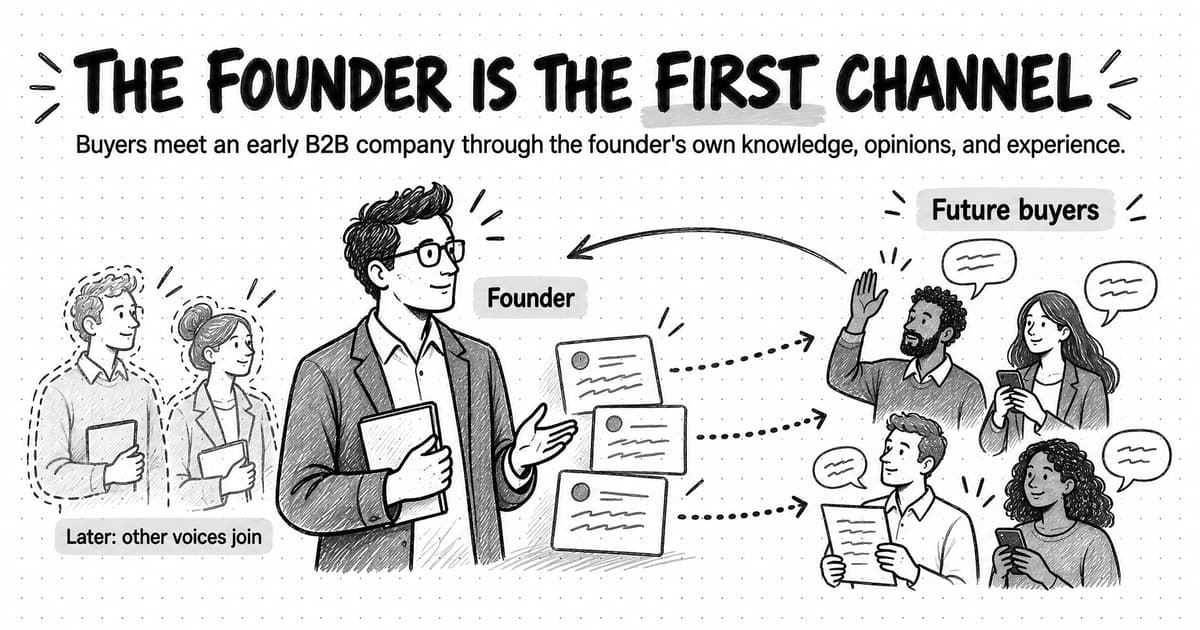
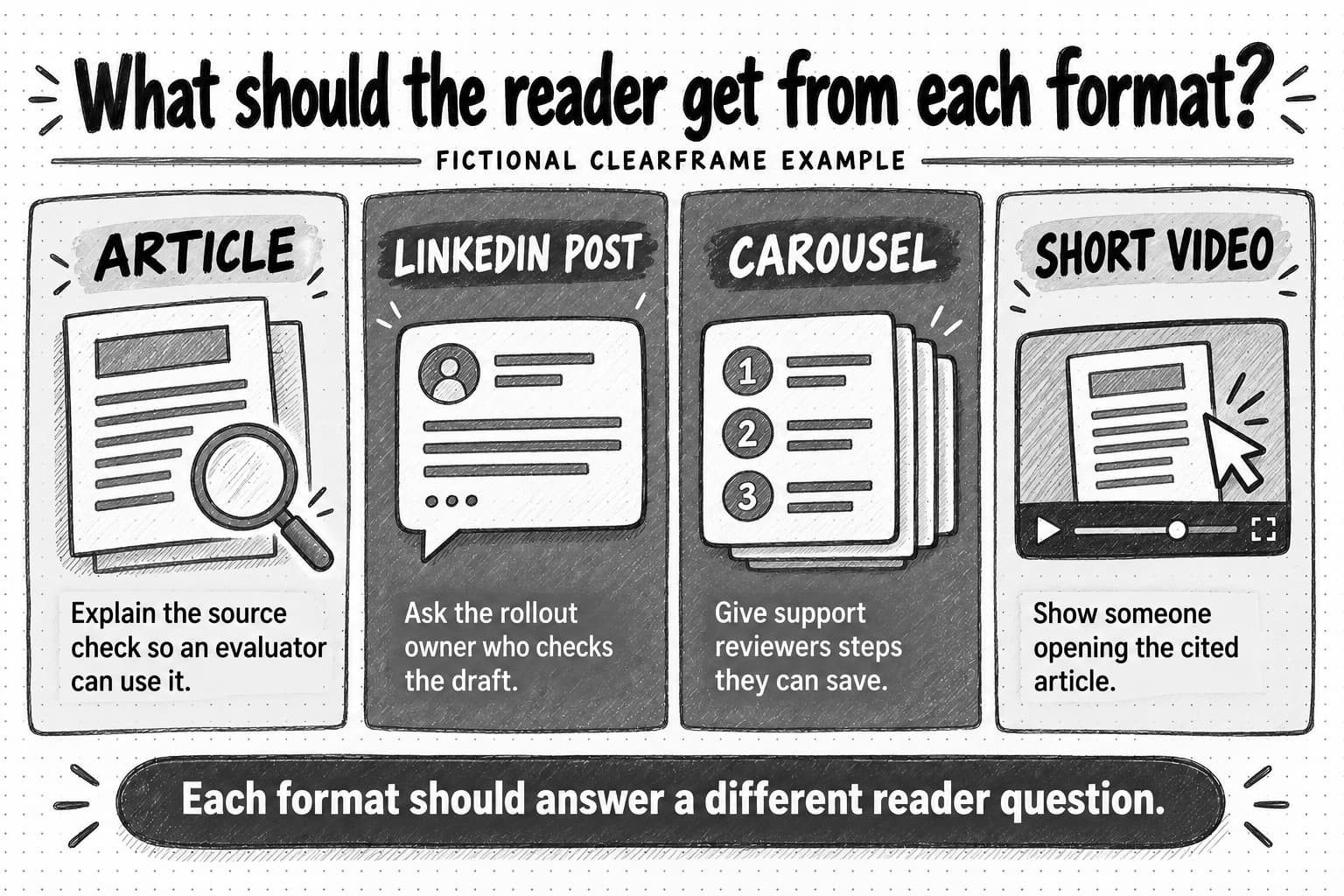
Choose a channel by starting with the person who might use the material. A support leader deciding whether to roll out AI drafts needs to know who will check them. The agent doing that check needs a repeatable sequence. A buyer evaluating the approach may want to read how the test was run and what it did not measure. Those are related questions, but one asset will struggle to answer all three well.
The format also has to make room for the necessary proof. Clearframe's figures take little space, yet they need the sample, method, and limit alongside them. A short video could show the reviewer opening a source without mentioning the figures at all; if it does use the numbers, the spoken line or on-screen text needs time to explain them. A channel is a poor fit when the qualification that makes the claim honest has nowhere to go.
Before assigning a format, write down four answers:
- Reader: Who is likely to encounter this, and what do they already know?
- Job: What single question or decision can this asset help with?
- Proof: What evidence and qualification must fit for that job to be done honestly?
- Next action: Should the reader inspect the method, save a checklist, watch a demonstration, or discuss a rollout decision?
Clearframe would put the full review method in a searchable article, where an evaluator can follow the steps and inspect the test limits. On LinkedIn, a post can raise the ownership question without pretending to teach the entire method in a feed. A document carousel gives the reviewer a sequence to save and use beside a draft. In a short video, the viewer should actually see someone open the cited article and check it; the script needs spoken lines, visual actions, captions, and space around text that the platform's controls will not cover.
Email would serve a different situation: a known, opted-in readership with a reason to hear from Clearframe. Its subject should tell those readers what they will get, and the body should give them a useful point before asking for a reply or click. The fictional distribution plan does not include that audience, so this example uses article, post, carousel, and video instead.
That is why the four assets below do not open with the same general warning about AI answers. The article starts with the citation review. The LinkedIn post asks who owns it. The carousel begins with the task the reviewer must perform. The video starts on a draft answer and shows the check. LinkedIn supports document posts and downloadable PDFs; inspect the exported PDF and its accessibility before upload. For video, LinkedIn supports captions and caption-file review and advises keeping essential text away from interface edges. Check the current upload requirements during production.
Open the channel-fit guide at full size (opens in a new tab).
What stays the same when the format changes
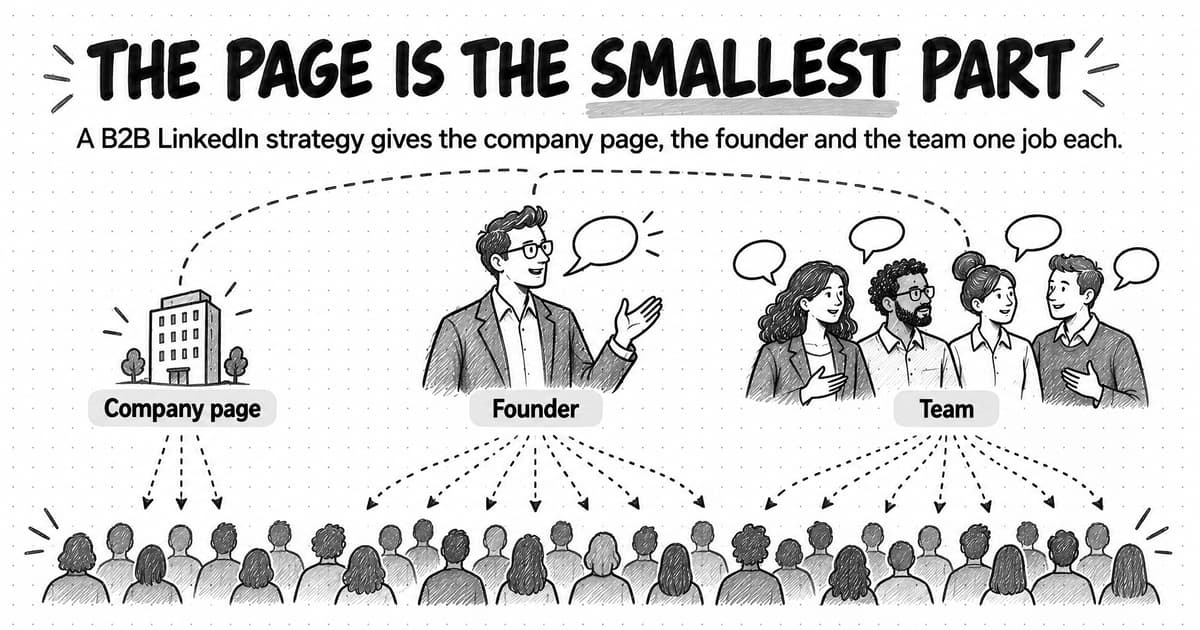
The editor can change the opening, the amount of explanation, and the next action. The source finding still has to mean the same thing: in a fictional review of 24 questions from one workflow, 18 drafts cited the relevant approved article, four needed policy context, and two cited an outdated article. It was checked by hand, and customer outcomes were not measured. Those details matter whenever a derivative uses the finding. Clearframe's approved messaging and voice would guide how it sounds, without making the claim stronger. The broader content strategy determines whether this audience question deserves the effort in the first place.
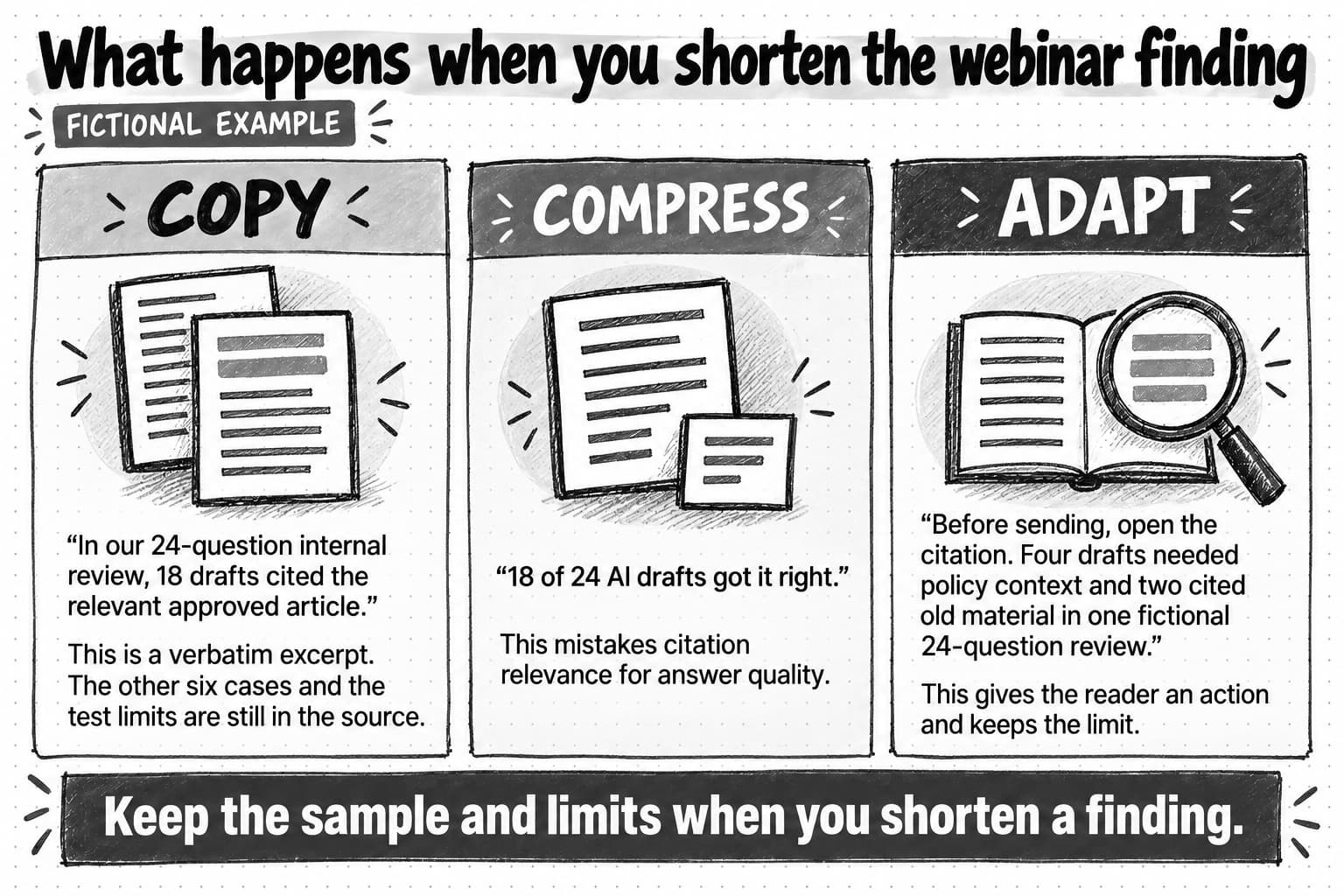
| Treatment | Example from the same source | Editorial result |
|---|---|---|
| Copying | “In our 24-question internal review, 18 drafts cited the relevant approved article.” | A verbatim excerpt, but the other six cases and the test limits are still in the source. |
| Compressing | “18 of 24 AI drafts got the citation right.” | Shorter, but “got it right” overstates what was checked and hides the other six cases. |
| Adapting | “Before sending, open the citation. Four drafts needed policy context and two cited old material in one fictional 24-question review.” | Gives the reader an action and keeps the scope of the exercise visible. |
The second row shows the tempting failure. “Got the citation right” sounds like a verdict on the answer, but the exercise checked whether the citation was relevant. It also leaves the six other drafts invisible. The adapted version starts with something a reader can do—open the source—and gives enough of the exercise to explain why that check matters.
For a real source, name the speaker or report and link to an authorized source when useful. Keep a material sample, date, or method qualification beside any condensed statistic. Do not quietly turn a quoted customer into an anonymous “user” or crop the units off a chart. Public availability alone does not grant reuse rights.
Open the copy comparison at full size (opens in a new tab).
The webinar as an article, post, carousel, and video
Here is how those choices read in finished copy. All four assets are fictional examples, not published Clearframe content. A real company would still have to check its source, brand guidance, permissions, and channel requirements before publication.
1. Article passage: a review method for AI support drafts
Before an AI answer goes to a customer, check the source it used
A citation in an AI draft gives the reviewer somewhere to look. It does not show, on its own, that the draft answers the customer's question. Open the linked article. Check that it covers the policy the answer describes, applies to this customer's situation, and is still the approved version. If the customer asked about an exception and the article covers only the general rule, the answer needs more context even when the citation itself is relevant.
In Clearframe's fictional internal exercise, reviewers checked 24 questions from one support workflow. Eighteen drafts cited the relevant approved article. Four needed policy context supplied by an agent; two cited an outdated article. The reviewers checked citations by hand. They did not measure resolution time or customer outcomes. The exercise therefore tells us what the reviewers encountered in those drafts, not whether AI answers improved the support experience.
Start the review with the customer's words. What did they ask, and does the draft answer that question? Next, open the source instead of relying on the title in the citation badge. Check its date, approval status, and scope. Add any policy exception in the agent's own words, then follow the usual approval path before sending. If the source is stale, correct the knowledge base before using it to generate another draft. The same check matters when the draft sounds confident: fluent wording cannot tell you whether its cited policy is current.
Someone may find the article in search without ever opening the webinar. That is why the passage explains the check and includes all three result categories with their limits. The reader can try the method on a draft without first watching the recording.
2. LinkedIn post: decide where review belongs
An AI support answer can cite the relevant article and still need a person to finish the job.
In a fictional Clearframe exercise, reviewers checked 24 questions from one workflow. Eighteen drafts cited the relevant approved article. Four still needed policy context, and two cited an outdated article. Citations were checked by hand; customer outcomes were not measured.
If you are planning a rollout, decide who opens the cited article, checks its date, and adds any missing exception before the answer reaches a customer.
We have put the review steps in the article below. Use them to make that handoff explicit.
The post addresses the person assigning review responsibility. It includes the bounded finding because that finding explains the handoff, then points to the article for the method. A real post would link to the approved article after it exists. For who should post it and how often, see our guide to B2B LinkedIn content strategy.
3. LinkedIn document carousel: the reviewer’s sequence
The intended export is a readable PDF document with text in a logical reading order and a descriptive post caption. Each slide below is finished copy; the slide numbers are editorial labels, not a claim that a carousel has been posted.
- Cover — Before you send an AI draft, open its source. A citation is something to check, not a substitute for review. Fictional Clearframe example.
- Start with the customer's question. Read it again beside the draft. Does the answer address this situation, or a similar question with different conditions?
- Open the cited article. Find the sentence that supports the answer. Check the article's date and whether it is still approved for use.
- Look for what the article leaves out. In a fictional 24-question exercise from one workflow, 18 drafts cited the relevant article, four needed policy context, and two cited an outdated article. Reviewers checked by hand; customer outcomes were not measured.
- Make the correction before sending. Add the missing exception and follow the usual approval path. If the cited article is old, update the knowledge base before generating another draft.
- Keep the review order beside your next draft. Check the question, open the source, add the exception, and get approval. Record the gaps you find so the source can be fixed.
The deck is meant to sit beside a reviewer's work, so most slides describe an action rather than recap the webinar. Slide four gives the reason for checking policy context and source age. Before upload, inspect the PDF at phone size and supply an accessible text equivalent.
4. Short video script: show one source check
Format: Approximately 45 seconds, vertical framing with essential text inside safe zones. Review the captions and transcript against the final audio. Use a permission-cleared demonstration without customer details.
| Time | Visual | Spoken line and on-screen text |
|---|---|---|
| 0–7s | A draft answer and its citation; no customer details | “This draft cites an article. Let’s open it before we send the answer.” On-screen: “Open the cited article” |
| 7–18s | Reviewer opens the linked approved article | “Does the article support what the draft says? Is it still the approved version?” On-screen: “Check the claim and date” |
| 18–30s | Reviewer marks a missing policy condition in the draft | “This answer misses a policy exception. Add that context and send it through the usual review.” On-screen: “Add the missing context” |
| 30–45s | Draft moves to normal review; end card | “In Clearframe’s fictional exercise, six drafts needed more attention. Four lacked policy context; two cited old material. It was one workflow, checked by hand, with no customer outcomes measured.” On-screen: “24 questions: 18 relevant citations · 4 need context · 2 outdated. One workflow; no customer outcomes measured.” |
The video shows what the reviewer does with a citation; it does not pretend to show a customer result. The finding comes at the end to explain why the check exists. If the figures and their limits cannot be heard or read clearly, leave them out of the video and keep the demonstration.
How the four assets differ
| Asset | Audience and purpose | Central idea and retained evidence | Omission and changed framing | Next action |
|---|---|---|---|---|
| Article passage | Evaluator or practitioner learning a review method | Citation presence is insufficient; the 18/4/2 categories and method limits | Omits event banter; develops the three checks | Apply the method to a draft |
| LinkedIn post | Support or product leader deciding ownership | Review needs an owner; the three categories and one-workflow limit | Omits step detail; opens with rollout responsibility | Read the specific method |
| Carousel | Reviewer who wants a portable sequence | Question, source, exception, approval; figures on the explanatory slide | Omits presenter language; frames the material as a procedure | Save and use the sequence |
| Short video | Viewer who needs to see the source check | Open source, inspect date and exception; the three fictional result groups | Omits the full review method; frames one visible action | Try the check on a draft |
Check the drafts together and keep them current
Once the drafts exist, someone needs to know which version of the source each one used. Keep the original file, owner, date, permissions, transcript corrections, evidence locations, and claim boundaries together. Record the reviewer, approval, published URL, and next review date for each derivative. This may look like ordinary production tracking until a policy changes. Then it tells you exactly which article, post, PDF, captions, and transcript contain the old statement.
Correct each published asset where readers can encounter the error. If the platform does not let you edit the asset itself, replace or remove it and explain the correction in an accessible place. LinkedIn says an uploaded document cannot be edited in the post, so the source PDF and its posted version need separate attention.
Review each asset on its own, then lay the set side by side:
- Fidelity: Match claims, sample, date, attribution, and permissions to the approved source.
- Usefulness: Ask what the reader can do or understand without opening the original.
- Channel fit: Check the opening, layout, safe areas, link, and next action in the actual format.
- Accessibility: Correct captions and transcripts; provide descriptive alt text or a text equivalent and check PDF reading order.
- Set coherence: Look for duplicated openings, conflicting figures, or four assets making the same point.
W3C's image guidance calls for text alternatives that convey informative images' content. A label such as “carousel about AI” would not give someone the actual review steps. Its media guidance covers captions and descriptive transcripts; check those against the finished video, not just the first script. Recheck platform limits when producing the files.
AI can help find candidate moments in a long recording, group related passages, compare a draft with the source record, and try different channel angles. That is useful preparation, especially when the strongest answer is buried in a question-and-answer section. It is still the editor's job to listen to the relevant passage, decide what the speaker meant, and check whether the new asset keeps the qualification. A generated summary cannot establish transcript accuracy or reuse rights, and the person responsible for a product claim still has to approve it. The agent briefing guide helps scope such an assignment. For recurring approvals and corrections, see the marketing automation guide.
Measure each asset according to the job you gave it. The LinkedIn post is meant to get a leader thinking about review ownership; the carousel should help a reviewer use the steps; the article should help someone understand the method in more detail. A single number for the whole set would not tell you which asset helped its intended reader.
Keep the channel measures separate. Reach estimates distinct people exposed, while impressions count displays and can include the same person more than once. Views or video plays follow each platform's definition. Engagement records interactions; clicks show movement to a destination; subscriptions count people who opt in for more. A qualified outcome needs an agreed definition of fit and action, such as a relevant demo request. Record the denominator, reporting window, and platform definition beside each measure.
Compare similar assets and intentions within a channel over time. A PDF download rate and a video completion rate describe different behavior, and impressions alone cannot establish a pipeline result. Look for evidence that the intended reader took the next step, then use what you learn to revise the asset or the channel choice. The AI search measurement guide covers discovery in AI answers; here the question is whether each adaptation helped its reader.
Keep search pages distinct
If the webinar recap and the new article would answer the same question in almost the same words, ask whether both pages need to exist. A new article should add something the recording page does not offer, such as the worked review method in this example. Google's people-first guidance asks whether the page helps its reader. Its canonicalization guidance explains how Google selects a representative URL among duplicate or near-duplicate pages. Manage that source relationship when the pages substantially overlap, rather than creating a second indexed page for a keyword variation.
Google's AI-search guidance likewise favors original, useful material. If you later host the finished video on its own page, check the video indexing requirements. The script in this article is an example for a producer; it is not itself an indexed video.
Copyable repurposing worksheet
SOURCE
Title / URL / owner / date:
Rights, speaker, customer, and asset permissions:
Audience question answered:
Argument in one sentence:
Evidence (exact source, units, sample, date):
Useful explanation or demonstration:
Qualifications that must travel:
Transcript or data items to verify:
Outdated, restricted, or context-dependent material to omit:

CHANNEL DECISIONS (repeat once per proposed asset)
Reader and situation:
Question or decision this asset serves:
Why this channel and format:
Distinct opening angle:
One central idea:
Evidence retained, with attribution:
Details deliberately omitted:
Claim boundary and required approval:
Next useful action:
Accessibility deliverables:

SET REVIEW
Do the assets open on different reader needs?
Can each stand alone without distorting the source?
Are captions, transcripts, alt text, and PDF reading order checked?
Who approves each claim and each publication?
Where are versions, URLs, corrections, and review dates recorded?
What channel-specific measure would show this asset did its job?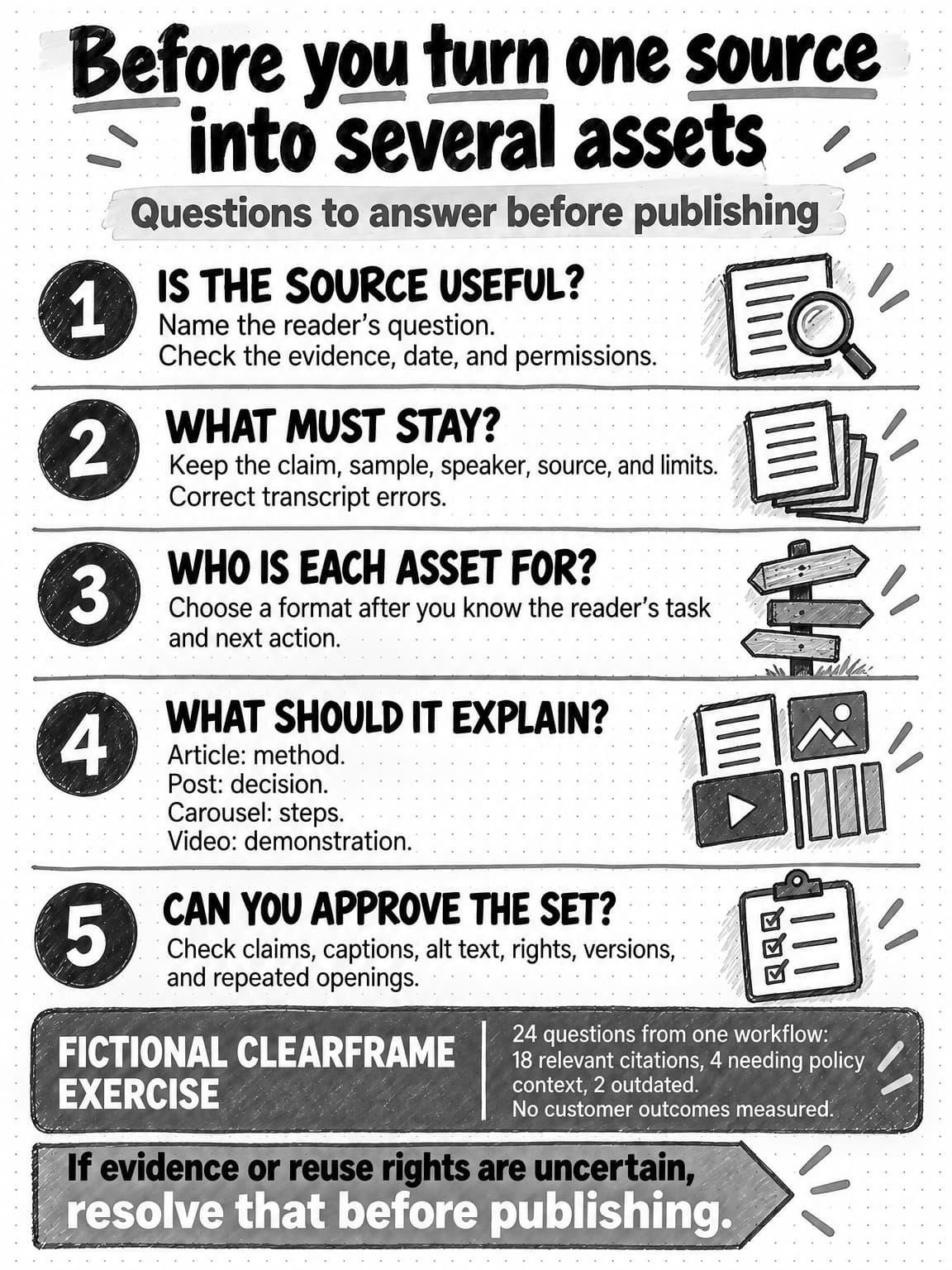
Open and save the repurposing reference at full size (opens in a new tab). To download it, open the full-size image and use your browser's save-image command.
Try the worksheet with a source you already have. Write down the answer it contains, where its evidence comes from, and any permission or qualification that would have to accompany a shorter version. If you cannot fill those fields, you have learned what to ask or verify before making channel drafts.
Frequently Asked Questions
What does content repurposing mean?
Content repurposing means adapting existing material, such as a webinar, interview, report, or presentation, for a different audience, channel, or purpose. An explanation from a webinar might become an article that walks readers through a process, and one step in that process might become a short video. Both pieces draw on the same source, but each needs its own starting point and enough context to make sense without the original.
What is the key benefit of repurposing content?
The key benefit of repurposing content is that a useful answer inside a long webinar, interview, or report can reach people who will never watch or read the whole source. A speaker's explanation of a problem customers keep asking about, or a report's evidence for a buying decision, can be developed for the reader who needs it. Repurposing is worth the extra work when the new reader has a different question or needs another way to understand the answer.
What is the difference between repurposing and reusing content?
Reusing content can mean any second use of existing material, while repurposing is the kind that changes the angle, structure, explanation, and format for a particular audience. Sharing a recording again, quoting one answer, and writing a new guide from the same material are all reuse, yet each is a different assignment. Cross-posting changes little beyond platform formatting and suits audiences who need the same message in the same form. Naming the assignment shows how much writing, fact-checking, and permission review it needs.
What kinds of content are best to repurpose?
The best content to repurpose contains an answer you can identify and support, whatever its length or popularity. That might be a webinar where an expert explains why a demonstration succeeded or failed, an interview that shows how someone makes a difficult choice, a report finding with a documented sample and method, or a presentation that shows a comparison hard to convey in speech. Read or watch the whole source first, and confirm that the material is current and cleared for reuse.
How do you adapt content for different platforms?
Adapt content for different platforms by starting with the reader on each one and the task they bring. Before choosing a format, write down who the reader is, the single question or decision the asset serves, the evidence and qualification that must fit, and the next action. Email, for instance, suits a known, opted-in readership, so its subject should tell those readers what they will get. A platform is a poor fit when the qualification that keeps a claim honest has nowhere to go.
What is an example of content repurposing?
One example is a fictional company's webinar on testing AI-drafted support answers, adapted into an article passage, a LinkedIn post, a document carousel, and a short video script. The guide's worked example audits the webinar first, keeping the presenter's internal review together with its limits and dropping a claim the presenter withdrew, even though it was the most quotable line. The finished assets then open on different reader needs: the article teaches the citation check, the post asks who owns it, and the video shows it being done.
What should a content repurposing workflow include?
A content repurposing workflow should include a source audit, a decision for each channel asset, a review of the finished set, and a record of which source version each asset used. The audit notes the durable idea, reusable evidence, context that must stay with it, what to omit, and what to verify, including reuse rights. Each channel decision names the reader, the question served, the opening, the claim boundary, and the next action. The guide's copyable worksheet has fields for each part.
How do you repurpose long-form video for social media?
To repurpose long-form video for social media, watch the whole recording first and choose a passage with a clear answer and evidence behind it. A decisive-sounding line may depend on an earlier slide or be qualified later, and automatic transcription can drop a word such as “not” and reverse the speaker's meaning, so check the transcript against the audio. A short clip suits a step that is easier to show than describe. If a figure and its limits cannot be heard or read clearly, leave the figure out.
Can AI automate content repurposing?
AI can handle part of content repurposing, mainly the preparation. It can find candidate moments in a long recording, group related passages, compare a draft with the source record, and try different channel angles. An editor still has to listen to the relevant passage, decide what the speaker meant, and check that each new asset keeps the qualification. A generated summary cannot establish transcript accuracy or reuse rights, and the person responsible for a product claim still has to approve it.
How do you measure the success of repurposed content?
Measure each repurposed asset against the job you gave it, because one number for the whole set cannot show which asset helped its reader. A LinkedIn post meant to get a leader thinking about who should review AI drafts needs a different measure from a carousel meant to help a reviewer follow a sequence. Keep reach, impressions, views, engagement, and clicks separate, recording each one's denominator, reporting window, and platform definition. Look for evidence that the intended reader took the next step, since impressions alone cannot establish a pipeline result.