Privacy and data handling basics
Understand what kinds of data Ampere handles, how AI processing works, and which controls to use before sharing sensitive work.
Last reviewed August 2026
Ampere is built for business and professional marketing work. When you use Ampere, AI Tools, projects, uploaded files, integrations, billing, or support, Ampere handles the information needed to run the service and return the work you asked for.
Use this article to understand the basics before you add sensitive material, invite teammates, connect accounts, or share outputs. For the complete legal terms, read the Privacy Policy and Terms of Service.
What Ampere may handle
The data Ampere handles depends on what you use. It can include account details, Organization details, team roles, prompts, instructions, uploaded files, Project context, chat content, generated outputs, Project assets, billing and credit events, support messages, product-use activity, error reports, and feedback you intentionally send.
Most product work is Organization-scoped. That means Projects, uploaded files, AI Tool runs, Scheduled Tasks, avatars, voices, billing, usage, and connected accounts belong to an Organization. Some records also track the person who created or ran the work, so shared Organization data can still show individual activity.
How AI processing works
Ampere and AI Tools may send the information needed for a task to model providers, infrastructure providers, integrations, or other service providers that help Ampere complete the request. For example, a file you ask Ampere to summarize, an image prompt you submit to an AI Tool, or a connected-account action may need provider processing to return the result.
Ampere does not directly use private customer prompts, files, chat history, project context, agent memory, integration data, or outputs to train Ampere models by default. Ampere may use aggregated or de-identified usage information and feedback you intentionally provide to improve product quality, workflows, prompts, evaluations, routing, safety, support, and reliability.
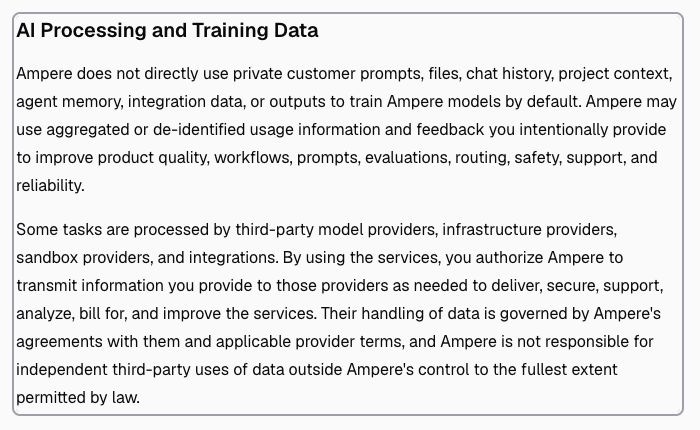
Third-party providers may process data as needed to provide the service. Their handling is governed by Ampere's agreements with them and applicable provider terms, so avoid submitting information you are not authorized to process with third-party services.
What you control
You control what you submit, upload, connect, generate, retain, delete, and share through the product. Before you add sensitive information, ask whether the work actually needs that data.
Open your avatar menu at the bottom of the sidebar and select Profile to enter the unified Settings area. Use the grouped settings rail to reach the right controls:
- Under Account, select Profile to update your personal information or password, or to delete your account.
- Under Account, select Privacy to manage non-essential analytics, marketing, and tracking choices.
- Under Organization, select Team to manage organization members, invitations, and roles.
- Under Organization, select Integrations to revoke connected accounts when integrations are available. You can also manage access through the third-party provider's settings.
- Under Organization, select General to update organization information or delete the organization when you intend to remove its access and data.
Use these additional controls as part of your normal workflow:
- Share an Ampere session only with existing teammates who need that session.
- Use temporary public file links only for files that are safe to share outside the session, and remove the link when access is no longer needed.
- Review AI outputs before publishing, sending, or relying on them.
Deletion and privacy requests may be subject to backups, legal obligations, security logs, dispute records, billing or tax records, and product-operation requirements. The Privacy Policy explains how Ampere handles retention, deletion, and de-identification.
What not to submit
Do not submit passwords, private tokens, API keys, payment card details, credentials, regulated data you are not authorized to process, or customer information your team has not approved for use in Ampere.
Be especially careful with:
- Files or prompts copied from private customer systems.
- Screenshots that show emails, billing details, credentials, or personal data.
- Connected-account actions that could affect third-party Computers.
- Public-data research that will be used for legal, compliance, financial, or customer-facing claims.
AI output can be inaccurate, incomplete, non-unique, or unsuitable for your intended use. Review the work, confirm source material, and apply your team's approval process before using output in public or customer-facing channels.
Privacy requests and official policy
You can contact Ampere to request access, correction, deletion, export, portability, restriction, objection, or withdrawal of consent for personal information associated with your account. Send privacy requests to privacy@ampere.app.
Ampere may need to verify your identity and authority before acting on a request. If the request involves Organization content, Ampere may coordinate with the Organization owner or administrator because the Organization controls that business data.
Where to go next
For exact policy language, use the Privacy Policy. For service terms, output responsibility, third-party providers, and acceptable use, use the Terms of Service.
If you are deciding who should see shared work, read Organization roles. If you are sharing one file outside a session, read Temporary public file links and revocation. If your question is about provider-backed public research, read How public-data AI Tools work and their limits.
Was this article helpful?
Related articles
Learn what public-data AI Tools can return, why results vary, and how to review caveats before you act.
Learn organization roles in Ampere with product-grounded steps, current limits, and where to go next.
Learn temporary public file links and revocation in Ampere with product-grounded steps, current limits, and where to go next.