Delete your account
Learn where to delete your Ampere account, what to check first, and why the action is permanent.
Last reviewed July 2026
Deleting your account is permanent. Use this only when you are sure you want to remove the account and its associated data from Ampere.
Before you continue, confirm that you do not only need to sign out, reset your password, change notification preferences, or leave a specific organization.
What deletion does
Account deletion permanently removes your account data, including agents, organizations, and settings associated with the account. You are also removed from all organization memberships.
Some records may remain where Ampere must keep them for security, billing, legal, dispute, backup, or product-operation reasons. For privacy request details, read the Privacy Policy.
Delete your account
- Sign in to Ampere.
- Open your account menu.
- Select Profile.
- Scroll to Danger Zone.
- Select Delete My Account.
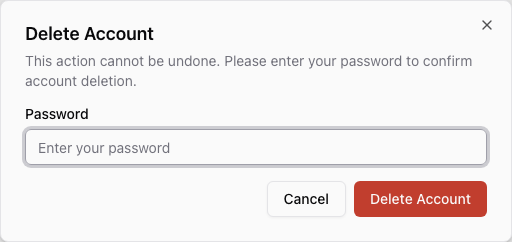
- Review the confirmation dialog.
- Enter your password.
- Select Delete Account only if you are certain.
After deletion succeeds, Ampere signs you out and sends you to the login page.
When not to delete your account
Do not delete your account if you are trying to:
- Change your password.
- Stop email notifications.
- Switch organizations.
- Remove one teammate or organization membership.
- Fix a temporary sign-in issue.
- Clear a specific project, file, chat, or AI Tool run.
Those are different actions and may be reversible. Account deletion is the account-level destructive action.
If deletion fails
Make sure you entered the correct password for the account you are signed into. If you use a third-party sign-in method or cannot confirm your password, contact support before trying again.
Do not submit the form repeatedly if you are unsure which account or organization data will be removed.
Where to go next
If you cannot sign in, read Sign in and reset password. If your question is about data handling or privacy requests, read Privacy and data handling basics.
Was this article helpful?