Open Project Asset cards from a Joule chat
Understand Project Asset cards in Joule chats and how to open the canonical saved asset view.
Last verified 1 day ago
When Joule saves a reusable output, the chat can show a Project Asset card. The card is a shortcut to the canonical saved asset view, not just a decorative preview in the transcript.
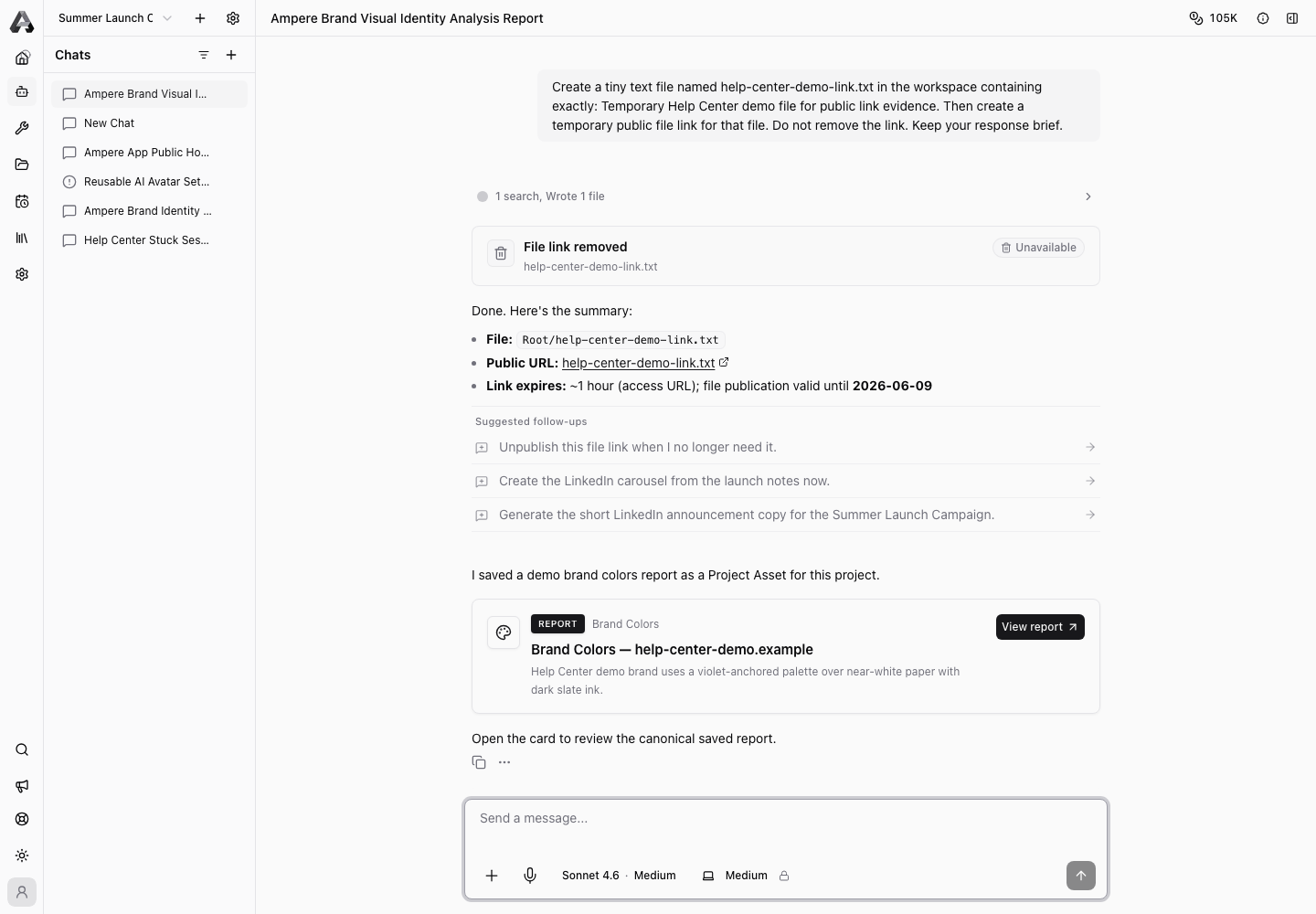
Use the card when you want to review, edit, print, download, or reuse the saved asset.
What a Project Asset card means
A Project Asset card usually means Joule saved something durable for the project, such as a report, generated file, brand asset, or other reusable output.
The card may summarize the asset, show the asset type, and offer an action to open it.
Open the saved asset
Select the card's open action. Ampere opens the saved asset from the project library or workspace panel. For report assets, the view loads the canonical saved payload and can work even if the original session workspace is no longer active.
If the asset cannot load, it may have been removed or you may not have access to it.
Review the canonical view
Use the opened asset view for serious review. Depending on the asset type, you may see preview/raw modes, an editor, download controls, or Print / Save as PDF for templated reports.
The chat card is a starting point. The saved asset view is the place to inspect the full content.
Ask Joule to use the asset
After opening or confirming the asset, you can ask Joule to use it as context in follow-up work. Be specific:
- "Use the saved positioning report to draft three LinkedIn post angles."
- "Use this visual identity report when suggesting image prompts."
- "Summarize the saved competitor report into a launch planning checklist."
Keep assets current
If a card points to an outdated asset, refresh, edit, expire, or replace the Project Asset rather than continuing to reuse stale context.
Was this article helpful?
Related articles
Learn how to use a project's Assets tab to find saved reports, generated files, and reusable project assets.
Learn how to review, edit, and save app-native brand reports as PDFs from Project Assets.
Learn how to ask Joule to research, build, and save brand or market reports for a project.