Have Joule make documents, spreadsheets, and slide decks
Learn how to ask Joule for documents, spreadsheets, and slide decks you can preview and download.
Last verified 1 day ago
Joule can create documents, spreadsheets, and slide decks in a session workspace. Use this when you need a structured file you can preview, download, or hand off.
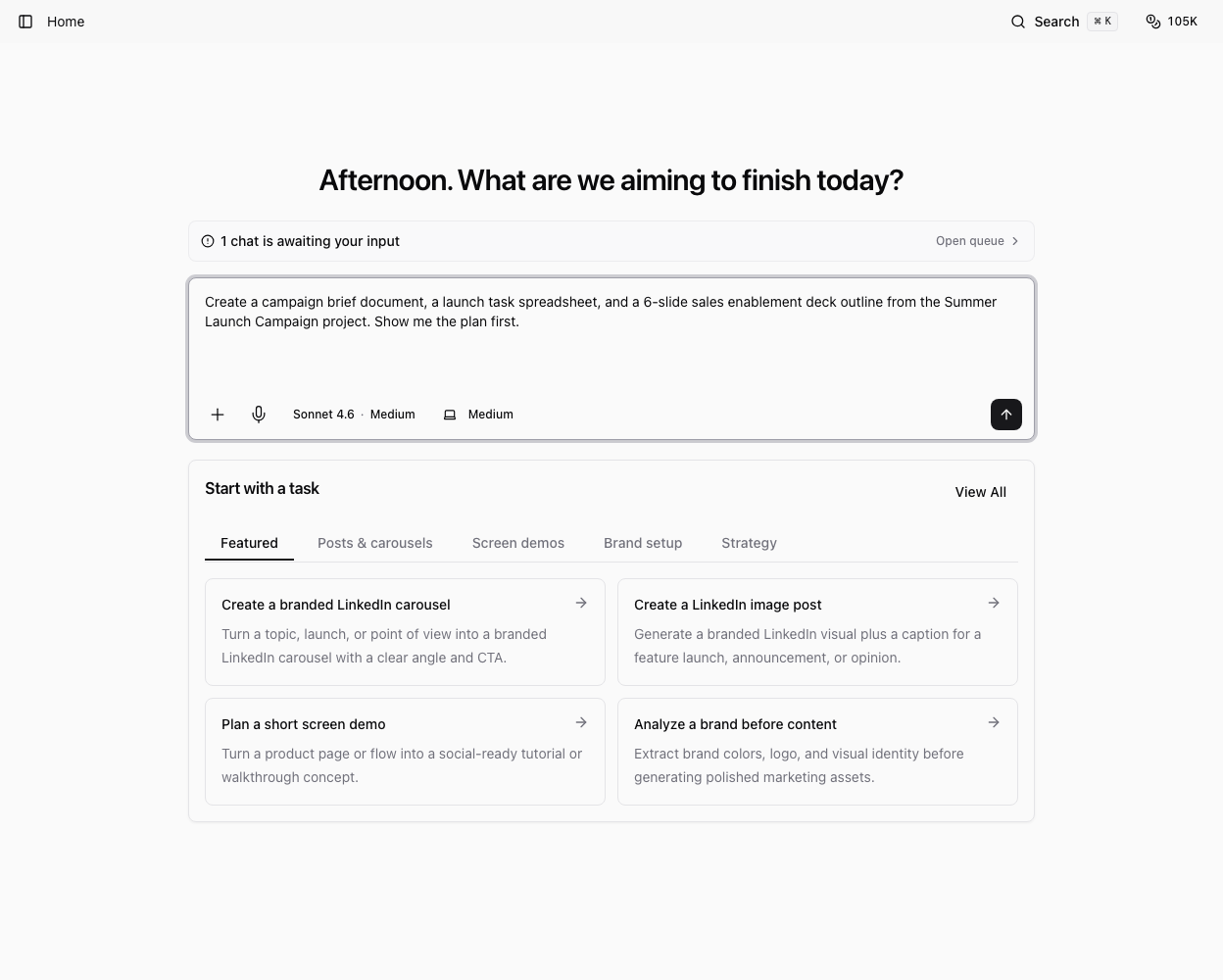
The best results come from a clear deliverable, source material, and review step.
Ask for the file type you need
Name the format in the prompt:
- Document or DOCX for briefs, memos, reports, or written handoffs.
- Spreadsheet or XLSX for tables, trackers, exports, or simple analysis.
- Slide deck or PPTX for presentation outlines, campaign plans, or stakeholder updates.
You can also ask Joule which format fits the task before it creates a file.
Provide source material
Tell Joule what to use: selected project context, uploaded files, a campaign brief, research notes, brand assets, or a previous chat result.
Useful prompts include:
- "Create a one-page launch brief as a document using this project brief."
- "Turn these competitor notes into a spreadsheet with columns for claim, source, and implication."
- "Build a 10-slide deck outline for a founder update and create the slide deck."
Preview and revise
After Joule creates the file, open it from the workspace or Project Asset surface when available. Check formatting, content, sources, and whether the file opens correctly.
Ask for targeted revisions in the same chat:
- "Add a summary section at the top."
- "Split the spreadsheet into one tab per channel."
- "Make the deck more concise and add speaker notes."
Download or bundle outputs
Use the download option when you need the original file locally. If Joule creates several files, ask it to zip the final outputs into one archive.
Review the file before sending it outside Ampere. AI-generated documents, sheets, and decks can contain outdated assumptions, missing context, or formatting that needs a human pass.
Was this article helpful?
Related articles
Learn how to review Joule outputs, download files when available, and ask Joule to bundle multiple outputs as a zip.
Learn how to open, review, revise, save, and download files that Joule creates in the workspace.
Learn where Joule keeps session files, how to open them, and what to do when a file needs preview, upload, or review.