Stop or cancel Joule while it is working
Learn how to stop a running Joule response, avoid duplicate work, and decide what to do next.
Last verified 1 day ago
Use the stop or cancel controls when Joule is still working and you no longer want the current turn to continue. Stopping a turn is useful when the prompt was wrong, the direction changed, or you want to prevent duplicate work.
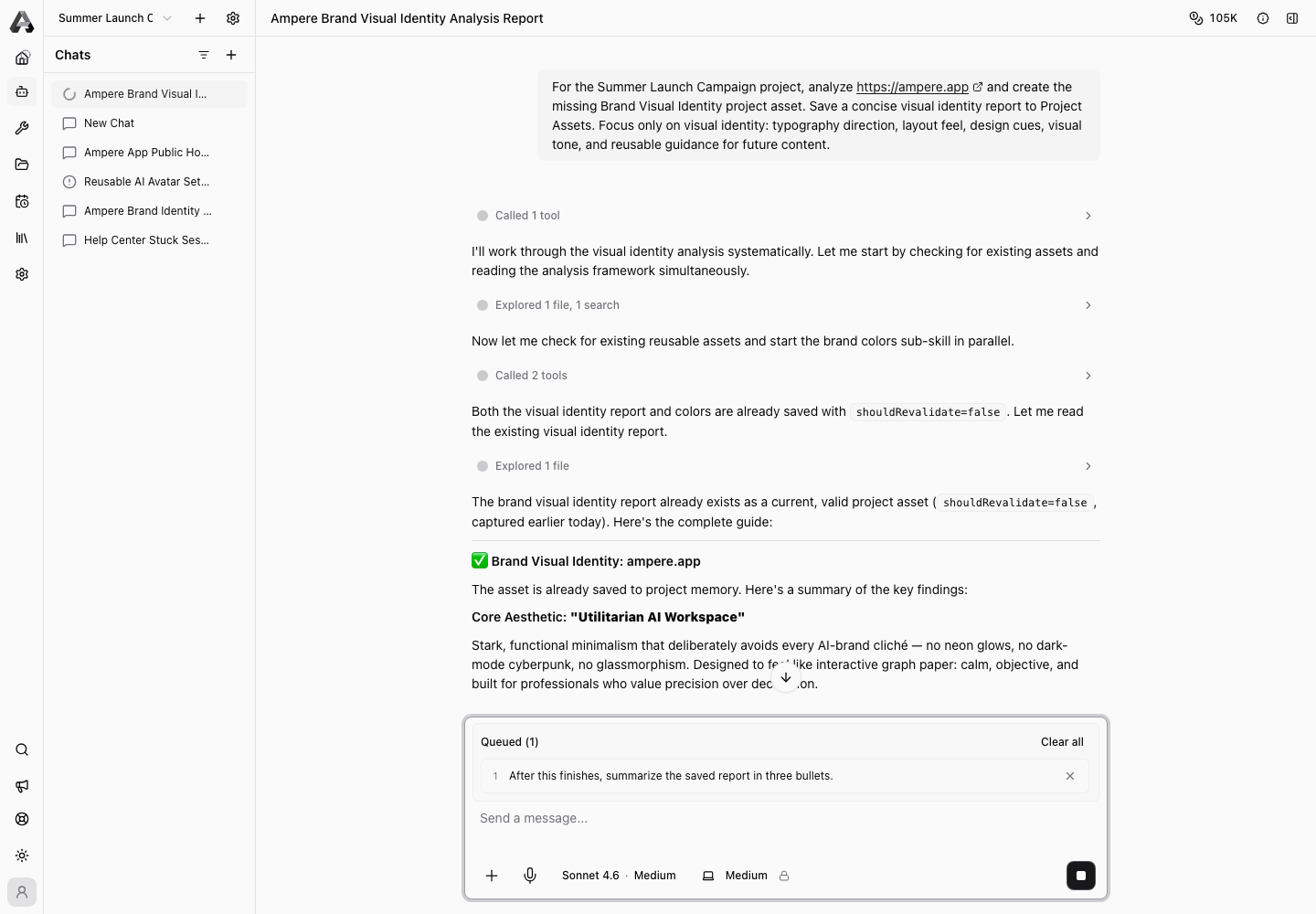
Stopping is best-effort. Joule may still finish part of the current step before the session settles.
Stop the current response
When Joule is generating, use the composer action to stop the active response. Wait for the chat to settle before you send a replacement prompt.
Do not repeatedly send the same request while the original turn is still running. That can create duplicate outputs or make it harder to tell which response is current.
Cancel a running AI Tool when available
If Joule is running a catalog tool or workflow that exposes a cancel action, use the visible cancel control for that run. The app may ask you to confirm because cancellation can leave partial output or no output.
If cancellation succeeds, review the chat and any workspace files that were created before the stop. If cancellation cannot complete immediately, wait for the state to update before starting over.
Decide what to do next
After the turn stops, choose the smallest next step:
- Ask Joule to continue from the last useful result.
- Rewrite the prompt with the corrected goal.
- Start a new session if the old chat has too much wrong context.
- Open diagnostics if the chat appears stuck or disconnected.
If Joule created partial files, review them before deleting or regenerating the work.
When to start a new chat
Start a new chat when the session used the wrong model provider, the prompt was fundamentally wrong, the workspace is cluttered with irrelevant outputs, or you want a clean context boundary.
Use the existing chat when the direction is mostly right and you only need a correction.
Was this article helpful?