Create images and visuals directly in a Joule chat
Learn how to ask Joule for images, visual concepts, and image revisions inside a chat.
Last verified 1 day ago
Joule can help you create image prompts, visual concepts, and image outputs inside a chat. It can also use image-oriented AI Tools when a focused catalog workflow is the right path.
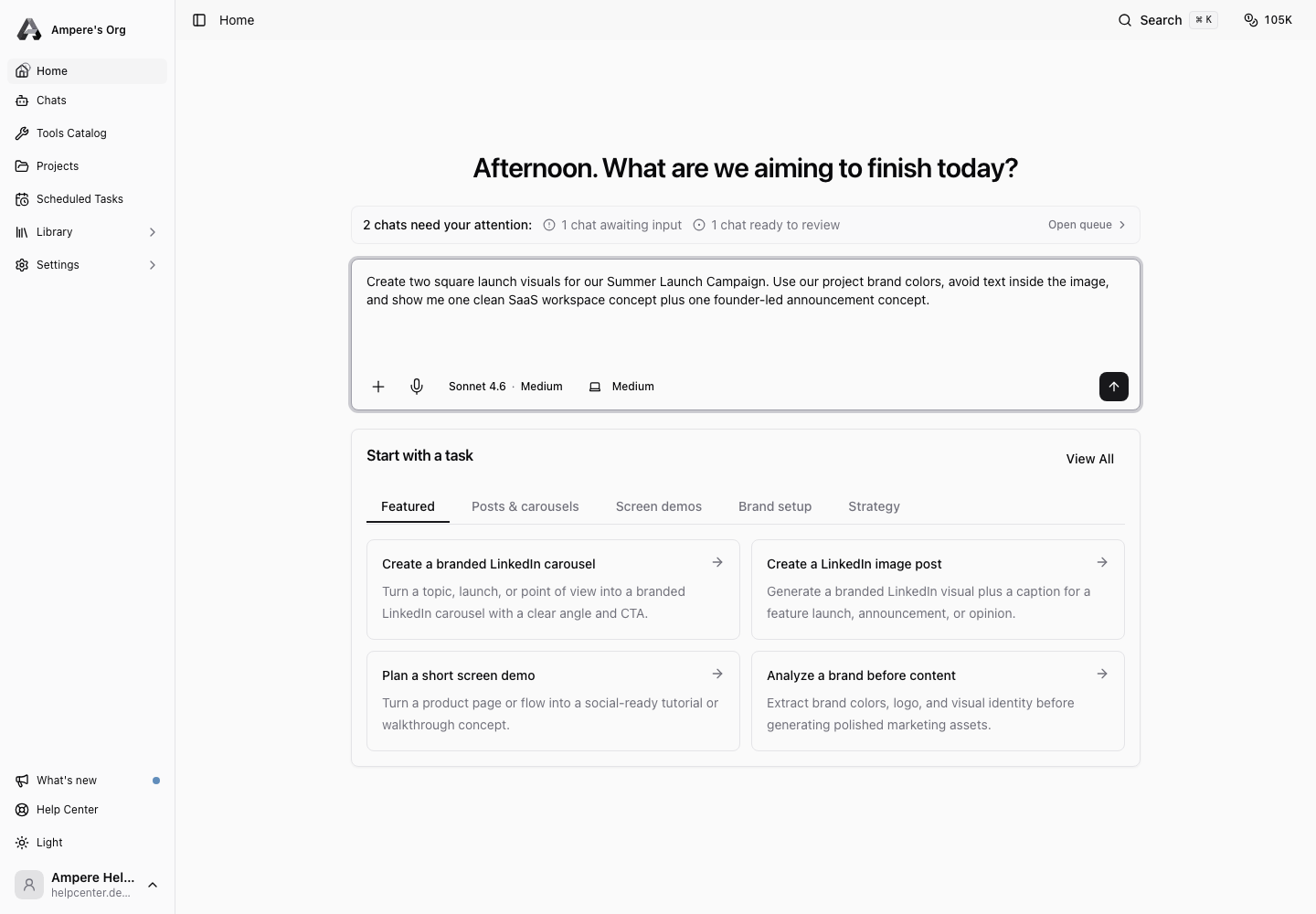
Use Joule for creative direction and iteration. Use a dedicated AI Tool when you already know the exact image workflow you want to run.
Start with the visual outcome
Tell Joule what the image or visual should do. Include the format, subject, audience, style, and any brand constraints.
Examples:
- "Create three visual concepts for a LinkedIn launch post using our selected project."
- "Generate a product hero image direction with a clean SaaS landing-page feel."
- "Analyze this reference image and suggest a brand-safe variation."
- "Create an image prompt for a founder-led announcement graphic."
If you want actual image generation, say so. If you only want prompts or art direction, say that too.
Provide brand and source context
Helpful context includes product screenshots, logos, color preferences, audience, campaign goal, reference images, and examples of visuals you like or dislike.
Do not upload private customer data, credentials, or sensitive documents unless they are truly needed and approved for the work.
Review before using the visual
Check the output for brand fit, text accuracy, unwanted artifacts, and legal or policy concerns. AI image tools can produce incorrect text, odd details, or visuals that need refinement.
If the result is close, ask for a targeted revision:
- "Keep the composition, but make the background simpler."
- "Use warmer lighting and less saturated color."
- "Remove the text and make it suitable for a LinkedIn image post."
- "Give me two alternate prompts in the same direction."
Save or export the final asset
When the visual or prompt is ready, ask Joule to save the useful output in the workspace or project assets when appropriate. Download images you plan to use outside Ampere and keep source prompts with the campaign notes so the team can reproduce the direction later.
Was this article helpful?
Related articles
Use catalog categories to find the right AI Tool for visuals, video, voice, audio, research, and web extraction.
Learn how to open, review, revise, save, and download files that Joule creates in the workspace.
Learn where Joule keeps session files, how to open them, and what to do when a file needs preview, upload, or review.