View, edit, and save brand reports as PDF
Learn how to review, edit, and save app-native brand reports as PDFs from Project Assets.
Last reviewed August 2026
Saved brand and market reports open as app-native Project Assets. You can review the report, edit supported report fields, and use your browser's print dialog to save a PDF copy.
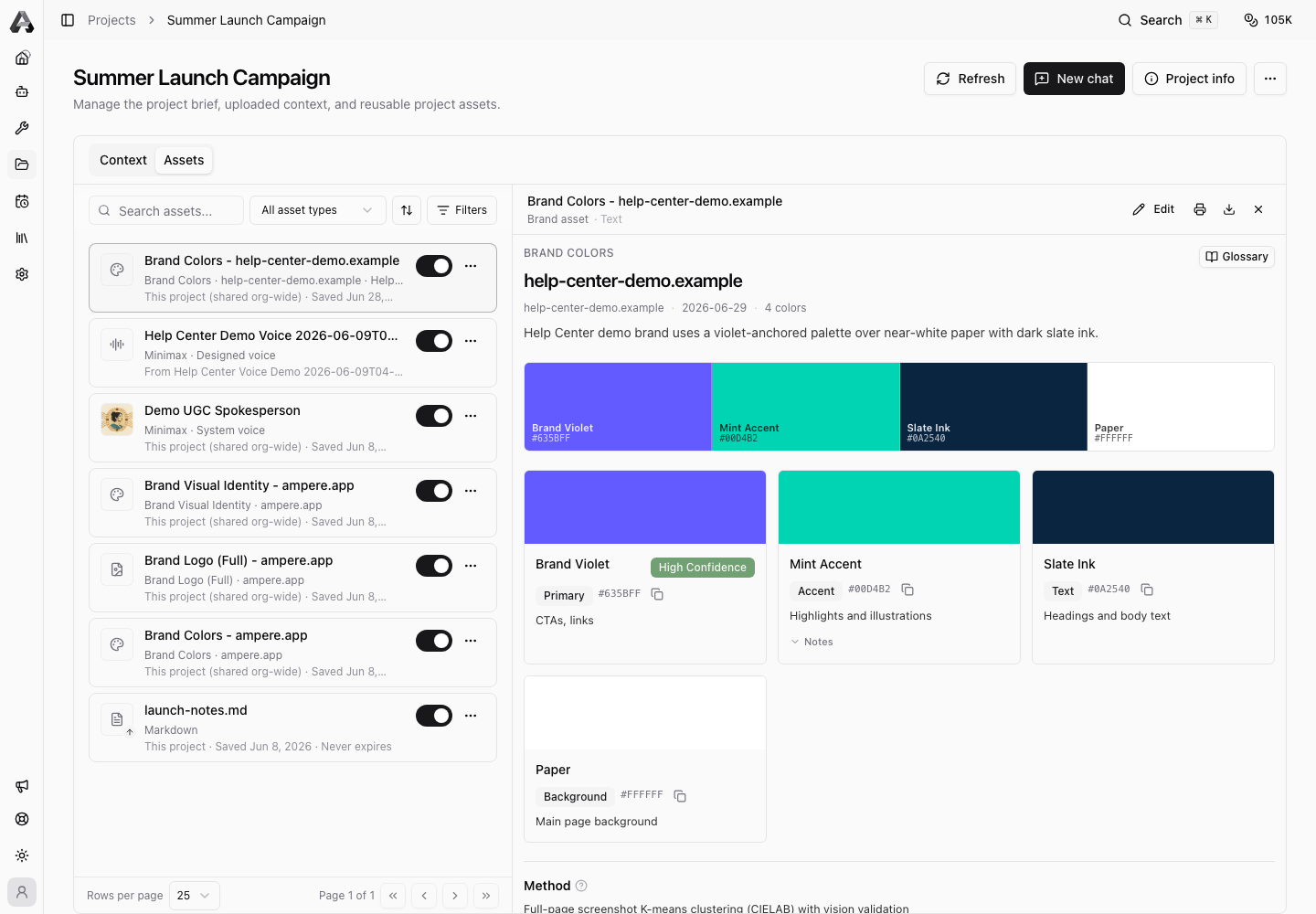
Use this article for templated report assets, such as brand voice, competitor, positioning, pricing, audience, or visual identity reports. One-off HTML reports use a different preview path.
Open the report
Open the project that contains the saved report, then open Project Assets. Select the report from the asset list, or open it from a Project Asset card in an Ampere chat.
The report view loads the saved report payload from the canonical project asset. If the session Workspace has stopped, the saved asset can still open from Project Assets as long as you have access to that project.
Review the report
Read the report before you reuse or export it. Check:
- The brand, product, or market covered by the report.
- The source material and any public-data assumptions.
- Claims, numbers, competitor references, and links.
- Recommendations or next steps that might need human judgment.
Templated report assets are designed for review inside Ampere. They are not standalone HTML files.
Edit supported fields
When editing is available, select Edit from the report view. Ampere opens the report editor for the saved asset.
Make the changes, then save. If another version was saved while you were editing, Ampere may ask you to reload before saving so you do not overwrite newer work.
Use editing for corrections, cleanup, and structured updates. If the report needs major new research, ask Ampere to refresh or rebuild the report using current source material.
Save the report as PDF
For templated report assets, use Print / Save as PDF. Ampere renders a print-ready version of the report and opens the browser print dialog.
In the print dialog, choose Save as PDF as the destination, then save the file locally.
The PDF reflects the current saved report view. Save any edits first if you want them included.
Keep the saved asset as the source of truth
A PDF is a portable copy for sharing or archiving. The saved Project Asset remains the editable source inside Ampere. Return to the Project Asset when you need to revise the report, use it as Ampere context, or create a fresh export.
Was this article helpful?