Ask Joule for brand and market reports
Learn how to ask Joule to research, build, and save brand or market reports for a project.
Last verified 1 day ago
Joule can build structured brand and market reports when you need reusable research or brand context for a project. These reports are saved as Project Assets, so you can reopen them later instead of digging through a chat transcript.
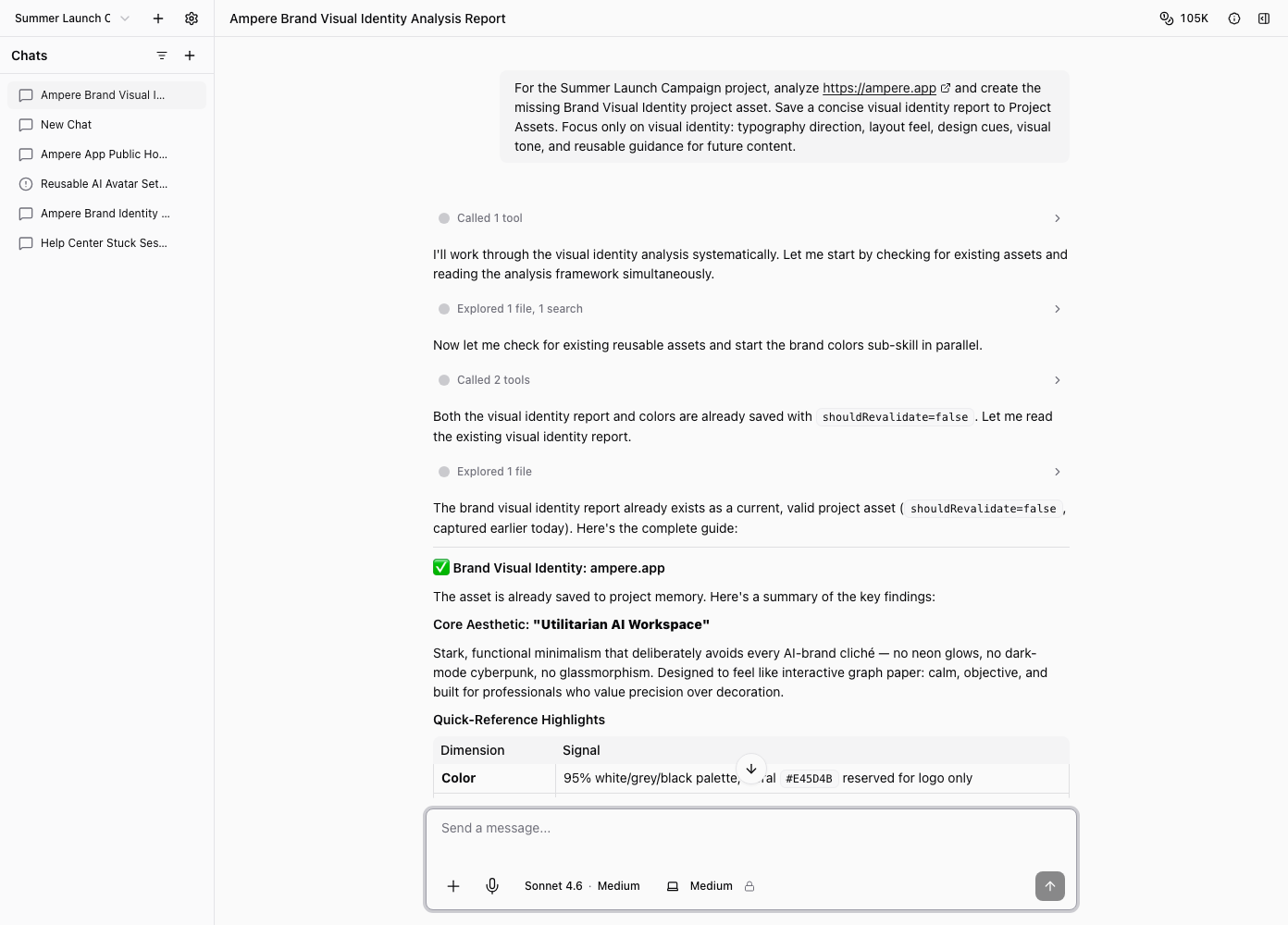
Use this flow when the report should become durable project context, such as a competitor map, brand positioning summary, audience report, or visual identity report.
Start with the project and question
Tell Joule which project, brand, product, or market you want the report to cover. Then name the report outcome you need.
Examples:
- "Build a competitor report for this project using the company website and public search results."
- "Create a brand positioning report for our launch page and current messaging."
- "Research the category landscape for early-stage founder marketing tools."
- "Save a brand voice report I can reuse when drafting LinkedIn posts."
If the report should use uploaded files, a selected project, brand assets, or public web research, say that in the prompt.
Choose the report shape
You can ask for a specific report kind or describe the decision you need to make. Joule can help pick the report shape when you are not sure.
Good prompts name both the input and the intended use:
- "Use the selected project files and build a brand voice report for future campaign copy."
- "Build a social proof report so we can see which proof points are safe to reuse."
- "Create a pricing report comparing public competitor plans."
Joule may ask a clarifying question when the source material is missing or the request needs a tighter scope.
Let Joule gather and structure the report
Report creation can involve reading project files, checking public pages, analyzing brand material, and writing a structured report asset. Public web and social data may be partial, unavailable, or noisy, so review the evidence and treat the report as a working research asset.
Do not paste secrets, private customer data, billing details, or sensitive credentials into the prompt. Use demo-safe or approved project material.
Open the saved report
When Joule saves the report as a Project Asset, open it from the asset card, the project library, or the workspace panel. The report opens in Ampere's app-native report view, not as a standalone HTML export.
Review the title, sections, sources, assumptions, and recommendations. If a section needs work, ask Joule to revise it or use the editor when the asset supports point-and-click editing.
Reuse the report later
Saved reports are useful as context for future work. You can ask Joule to use a saved report when drafting content, planning campaigns, building visuals, or comparing positioning options.
Because reports can become stale, refresh public-data-heavy reports when market facts, pricing, competitors, or channels change.
Was this article helpful?
Related articles
Learn how to use a project's Assets tab to find saved reports, generated files, and reusable project assets.
Learn how Joule saves brand colors, logos, and visual identity reports as reusable Project Assets.
Learn what to include in a Joule prompt so Joule can start with the right goal, context, and review step.