Plans and pricing
Understand Ampere's Free Plan and paid plans, billing cadences, included credits, and what changes between plans.
Last verified 15 days ago
Ampere has a Free Plan and five paid plans with monthly or annual billing. Eligible accounts that have never had a paid plan can start on the Free Plan without a card. Every paid plan unlocks the full product: Ampere, 200+ AI tools & skills, Brand memory, shared Organization credits, and the billing controls that help your team manage spend.
Paid plans differ only in price, billing cadence, and included credits. A larger plan doesn't unlock a different product edition, and it doesn't come with a volume discount.
What the Free Plan includes
The Free Plan is for eligible accounts in supported regions that have never had a paid plan, and it needs no payment or card. Ampere sets up your Brand memory, then completes up to 4 Free tasks for your brand, within the usage the Free Plan includes.
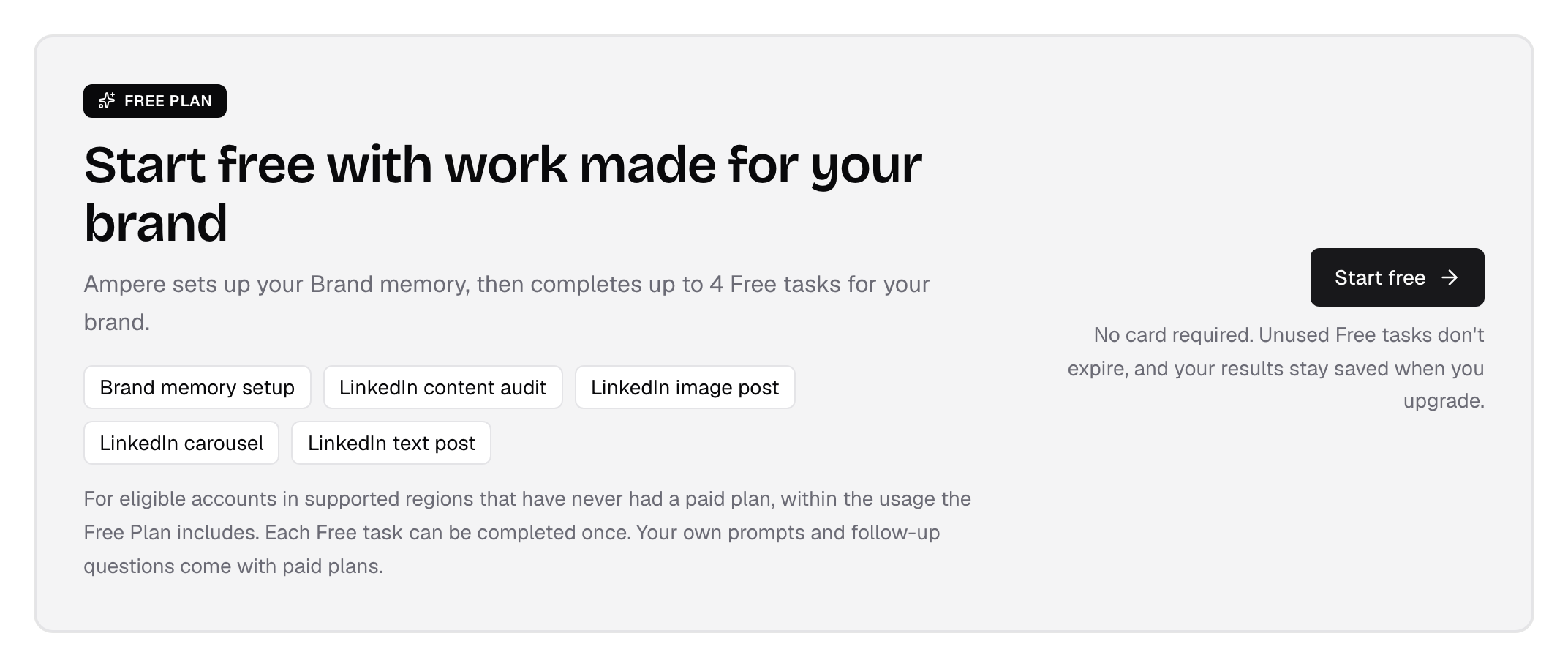
The Free Plan covers:
- Brand memory setup: share your website or a short business brief, and Ampere saves what it learns about your brand to use in your Free tasks.
- LinkedIn content audit: a review of your company page's recent posts that shows where to improve.
- LinkedIn image post: a branded image post on a topic your audience cares about now.
- LinkedIn carousel: an 8-slide carousel on a topic your audience cares about now.
- LinkedIn text post: a ready-to-post text update on a topic your audience cares about now.
How Free tasks work:
- Each Free task can be completed once, and it counts toward your 4 Free tasks only once it delivers its result.
- Free tasks don't use credits.
- Unused Free tasks don't expire, and your results stay saved when you upgrade.
Each person can start one Free Plan, for the first Organization they created and still own. You can't start a Free Plan for an Organization you were invited to, but you can join someone else's Free Plan as a teammate, and joining doesn't use up your own. A quick, one-time account check runs before any Free work starts, and some accounts are asked for a text-message code. If you don't qualify, or the Free Plan isn't available in your region yet, you can still choose a paid plan.
If you created your account before the Free Plan was available, you can start on it too, as long as you've never had a paid plan. The introductory offer counts as a paid plan, and the same account check applies. When you sign in, Ampere takes you to the Activate your Free Plan page.
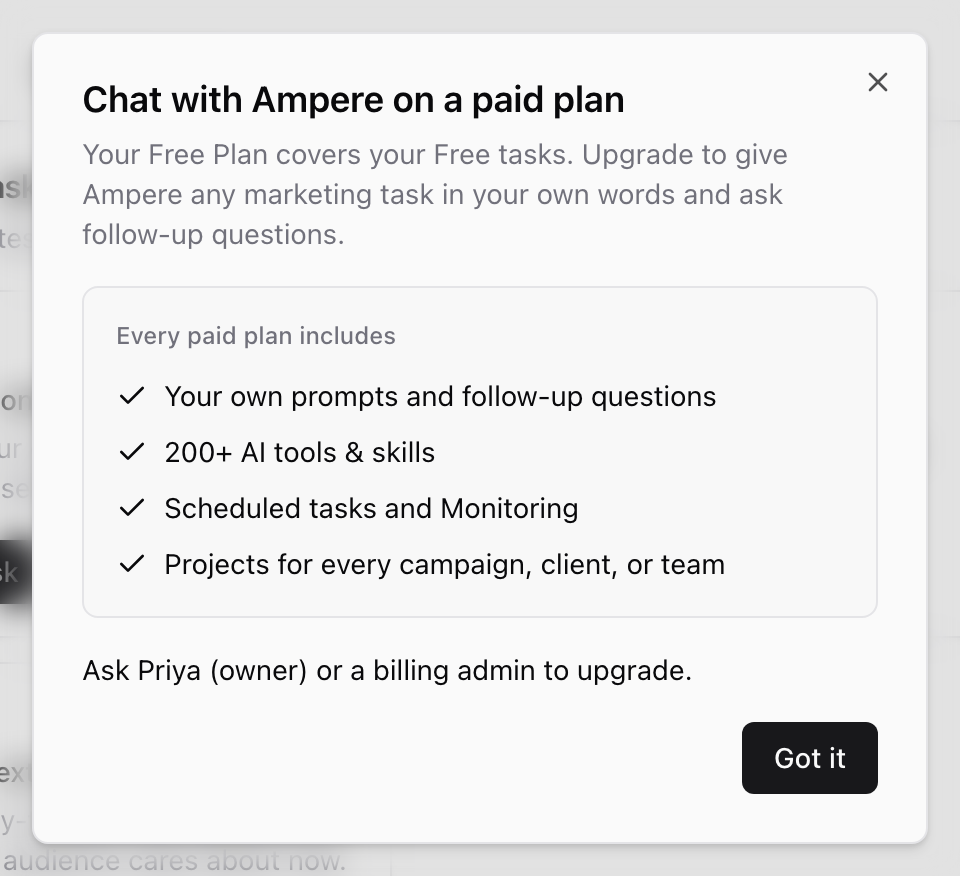
Your own prompts and follow-up questions, 200+ AI tools & skills, Scheduled Tasks, and Monitoring come with paid plans. There's nothing to cancel on the Free Plan. It doesn't switch to a paid plan on its own, so you can upgrade whenever you're ready.
Teammates on the Free Plan
Once the Free Plan account check approves your Organization, its owner and admins can invite teammates. The Free Plan includes up to 5 people, counting the owner and any pending invitations that haven't expired. When all 5 places are taken, you can still resend a pending invitation, and adding more teammates needs a paid plan. Paid plans have no teammate limit. For the steps, see Invite teammates.
Everyone in the Organization shares one Free Plan:
- The same 4 Free tasks: a Free task counts once for the whole Organization, whoever starts it, and its results stay saved on Home for everyone.
- The same Brand memory: every Free task uses the Organization's Brand memory. The owner sets it up and manages it, and teammates can view it.
- Who started each task: when someone else starts a Free task, its card on Home shows Started by and their first name.
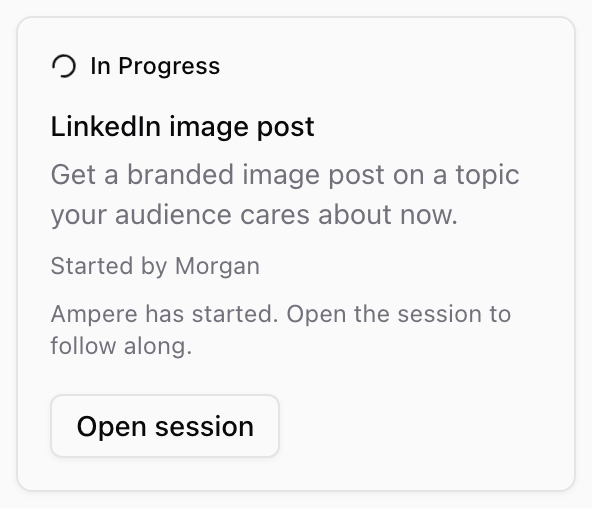
What each role can do with Free tasks:
- Owners, admins, and members can start the remaining Free tasks, answer Ampere's questions, stop a task that's running, and open and download results.
- Viewers can open Free tasks, their sessions, and their results, and download results, but can't start, answer, or stop anything. Home tells viewers: "You have view-only access, so you can open Free tasks and their results but can't start them."
For more about roles, see Organization roles.
Some things stay with the owner:
- Account check and Brand memory setup: if you join while the owner is still setting up Brand memory, Home tells you the owner is setting it up, and your Free tasks open there when it's ready.
- Emails: Free Plan tips and reminders, and emails when a Free task finishes or needs an answer, go to the owner. If you started a task, follow it on Home or in its session.
Joining an Organization on the Free Plan doesn't unlock paid features. Your own prompts and follow-up questions, 200+ AI tools & skills, Scheduled Tasks, and Monitoring come with paid plans for everyone in the Organization.
Who can upgrade
Only the owner or a billing admin can upgrade the Organization to a paid plan. A billing admin is a teammate with access to manage the Organization's billing.
Everyone else sees the same upgrade messages, but instead of an Upgrade button, the message tells them to ask the owner or a billing admin to upgrade.
If the Organization doesn't have a plan
If the Organization has no active plan, only the owner or a billing admin can choose one. Anyone else who opens the Organization sees a page instead of Home. Its title names the Organization and says it doesn't have a plan yet if it has never had one, doesn't have a paid plan yet if its Free Plan is no longer active, or that its plan has ended if a paid plan ended. Below the title, the page tells you to ask the owner, by name, or a billing admin to choose a plan.
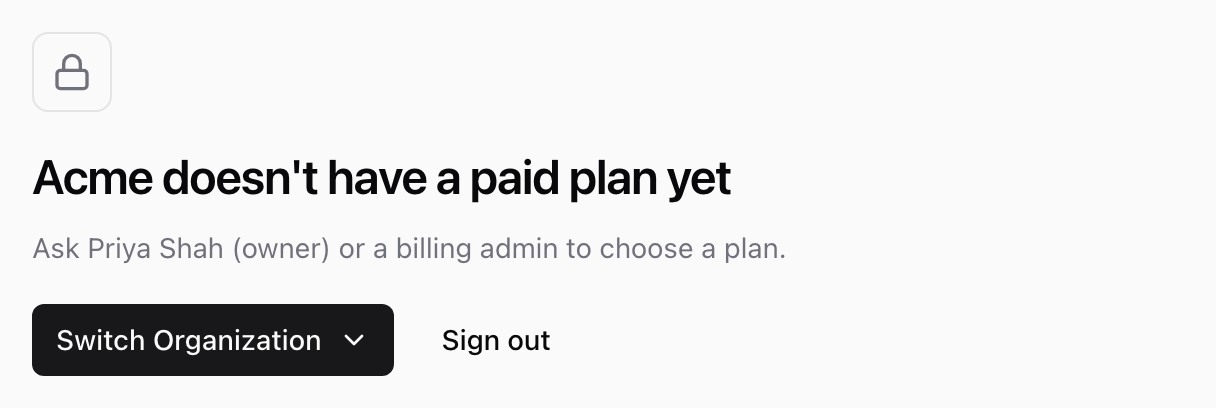
If you belong to other Organizations, select Switch Organization to open one of them. Select Sign out to sign out of Ampere.
What every paid plan includes
Every paid plan includes access to the same core Ampere capabilities and product surfaces:
- Ampere, your AI marketing agent.
- 200+ AI tools & skills for content, creative, research, media, and public-data tasks.
- Brand memory, brand kits, avatars, voices, Project context, Project files, and Project assets.
- Scheduled Tasks and Monitoring for work that runs on a cadence.
- One shared Organization credit pool instead of separate per-seat credit balances.
- Spend controls such as top-ups, auto-recharge settings, and billing history.
Monthly plans
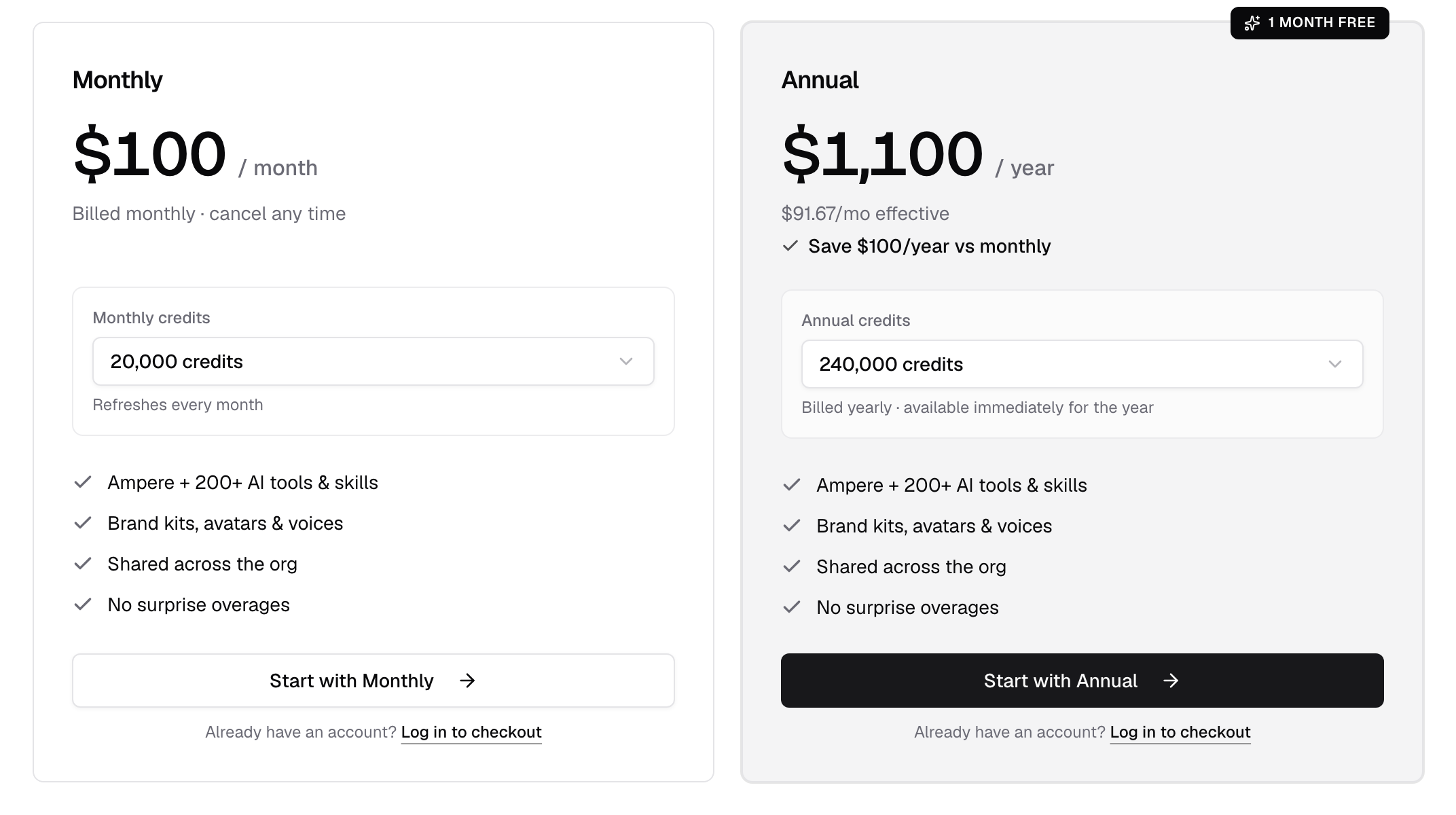
Monthly plans bill once per month and refresh the included credit allowance every billing period. Every monthly plan includes 200 credits per dollar.
| Monthly price | Included credits per month |
|---|---|
| $100/month | 20,000 credits |
| $200/month | 40,000 credits |
| $500/month | 100,000 credits |
| $1,000/month | 200,000 credits |
| $2,000/month | 400,000 credits |
Choose a monthly plan when you want the lowest upfront commitment or when your team is still learning its usage pattern.
Annual plans
Annual plans bill once per year. Each plan costs the equivalent of eleven monthly payments and grants twelve monthly credit allowances immediately for the year. That is exactly one month free, or about 8.33% less than paying monthly for twelve months. On the $100 plan, for example, annual billing costs $1,100 for the year, works out to $91.67 per month, and saves $100 compared with paying monthly.
| Annual price | Included credits for the year |
|---|---|
| $1,100/year | 240,000 credits |
| $2,200/year | 480,000 credits |
| $5,500/year | 1,200,000 credits |
| $11,000/year | 2,400,000 credits |
| $22,000/year | 4,800,000 credits |
Choose an annual plan when you already expect Ampere to be part of your team's regular marketing workflow. Annual billing gives one month free on every paid plan.
How credits fit into pricing
Credits are Ampere's usage unit for AI work. They are spent when Ampere performs work for your Organization, such as Ampere messages, AI Tool and Workflow runs, browser sessions, scheduled runs, and select background AI work.
Browsing the app, reviewing history, checking dashboards, and managing settings do not spend credits.
Subscription credits are included with your plan and are used first. If you need more credits before the next reset, you can buy one-time top-ups or configure auto-recharge. For more detail, see How credits work and Buy top-up credits.
If you started with the introductory offer
The introductory offer closed when the Free Plan launched. If your Organization started with it, you paid $7 on the day it started, or less if you used a coupon code, and received 2,500 credits and seven days of access. The monthly plan you picked starts seven days later. Until then, you can change which plan starts, or stop it from starting, on the Billing page. Either way, your introductory credits and access last the full seven days. The introductory offer continues only into the $200, $500, $1,000, or $2,000 monthly plan, not the $100 plan or an annual plan.
Custom plans
The standard monthly and annual plans cover most teams. If you need custom invoicing, a higher credit ceiling, or specific contract terms, contact the Ampere team from the pricing page or through support.
Where to start
Start free
- Choose Start free on the pricing page and create your account, or sign in if you already have one.
- On the Activate your Free Plan page, complete the security check, then select Continue with Free Plan to finish the quick account check. Some accounts are asked for a text-message code.
- Set up your Brand memory from your website or a short business brief.
- Start your Free tasks during setup or from Home. Your results stay saved on Home.
Start with a paid plan
- On the pricing page, choose your credits on the Monthly or Annual card.
- If you already have an Ampere account, select Log in to checkout so the subscription attaches to the right Organization. Otherwise, select Start with Monthly or Start with Annual to create your account.
- Complete checkout.
Starting from a plan card takes you straight to checkout, without the Free Plan account check. If your Organization is already on the Free Plan, an Organization owner or billing admin can upgrade from the Billing page under Upgrade to a paid plan, and everything you created on the Free Plan stays saved.
After checkout, use Billing and Usage in the app to review your current plan, credit balance, invoices, and usage trends.
Was this article helpful?
Related articles
Learn why a balance can show outstanding debt or a locked state and what billing users can do next.
Learn what billing admins can manage, who can add them, and how billing access differs from organization roles.
Learn how to cancel, resume, or reactivate an Ampere subscription and what changes afterward.