Switch between monthly and annual billing
Learn how monthly and annual billing changes work, who can switch cadence, and what happens before you confirm.
Last verified 26 days ago
Ampere subscriptions can use monthly or annual billing. Monthly plans renew each month. Annual plans cost exactly eleven monthly payments, include twelve monthly credit allowances upfront, and give you 1 month free—about 8.33% less than paying monthly for a full year.
Organization owners and billing admins can switch an active subscription between monthly and annual billing from the Billing page. The exact preview depends on the current tier, cadence, renewal date, remaining included credits, and payment state.
Before you switch
You need billing access for the Organization. Owners have billing access by default, and owners can grant billing-admin access to teammates.
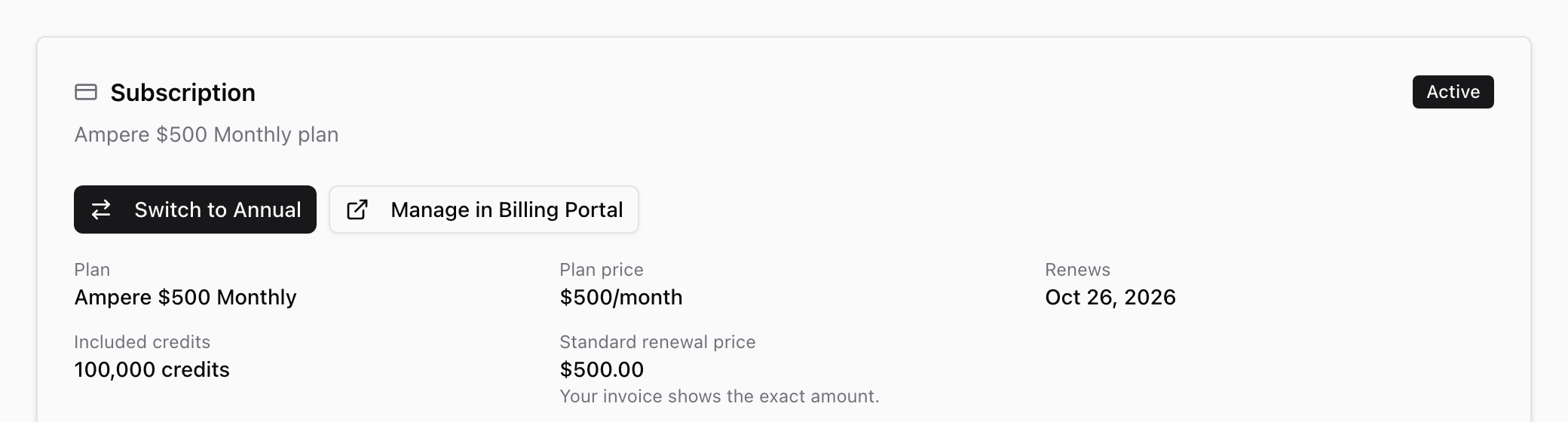
You also need an active subscription. If your subscription is scheduled to end, Ampere asks you to reactivate it first. Select Manage in Billing Portal on the Subscription card, reactivate the subscription, and then return to Billing to switch cadence.
If another cadence change is already processing or scheduled, finish or cancel that change before starting a new one.
Switch from monthly to annual
Open Billing from Organization settings, then find the Subscription card. If your Organization is on a monthly plan and you have billing access, select Switch to Annual.
Review the preview before confirming. Monthly-to-annual changes can take effect immediately. The preview shows the annual charge due today, annual savings equal to one monthly payment, twelve monthly credit allowances loaded upfront, and any preserved included credits. To confirm, select the checkbox that acknowledges today's charge, and then select Confirm upgrade.
For the current public plans, the preview uses these annual totals:
| Monthly plan | Annual charge | Annual savings | New included credits |
|---|---|---|---|
| $100/month | $1,100 | $100 | 240,000 |
| $200/month | $2,200 | $200 | 480,000 |
| $500/month | $5,500 | $500 | 1,200,000 |
| $1,000/month | $11,000 | $1,000 | 2,400,000 |
| $2,000/month | $22,000 | $2,000 | 4,800,000 |
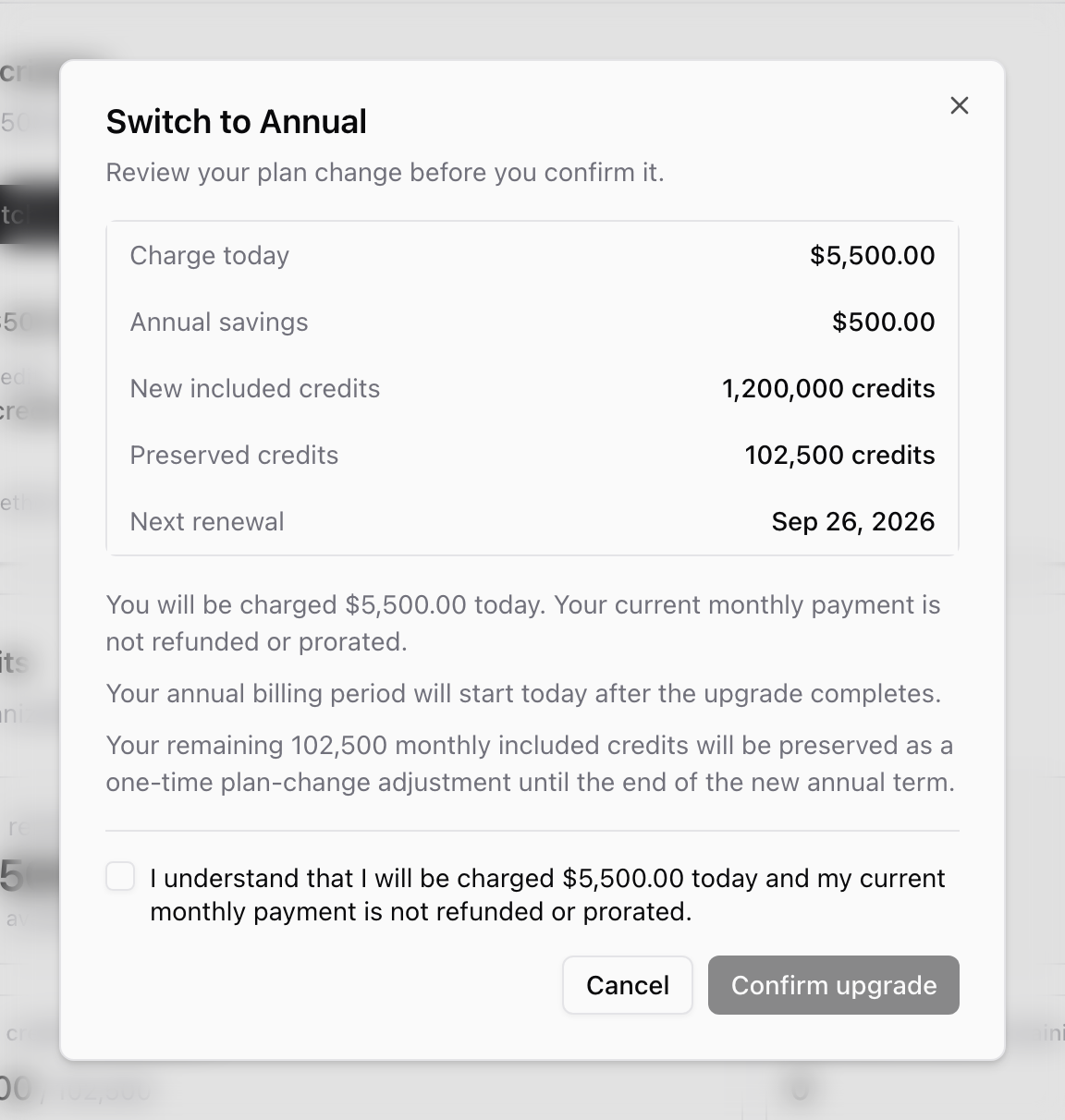
When you confirm an annual switch, Ampere starts the annual billing period after the upgrade completes. Your current monthly payment is not refunded or prorated. If any monthly included credits remain, Ampere can preserve them as a one-time plan-change adjustment until the end of the new annual term.
If the payment requires verification, complete the verification step shown by Stripe. Ampere keeps the Billing page updated while the change is processing.
Switch from annual to monthly
If your Organization is on an annual plan, the Subscription card shows Switch to Monthly. Review the preview, and then select Confirm change.
Annual-to-monthly changes are scheduled for the end of the current annual term. You are not charged on the day you schedule the change, and your annual access and included credits remain unchanged until the switch date. There is no mid-cycle refund for the current annual term.
After you schedule the change, Ampere shows a banner with the effective date. If the scheduled change can still be canceled, owners and billing admins see Cancel scheduled change in that banner.
If you do not see a switch option
You may not have billing access, your subscription may not be active, your Organization may still be in its seven-day introductory offer, your latest renewal may not be complete yet, or another plan change may already be in progress.
The Billing page shows which of these applies. If you don't have billing access, ask an Organization owner or billing admin to review it.
Where to go next
To compare plan allowances, read Plans and pricing. To learn who can manage billing, read Understand billing admins. To understand the shared credit pool, read How credits work.
Was this article helpful?
Related articles
Learn why a balance can show outstanding debt or a locked state and what billing users can do next.
Learn what billing admins can manage, who can add them, and how billing access differs from organization roles.
Learn how to cancel, resume, or reactivate an Ampere subscription and what changes afterward.