Cancel or reactivate your subscription
Learn how to cancel, resume, or reactivate an Ampere subscription and what changes afterward.
Last reviewed August 2026
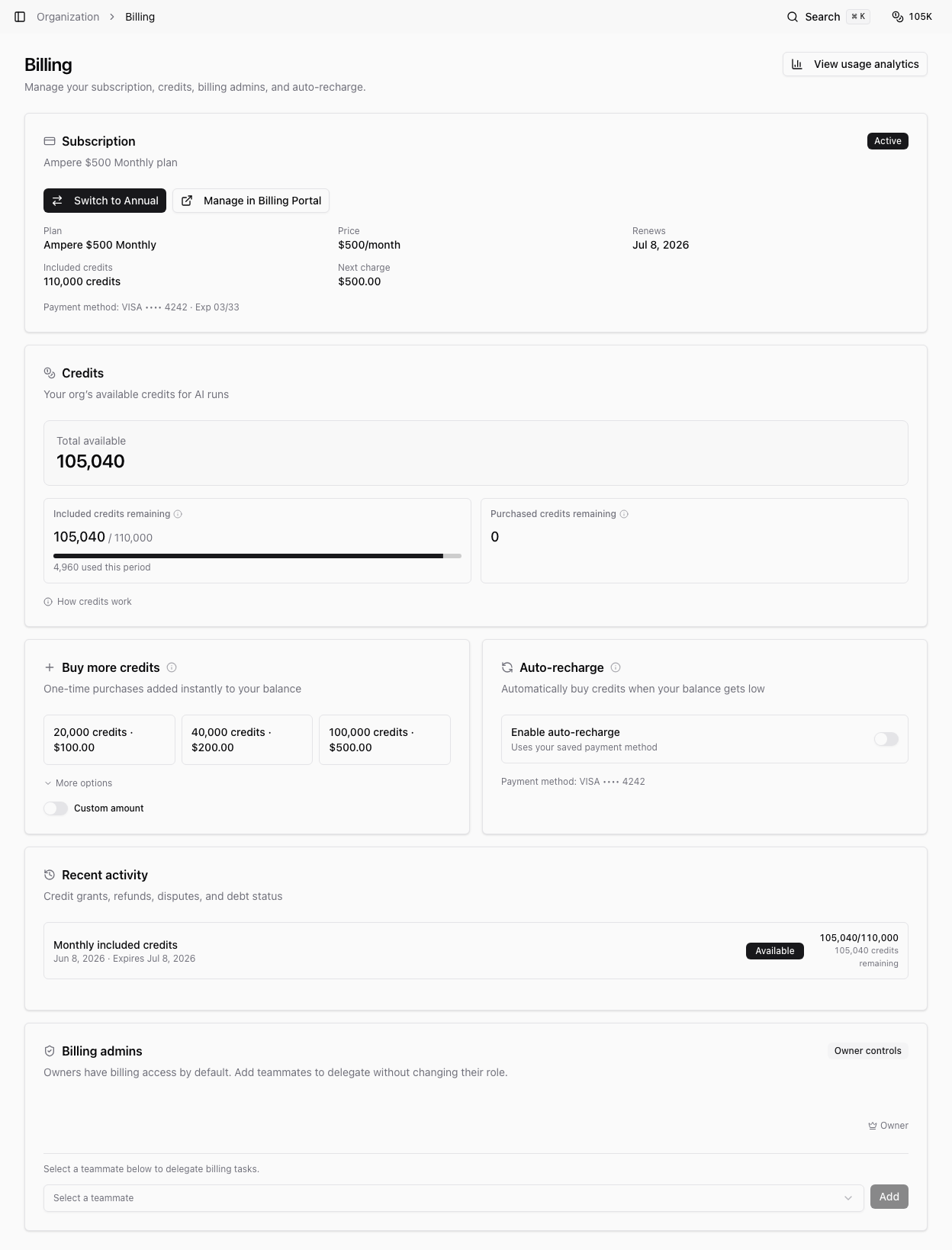
Organization owners and billing admins manage subscription cancellation and reactivation from Billing. Ampere uses Stripe's billing portal for subscription management, so some actions happen outside the Ampere app.
Canceling a subscription does not immediately erase your Organization or its data. Access and credit behavior depend on the paid-through period and the subscription state.
Open subscription management
Go to organization Billing and find the Subscription card. If you have billing access, select Manage in Billing Portal.
If you do not see the portal action, ask an organization owner or billing admin to make the change.
Cancel a subscription
Use the billing portal to cancel the subscription. When cancellation is scheduled for the end of the billing period, Ampere shows a subscription-ending notice and the date access is expected to end.
You retain access until the paid-through date shown in the billing UI or billing portal. Auto-recharge can remain available while the subscription is still active and within the paid-through term.
Reactivate before the paid term ends
If cancellation is scheduled but the paid term has not ended, use the billing portal to reactivate or resume the plan. Ampere shows the current subscription state after Stripe updates the subscription.
If the subscription has already ended, start or resume a subscription from Billing when that option is available.
What happens to purchased credits
Purchased credits remain usable through the end of the paid subscription term. After the paid subscription term ends, remaining purchased credits are locked for new runs until the subscription is reactivated, as long as the credits have not passed their original expiry.
Locked purchased credits may still settle eligible outstanding usage before they can fund new work.
Before canceling
Review active work, scheduled AI Tool runs, payment methods, invoices, and any outstanding usage. If you plan to delete the organization, cancel billing first and wait until the app allows deletion safely.
Was this article helpful?
Related articles
Learn what billing admins can manage, who can add them, and how billing access differs from organization roles.
Learn who can manage invoices and payment methods and how to open the Billing Portal from Ampere.
Understand Ampere's Free Plan and paid plans, billing cadences, included credits, and what changes between plans.