Record a screen demo or walkthrough with Ampere
Learn how to ask Ampere for a screen demo or walkthrough and review the resulting script or assets.
Last reviewed August 2026
Ampere can help plan a screen demo or walkthrough by writing the script, step list, narration, and production checklist. Depending on the session and available tools, Ampere may also use browser or session-workspace capabilities to inspect pages and prepare assets.
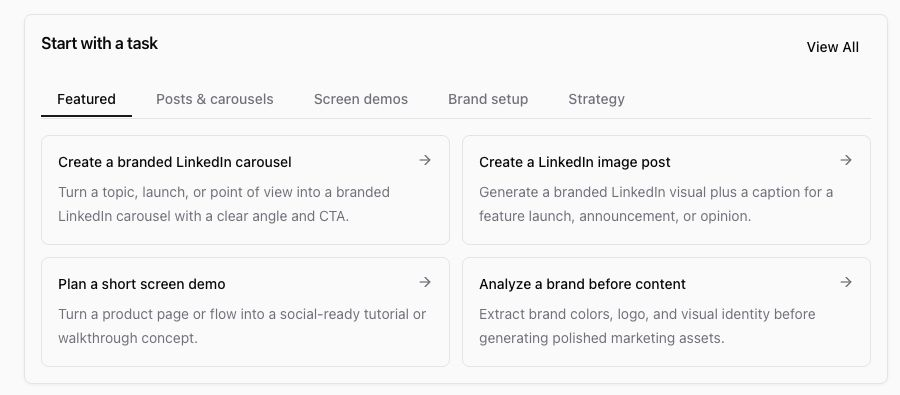
Use this workflow when you need a clear demo plan before recording or producing the final walkthrough.
Describe the walkthrough goal
Tell Ampere what the viewer should understand after watching. Include the product area, audience, desired length, and destination.
Examples:
- "Create a two-minute walkthrough script for showing our new reporting workflow to prospects."
- "Plan a founder-style screen demo for this feature launch."
- "Write a product demo script with steps, narration, and on-screen callouts."
Provide the source and boundaries
Give Ampere the pages, screenshots, product notes, or demo flow it should use. Be explicit about anything that must not appear, such as customer data, internal IDs, billing details, or private account information.
For a real recording, prepare demo-safe data before you record. Do not expose credentials, private customer records, or production-only secrets.
Ask for a complete package
A useful walkthrough package can include:
- Demo objective and audience.
- Step-by-step screen path.
- Narration script.
- On-screen text or callouts.
- Recording checklist.
- Retake notes and editing suggestions.
- Short social caption or launch blurb.
If you want a product demo rather than a marketing script, say that directly.
Review before recording
Walk through the steps yourself before recording. Confirm the UI exists, the demo data is safe, the copy is accurate, and the flow fits the target length.
Ask Ampere to revise any awkward transitions, missing context, or risky claims. A good screen demo should be easy to follow even when the viewer has never used the product.
Save the handoff
Save the final script and checklist in the session workspace or project assets. If the recording will be done by someone else, include the browser route, account/data requirements, and privacy notes in the handoff.
Was this article helpful?
Related articles
Learn how to prompt Ampere for paid social, founder, UGC-style, or product demo video script packages.
Learn review and edit outputs in Ampere with product-grounded steps, current limits, and where to go next.
Learn use browser sessions in Ampere with product-grounded steps, current limits, and where to go next.