Create a project
Learn how to create an Ampere project so sessions, reusable context, and project assets stay organized.
Last verified 8 days ago
Projects help you keep related marketing work together. Use a project for a campaign, product, client, launch, content pillar, or other focused project where sessions, reusable context, and project assets should stay connected.
This article shows how to create a project from the Projects page and write a useful project brief.
Before you start
Creating projects is part of every paid plan. The Free Plan includes the General Project, so on the Free Plan, selecting New project opens an upgrade dialog instead of the create form. To compare plans, see Plans and pricing.
Open Projects
Select Projects from the app navigation.
The Projects page lists your projects, most recently updated first. Each row shows the project name, the start of its project context, how many sessions, assets, and files it has, and when it was last updated. Use Search projects to find a project by its name or context, and select a project's name to open it.
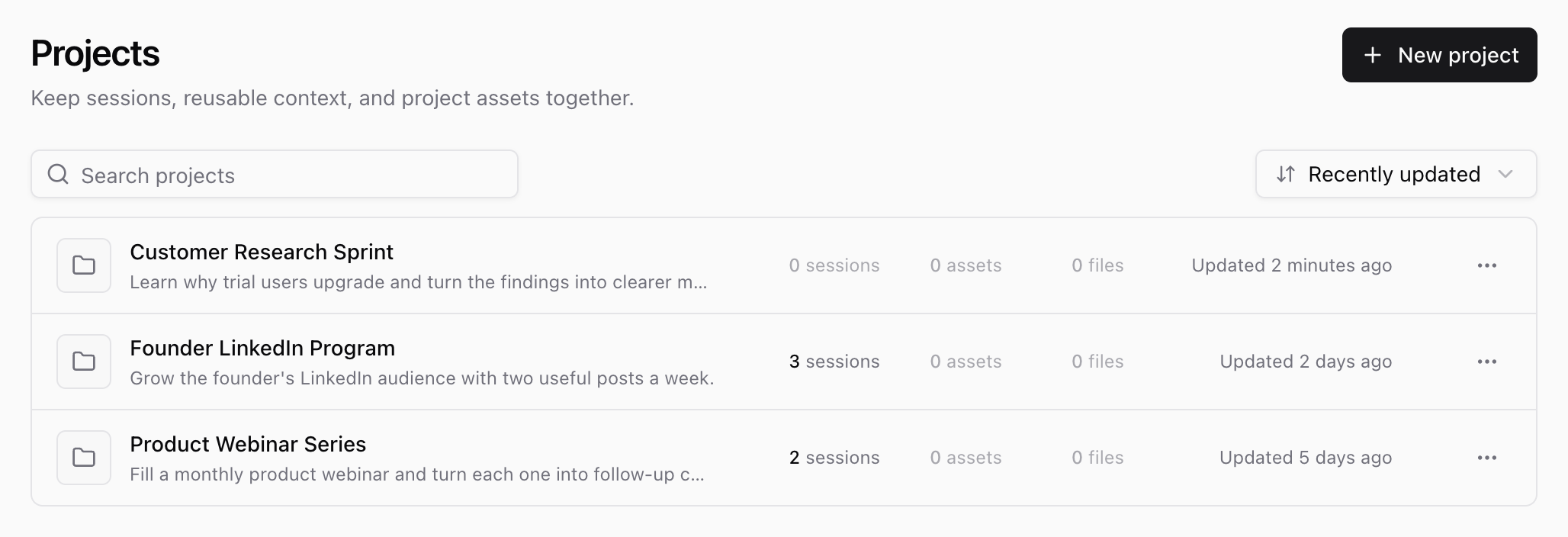
Start a new project
Select New project at the top of the Projects page.
Ampere opens the Create project dialog with three parts: Project name, Project context, and Upload files. Only the project name is required.
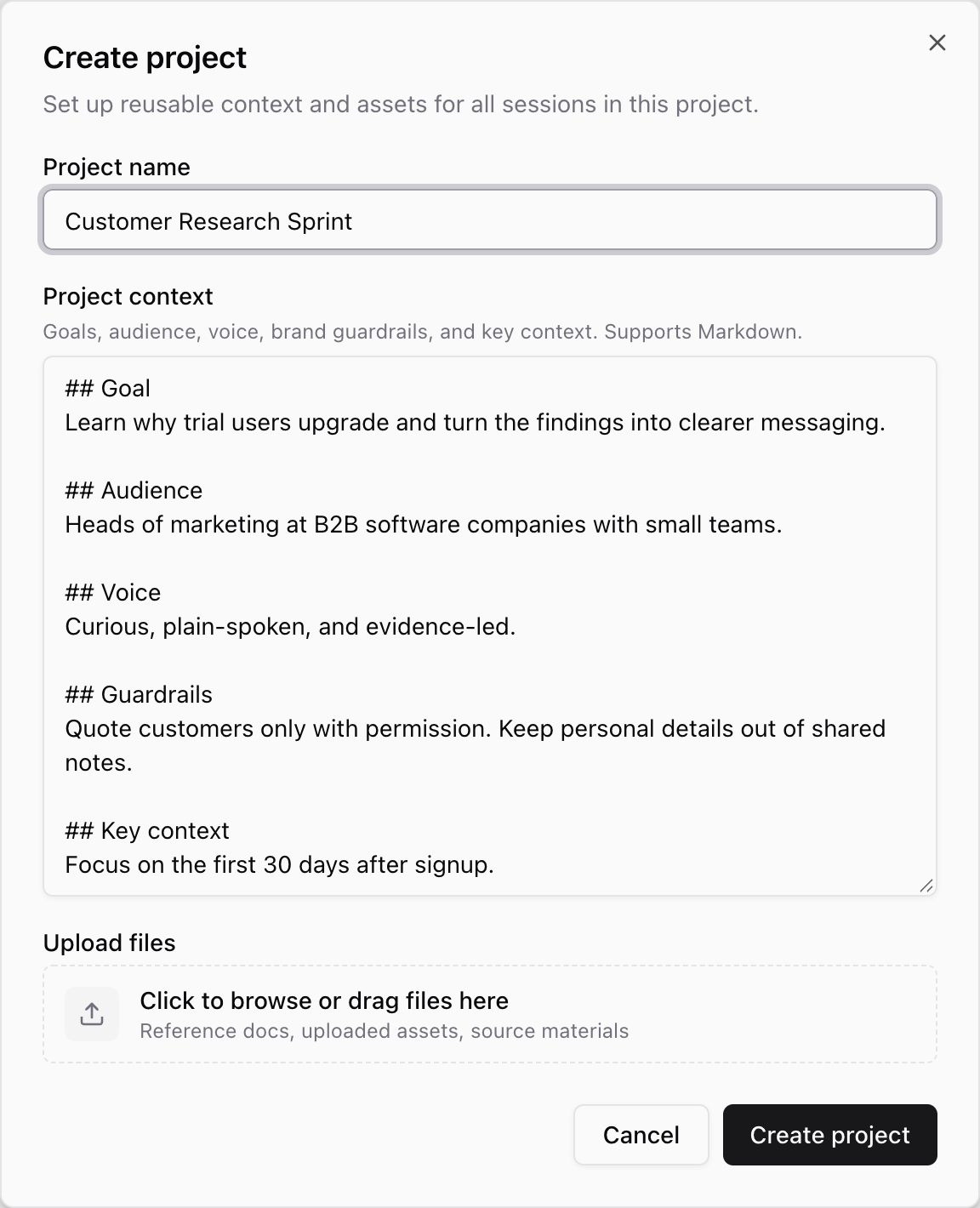
Name the project
Use a name that is easy to recognize later. Good project names usually include the product, client, campaign, or ongoing workstream.
Examples:
- Marketing Content Ops
- Q3 Product Launch
- Founder LinkedIn Program
- Customer Research Sprint
Avoid vague names like "Test" or "New Project" unless you are only experimenting.
Write the project brief
Use Project context to write the project brief: the reusable context Ampere should have for work inside the project. The field supports Markdown, so you can use short sections or bullets.
A useful brief can include:
- The goal of the project.
- The audience you are trying to reach.
- The voice, tone, or positioning to follow.
- Brand guardrails, such as phrases to use or avoid.
- Key context, links, source material, or constraints the project should remember.
You do not need to make the brief perfect on the first pass. Start with the context you know, then improve it as the project becomes clearer. If you leave Project context empty and don't add files, the Projects page shows Needs setup for the project until you add context or files.
Add source files (optional)
If you already have source material for the project, such as reference docs, brand files, or research notes, add it in Upload files. Select Click to browse or drag files here to choose files, or drag them onto that area. You can also add files later from the project page.
For details, see Add project files and Supported file types and limits.
Create the project
When the name and context are ready, select Create project.
Ampere creates the project and opens its project page on the Context tab, where you can review the project context and add more files. Recent sessions shows your latest sessions in this project, and the Assets tab shows the project's saved assets. Select New session to start working in the project.
If a file you added can't be saved, Ampere still creates the project and keeps the dialog open with that file in Upload files. Select Retry files to try again.
As you add more context or assets later, future work in that project has a clearer starting point.
What to check next
Before you start a major session in a new project, quickly review the project name and brief. Make sure they describe the real audience, goal, and brand context for the work you want Ampere to help with.
To update the brief, select Edit in Project context, make your changes, and select Save changes. To rename the project, select the pencil icon next to its name, type the new name, and press Enter.
If you are not ready to create a project yet, start with a short brief and add more detail later. A simple project is better than spreading related work across unrelated sessions.
Was this article helpful?