What is Ampere?
Learn how Ampere Platform, the Ampere AI agent, and the AI Tools catalog work together to help you ship marketing work.
Last reviewed August 2026
Ampere is a brand-aware AI marketing workspace for founders and lean marketing teams. At its center is the Ampere AI agent, which helps you plan, create, and finish marketing work from plain English.
Use this article when you are new to Ampere and want the simple map: what Ampere Platform includes, what the Ampere AI agent does, how the AI Tools catalog fits in, and where to start.
What Ampere Platform is
Ampere Platform is the complete system behind the brand-aware AI marketing workspace. It brings together the Ampere AI agent, Organizations, a catalog of AI Tools and workflows, Projects, uploaded files, reusable brand assets, team settings, and billing controls in one place.
The goal is practical: help a small team ship more marketing work without juggling a blank prompt box and a stack of separate tools. You can use Ampere for content, creative, research, brand context, public-data gathering, and marketing assets across formats like text, images, video, audio, documents, spreadsheets, and presentations.
What the Ampere AI agent is
Ampere is your AI marketing agent. You tell Ampere what you want in plain English, and it can plan the work, use its session workspace, create or edit files, browse when useful, run AI Tools, and return outputs you can review.
Ampere is best understood as a capable teammate, not a fully autonomous publisher. You stay in control: review the work, edit it, download outputs, or ask Ampere to revise before anything goes out.
How the agent and platform work together
Ampere Platform is the system where your marketing work and context live. Ampere is the agent that works within that system.
For example, Ampere Platform can hold Project context, uploaded files, brand assets, AI avatars, custom voices, and previous outputs. Ampere can use that context during a session so you do not have to re-explain the same brand or Project from scratch each time.
The AI Tools catalog is another part of Ampere Platform. Some jobs are better handled by a focused tool or workflow, such as generating an image, editing a product visual, gathering public research data, transcribing audio, or creating a voice asset. Ampere can use tools when they help, and you can also browse and run AI Tools directly from the catalog.
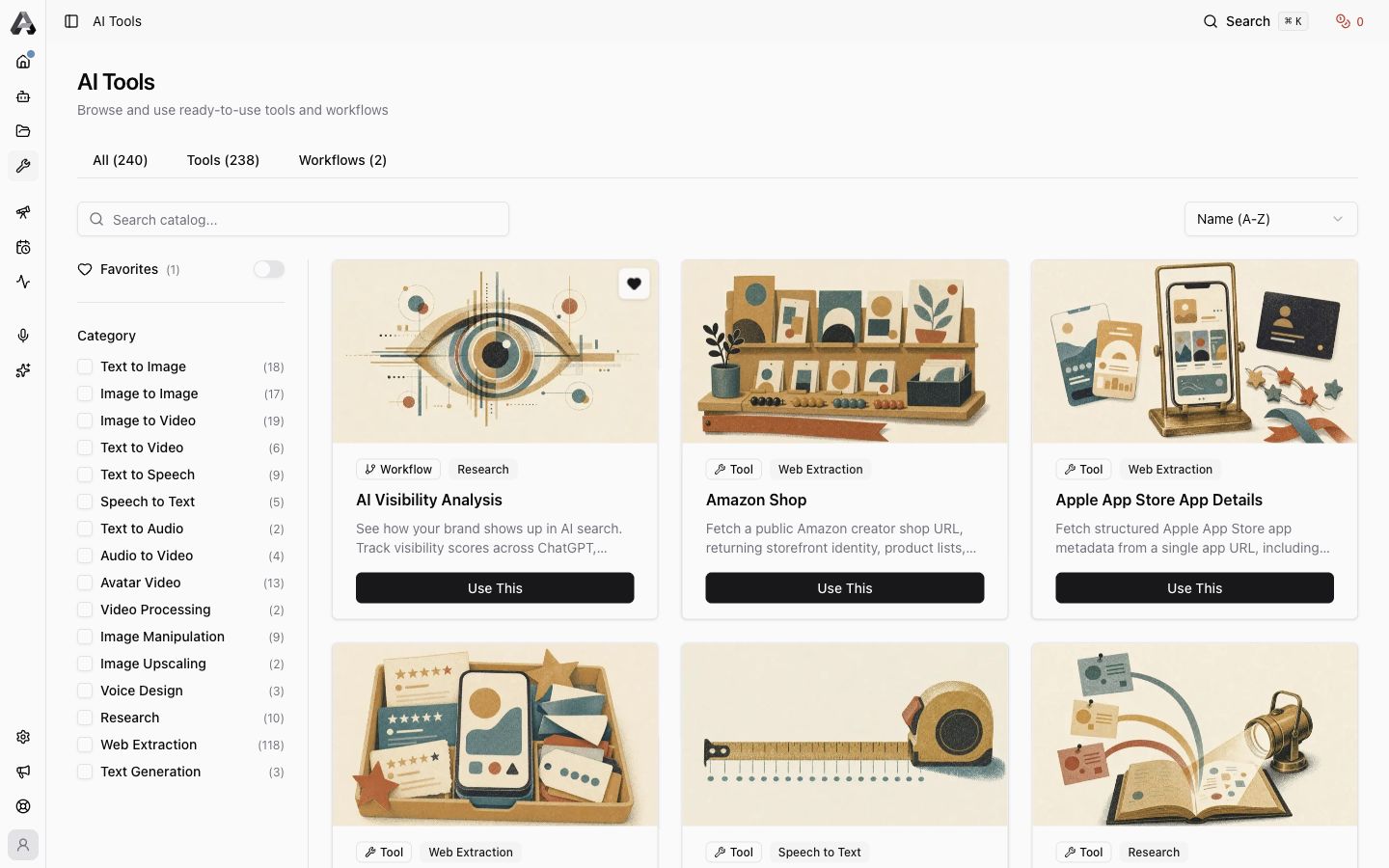
What kinds of work Ampere helps with
Ampere is built for marketing work, especially for founders and lean teams that need to ship across several formats.
Common starting points include:
- Creating LinkedIn carousels, image posts, articles, hooks, captions, launch content, and campaign angles.
- Generating and editing images, videos, voice assets, and other creative materials.
- Researching competitors, products, positioning angles, market context, websites, ads, reviews, and public social data.
- Saving project context, brand assets, project files, custom voices, and AI avatars so future work starts with more context.
- Downloading or previewing Workspace outputs such as documents, PDFs, spreadsheets, presentations, images, videos, audio, CSV, JSON, Markdown, and HTML reports.
What to keep in mind
Ampere helps you create and organize marketing work, but it does not replace your judgment. AI outputs can be incomplete, inaccurate, or need editing. Public web, social, ads, and review data may be partial or unavailable depending on the source. Review important claims, citations, and creative output before you rely on or publish them.
Some product areas may depend on your organization's settings, credits, connected accounts, or enabled features. If you do not see a page or option mentioned in the app, check with an owner or admin on your team.
Where to go next
If you are just getting started:
- Open Home and type a plain-language request into Ampere, or choose a starter task.
- Open AI Tools when you want a focused AI Tool or workflow instead of an open-ended chat.
- Open Projects when you want Ampere to remember reusable context for a product, brand, launch, or client.
- Review any files or outputs Ampere creates before you share, download, or publish them elsewhere.
Was this article helpful?
Related articles
Learn the product terms you will see in Ampere, from Ampere and AI Tools to projects, credits, outputs, and organizations.
Learn where to find recent Ampere product updates and how to scan the What's new feed.
Understand how Home highlights Ampere sessions that need your input or are ready to review.