Preview AI Tools before you sign up
Learn what you can preview in Ampere's public AI Tools directory before creating an account.
Last verified about 1 month ago
You can browse Ampere's public AI Tools directory before signing in. Use it to see which tools are available, compare capabilities, and decide whether a focused AI Tool or Ampere is the right starting point.
Running a tool, viewing your authenticated history, saving outputs, or using organization context requires an Ampere account.
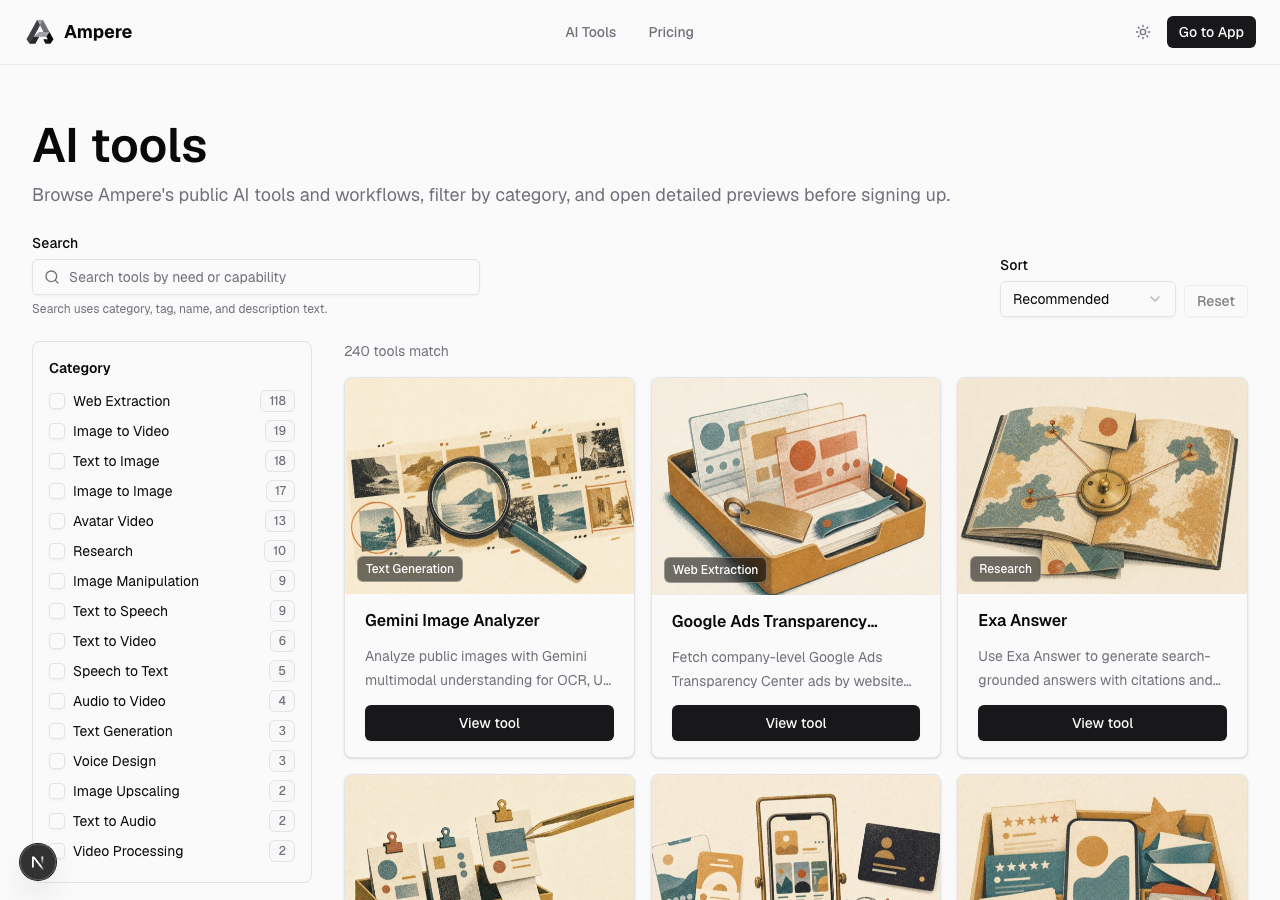
Open the public directory
- Go to AI Tools.
- Use Search to look for a need, capability, tool name, tag, or category.
- Use category filters to narrow the directory.
- Use Sort to switch between recommended, name, or newest ordering.
- Select View tool on a card to open the public tool detail page.
The public directory keeps its filters in the URL, so you can share or revisit a filtered view.
What you can preview
Public AI Tool pages can show the tool name, summary, category, examples, inputs, output expectations, and related tools when that information is available for the tool.
This is a preview of the tool's purpose and fit. It is not your private Workspace, and it does not show your organization's run history, saved outputs, projects, billing, or account settings.
What requires sign-in
Create or sign in to an Ampere account when you want to:
- Run an AI Tool.
- Use organization credits.
- See AI Tool run history.
- Save or download generated outputs.
- Use project, brand, or organization context.
- Continue work with Ampere.
If you open a run action from a public tool page, Ampere will prompt you to sign in or create an account before starting authenticated work.
Choosing between AI Tools and Ampere
Use a public AI Tool preview when you already know the focused job you want, such as generating an image, transcribing media, scraping a public page, or running a specific workflow.
Start with Ampere when your goal needs planning, multiple steps, brand context, judgment, or follow-up work across files and tools.
Where to go next
After you sign in, read Browse the AI Tools catalog to use the authenticated catalog. To run a tool, read Run an AI Tool. To review previous work, read Find AI Tool run history.
Was this article helpful?