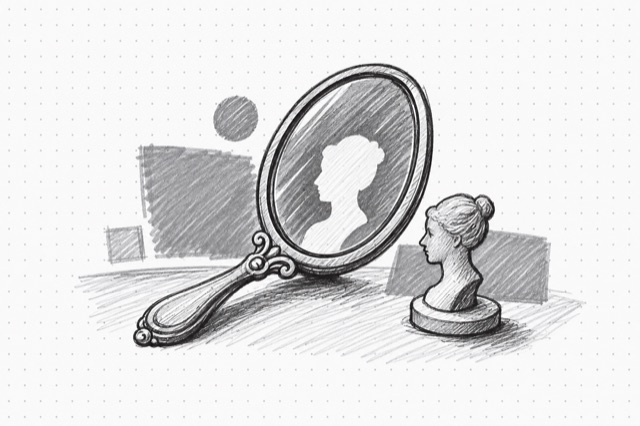
Minimax Image-01 Image-to-Image
Generate images using character/portrait references with Minimax Image-01 for consistent subject appearance
No card required
Inputs
Loading workflow structure...
Overview
Minimax Image-01 Image-to-Image generates new images from a prompt and one reference image using Minimax Image-01's subject-reference mode. Use it when a portrait, character, or spokesperson reference should guide campaign visuals while still allowing a new setting, style, or composition.
Use cases
- Turn a reference headshot or character image into campaign or social visual concepts.
- Explore a new setting, wardrobe, lighting, or composition while keeping the source subject as guidance.
- Generate multiple portrait or character candidates from the same prompt and reference image.
- Use a seed, aspect ratio, or custom dimensions when you need repeatable review rounds.
Input tips
- Provide a public image_url that can be fetched without login.
- Use a single, clear, front-facing portrait or character reference for best results.
- Write the prompt for the desired final image, not just a description of the reference.
- Choose an aspect ratio, or provide both width and height when custom dimensions matter.
- Width and height must be 512-2048 pixels and divisible by 8.
- Request 1-9 images depending on how many options you want.
- Use a seed for repeatability; enable prompt optimization only when broader interpretation is acceptable.
Expected output
The AI Tool returns one or more generated images with downloadable URLs, success and failure counts, optional seed, and cost metadata. The shared Minimax view renders a single image or gallery and shows image count, failed count when any generation fails, seed when present, and the model label.
Caveats
- Reference image URLs must be public and reachable.
- Subject guidance works best for clear portraits or character images; exact identity, clothing, pose, and details are not guaranteed.
- Prompt wording, prompt optimization, seed, and canvas size can all change the result.
- Generated people, logos, products, text, and rights-sensitive details should be reviewed before use.
- Custom dimensions outside the allowed range or not divisible by 8 will fail validation.
Related AI Tools
Minimax Image-01
Generate high-quality images using Minimax Image-01 text-to-image model with support for multiple aspect ratios
Flux.2 Max Image Editor
Edit images using natural language instructions with FLUX.2 Max from Black Forest Labs for highest quality results
OpenAI Image Editor
Edit images with GPT Image 2.5 Sunburst or Flare using instructions and optional masks.