Ask videos questions and get speaker transcripts
Ask questions about videos and get YouTube transcripts with speaker labels and timestamps, ready to review and reuse.
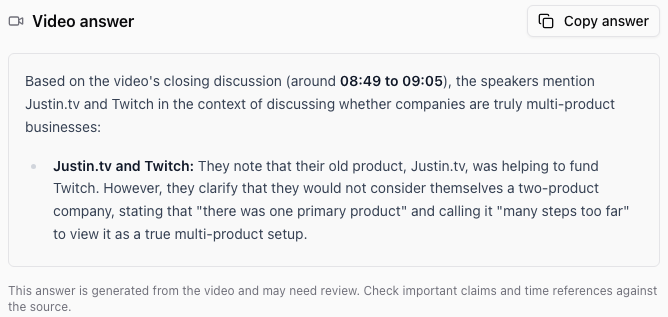
You can now ask Ampere questions about what happens in a video, or turn a public YouTube video into a transcript with speaker labels and timestamps.
What's new
- Ask about the video itself. Video Analyzer accepts public YouTube links and supported video files. Ask it to explain a demonstration, summarize a discussion, identify the main advice, or examine what's visible on screen. You can ask a focused question instead of requesting a full transcript.
- Read who said what, and when. YouTube Transcript now returns speech grouped into readable speaker turns, with timestamps and anonymous speaker labels. Copy or download the text with those labels intact, then return to the saved result when you need it again.
- Paste a link to get started. You can enter a supported public YouTube or media link directly in the transcription form, as well as upload a file. You no longer need to find a downloadable media link for a public YouTube video.
Image analysis is now listed as Image Analyzer. Your existing image-analysis results and links remain available.
Why it matters
Interviews, webinars, product demonstrations, and competitor videos contain material you can use in research and content planning. Ask a question to find the useful part, or request a transcript when you need the spoken detail. Speaker turns make an exchange easier to follow and timestamps help you check a passage before quoting it.
These transcripts are generated from speech; they are not the video's creator-supplied captions. Words, speaker assignments, and timestamps can contain mistakes, so review important quotes against the recording. Video answers also need your judgment before you use them in published work.
Analysis and transcription use credits. The amount shown before a run is an estimate; actual usage can vary with the video and the work requested.
How to use it
Share a public YouTube link with Ampere and ask a specific question, such as “What objections does the presenter address?” For a transcript, ask for speaker labels and timestamps. You can also open the individual AI Tools to enter a link or upload a supported video and review the result directly.
Where to find it
Open Video Analyzer or YouTube Transcript in AI Tools, or start a session with Ampere. Public YouTube videos and supported accessible files are accepted; private or unavailable videos may need a file you can upload.