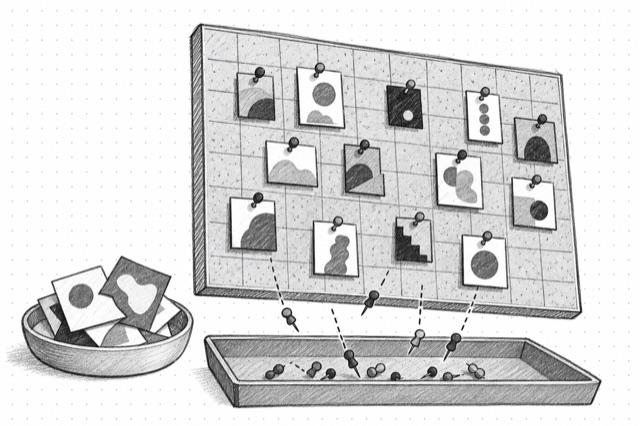
Pinterest Board Pins
Fetch one page of public pins from a Pinterest board URL with media assets, board context, pagination, and related-interest card filtering.
No card required
Inputs
Loading workflow structure...
Overview
Pinterest Board Pins fetches one page of public pins from a Pinterest board URL, with optional cursor pagination and trim mode. It returns normalized pin media, board context, pinner/source details, engagement fields, and diagnostics for filtered related-interest cards so marketers can study a board's visual themes.
Use cases
- Review pins from a specific public Pinterest board for visual patterns, topics, and source ideas.
- Collect pin media, titles, descriptions, pinner context, outbound links, and engagement fields from one board page.
- Use returned cursors to inspect another page of the same board.
Input tips
- Provide a full HTTPS Pinterest board URL.
- Leave cursor blank for the first board page; use the returned cursor for another page.
- Enable trim when a smaller result payload is enough.
- Use Pinterest User Boards first when you need to discover board URLs for a handle.
Expected output
The AI Tool returns availability status, lookup kind, canonical board URL, requested cursor, trim flag, normalized pins, next cursor, hasMore, related-interest filtered item count, skipped unreadable items, provider warnings, normalization notes, additional recovered fields, and cost metadata. Pins can include IDs, URLs, titles, descriptions, alt text, image and media URLs, board context, pinner/origin/native creator/domain owner summaries, outbound links, creation time, dominant color, category, promoted/repin/video/shoppable flags, engagement counts, visual annotations, shopping fields, safety flags, and recovered fields.
Caveats
- Each run returns one board pins page, not the full board.
- Related-interest cards and unreadable records may be filtered or skipped while usable pins are kept.
- Private, deleted, restricted, or renamed boards may return empty or unavailable results.
- Board contents, cursors, media URLs, source links, and engagement counts can change after the run.
Related AI Tools
Pinterest User Boards
Fetch one page of public Pinterest boards for a handle, preserving owner context and reporting owner-mismatch diagnostics observed in audit testing.
Pinterest Pin
Fetch a public Pinterest pin from a pin URL, including image assets, pinner and origin-pinner context, board details, engagement counts, and additional source fields.

Pinterest Search
Search public Pinterest pins by query with media, pinner context, pagination cursor, and explicit experimental caveats for noisy no-result and placeholder-card behavior.