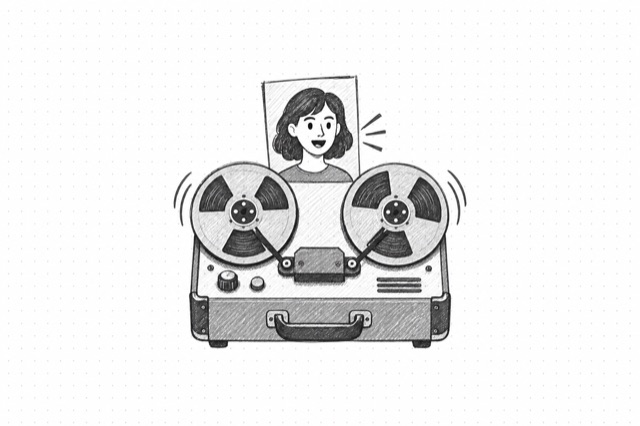
MiniMax H3 Max Reference Video
Create a short talking video from a portrait and audio reference. The generated soundtrack may differ from the supplied recording.
No card required
Inputs
Loading workflow structure...
Overview
MiniMax H3 Max Reference Video creates a short talking-video draft from one portrait and a prerecorded voice clip. Use it to explore an avatar presentation, spokesperson concept, or character narration when you can review and revise the generated result. The recording guides the speech, but the output soundtrack may differ from the file you supplied.
Use cases
- Turn an approved presenter portrait and prepared voiceover into a short video draft.
- Preview how a fictional brand character might deliver a brief spoken line.
- Compare a lower-cost 480P draft with a sharper 768P version before selecting a direction.
Input tips
- Upload a clear, front-facing portrait and an MP3 or WAV recording, or provide public URLs that MiniMax can access.
- Keep the image at 256 to 5,760 pixels per side. Images uploaded or imported by URL in the app are limited to 10 MB; keep the audio at most 15 MB.
- Use a recording that is at least 2 seconds and shorter than 15 seconds. Video length is calculated from the recording, rounded up to a whole second with a 5-second minimum.
- Leave aspect ratio on Adaptive to let MiniMax choose a suitable shape from the references, or select a ratio such as 9:16 for a vertical video.
- Choose 480P for a lower-cost draft or 768P when facial detail matters more.
- Leave motion blank for a still camera, natural blinks, and subtle head movement. Your motion direction is added to that portrait scene; review the result before sharing it.
Expected output
The AI Tool returns one playable, downloadable MP4 talking-video draft with its duration and cost details. It uses the supplied portrait and recording as references; the generated voice track and timing may differ from the original audio.
Caveats
- This AI Tool does not guarantee exact reuse of the supplied audio or frame-accurate lip synchronization.
- Private, expired, or blocked image and audio URLs may fail.
- A clear face and clean speech improve the chance of a useful result; review identity, mouth movement, and voice before use.
- Use a portrait and voice recording you have permission to animate.
- MiniMax H3 Max supports 480P or 768P output and a 5 to 15 second video length for this AI Tool.
- Adaptive chooses the output shape automatically; it does not guarantee the exact aspect ratio of the source portrait. Select a specific ratio when the shape matters.
Related AI Tools
Cartesia Sonic 3.6 Speech Generator
Turn text into natural speech with Cartesia Sonic 3.6 using a stock voice or a saved custom voice
VEED Fabric 1.0 Talking Video
Generate talking-head videos from an image and audio track using VEED Fabric 1.0

HeyGen Avatar 4 Talking Video
Generate talking avatar videos from a source image and premade audio using HeyGen Avatar 4